Active menu point according project category
-
-
Dear @janblatt
ok, I was wrong with my answer above. I got a bit confused.On my test-page it works.
Do you have Laytheme updated?Best!
Marius
-
Hello @mariusjopen
Everything is up to date. I double checked wether my custom css is causing the issue, but still, after deactivating all of it—same behaviour.
-
… did you check my site as well with the login I sent you?
-
-
@mariusjopen did you get those pms with the login data?
-
-
@mariusjopen please check chat
-
Dear @janblatt
I can see.When you enter the project from a link to your site it makes the menu item ALL PROJECTS active.
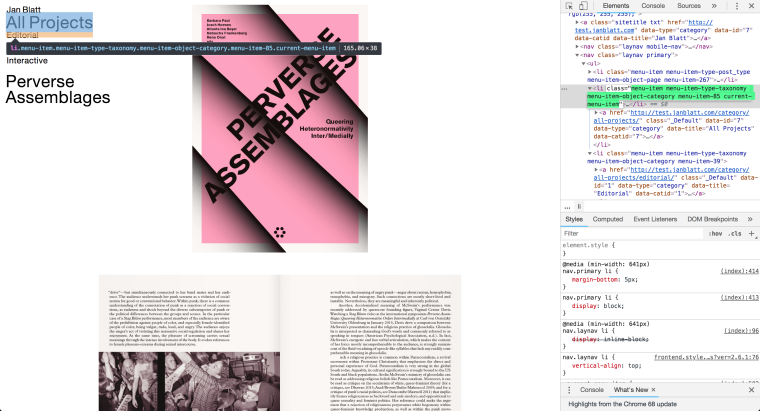
And when you open the same project as a fresh page the right menu item is active EDITORIAL.
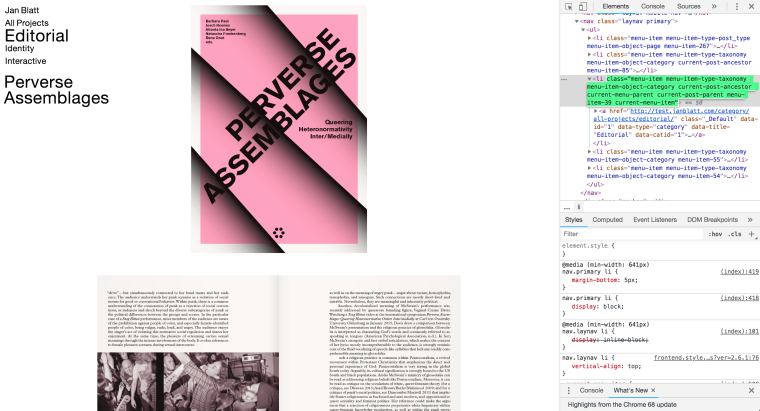
That looks not right.
I will check with Armin about it.
Best!
Marius
-
Thank you, this is a bug.
Thumbnails of projects that are assigned to sub-categories act like they are part of the parent-category.I wrote this down and will fix it. this will take longer than a week because I'm on holidays currently.
This is how you could make this work:
The only way to fix this right now is not using parent and child categories.
You can use the "element grid" instead of "thumbnail grid" to add many project thumbnails of different categories. -
@arminunruh Thank you. That'll do for now. Already testet it, works fine. Only downside I see right now, I have to order my thumbs manually, no? Looking forward to the fix. In the meantime happy holidays!
-
Hey jan,
So i tried to reproduce this again on my local lay theme installation but I couldn't reproduce the bug anymore :/.
Can you send me your /wp-admin/ login data again to your website to info@laytheme.com?
And a link to this topic so I know what it is about. -


Hello! It looks like you're interested in this conversation, but you don't have an account yet.
Getting fed up of having to scroll through the same posts each visit? When you register for an account, you'll always come back to exactly where you were before, and choose to be notified of new replies (either via email, or push notification). You'll also be able to save bookmarks and upvote posts to show your appreciation to other community members.
With your input, this post could be even better 💗
Register Login