Questions About FullScreen Slider
-
Can I find out the following:
-
My autoscrolling is not working. How can I make it work?
-
On my mobile site, I want my full screen slider images to fill up the whole screen. How can I make it work?
Thank you and look forward to your favourable reply! (:
My Website: www.theworkbench.sg
-
-
Dear @ryanlen
Best is if you write me a PM and include your username, password and a link to this conversation.Marius
-
-
My autoscrolling is not working. How can I make it work?
Well you haven't configured the fullscreen slider to be vertical. Horizontal fullscreen slider does not work with scrolling.
Your setting atm is this:
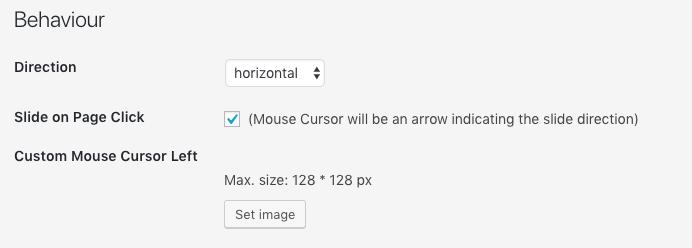
On my mobile site, I want my full screen slider images to fill up the whole screen. How can I make it work?
Create a custom phone layout and use background images on rows that you configure to be browser-filling: http://laytheme.com/documentation.html#use-browser-height-for-row-height


Hello! It looks like you're interested in this conversation, but you don't have an account yet.
Getting fed up of having to scroll through the same posts each visit? When you register for an account, you'll always come back to exactly where you were before, and choose to be notified of new replies (either via email, or push notification). You'll also be able to save bookmarks and upvote posts to show your appreciation to other community members.
With your input, this post could be even better 💗
Register Login