Invert blur+darken on mouseover on project thumbnail
-
Hey,
is there a way to invert the mouseover blur + darken effect of a project thumbnail?
Like that the defaut state of the thumbnail is blurry and darkened and on mouseover the blur disappears and it gets bright and normal.Any ideas?
Thank you in advance!
Best wishes,
Robert -
Hi @Robertr
there is not really a default feature to do this.But you could play around with this:
.thumbnail-wrap:hover img {
    -webkit-filter: blur(5px);
    -moz-filter: blur(5px);
    -o-filter: blur(5px);
    -ms-filter: blur(5px);
    filter: blur(5px);
}
I hope I could help!
All the best!
Marius
-
Thank you very much Marius!! I think that will help.
Another quick question though, is there a way to give the text on a project thumbnail (the project title) a dropshadow? And how can I see the class of such elements so that in the future maybe I can figure this stuff out by myself with my mediocre css skills …Thank you once again,
Robert -
Hi @Robertr
have a look here:
http://laythemeforum.com/topic/2224/underline-hover-effect-on-project-title-description/2and here:
https://developer.mozilla.org/en-US/docs/Web/CSS/filter-function/drop-shadowYou can use the inspector of Google Chrome. It is just a right click on the page:
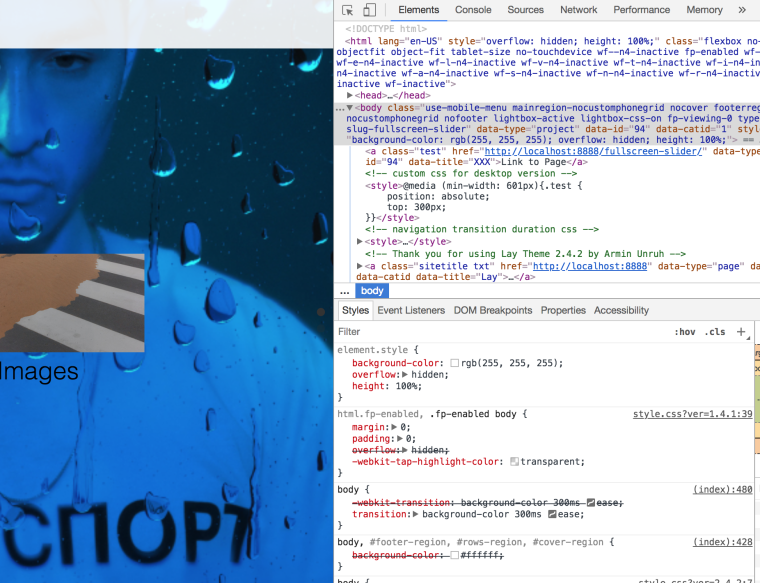
Also try to make a course at Codeacademy. Beginner CSS is for free.
All the best!
Marius
-
try this...css image shadow

Hello! It looks like you're interested in this conversation, but you don't have an account yet.
Getting fed up of having to scroll through the same posts each visit? When you register for an account, you'll always come back to exactly where you were before, and choose to be notified of new replies (either via email, or push notification). You'll also be able to save bookmarks and upvote posts to show your appreciation to other community members.
With your input, this post could be even better 💗
Register Login