Webfont doesn't show up in textformats
-
Dear Laytheme-Team,
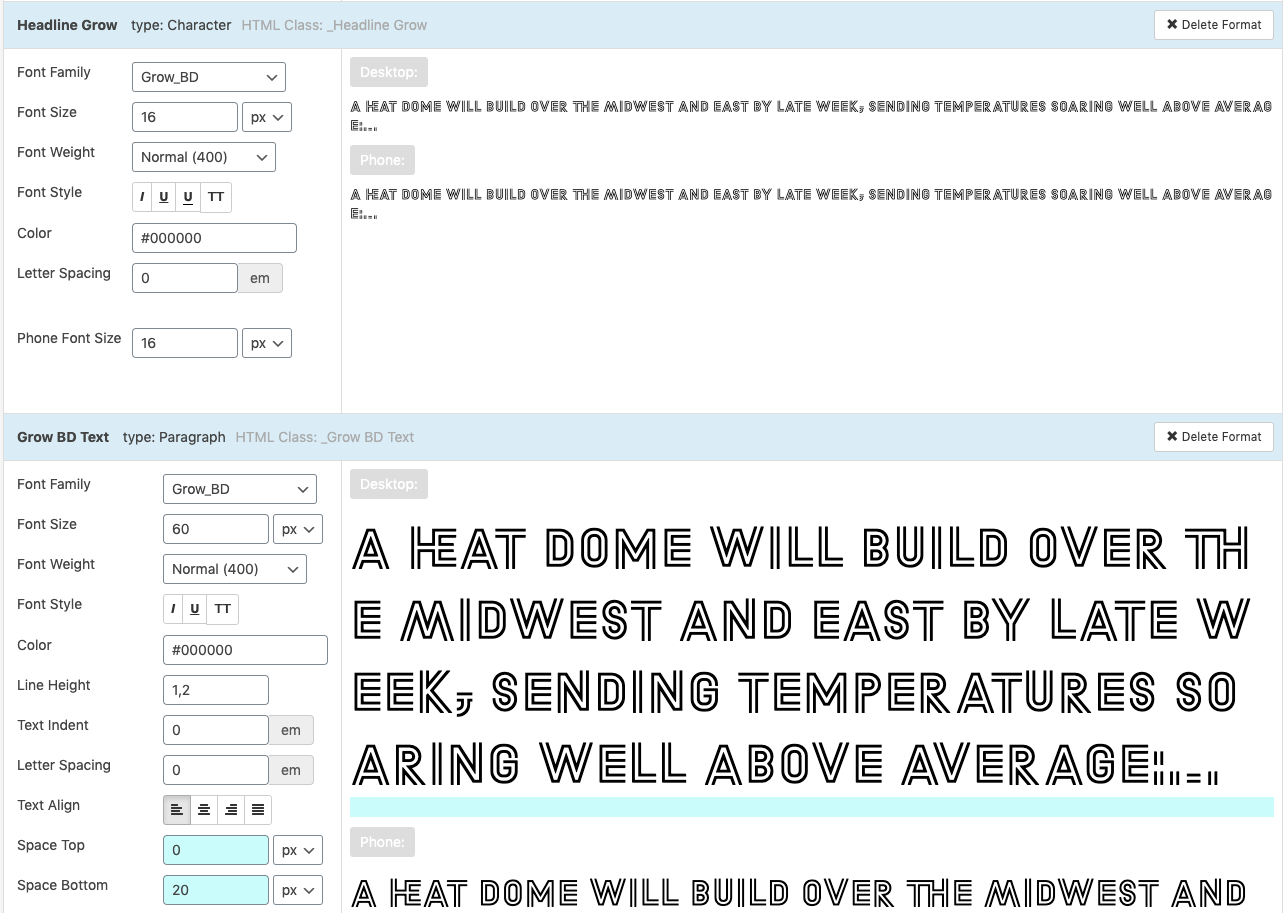
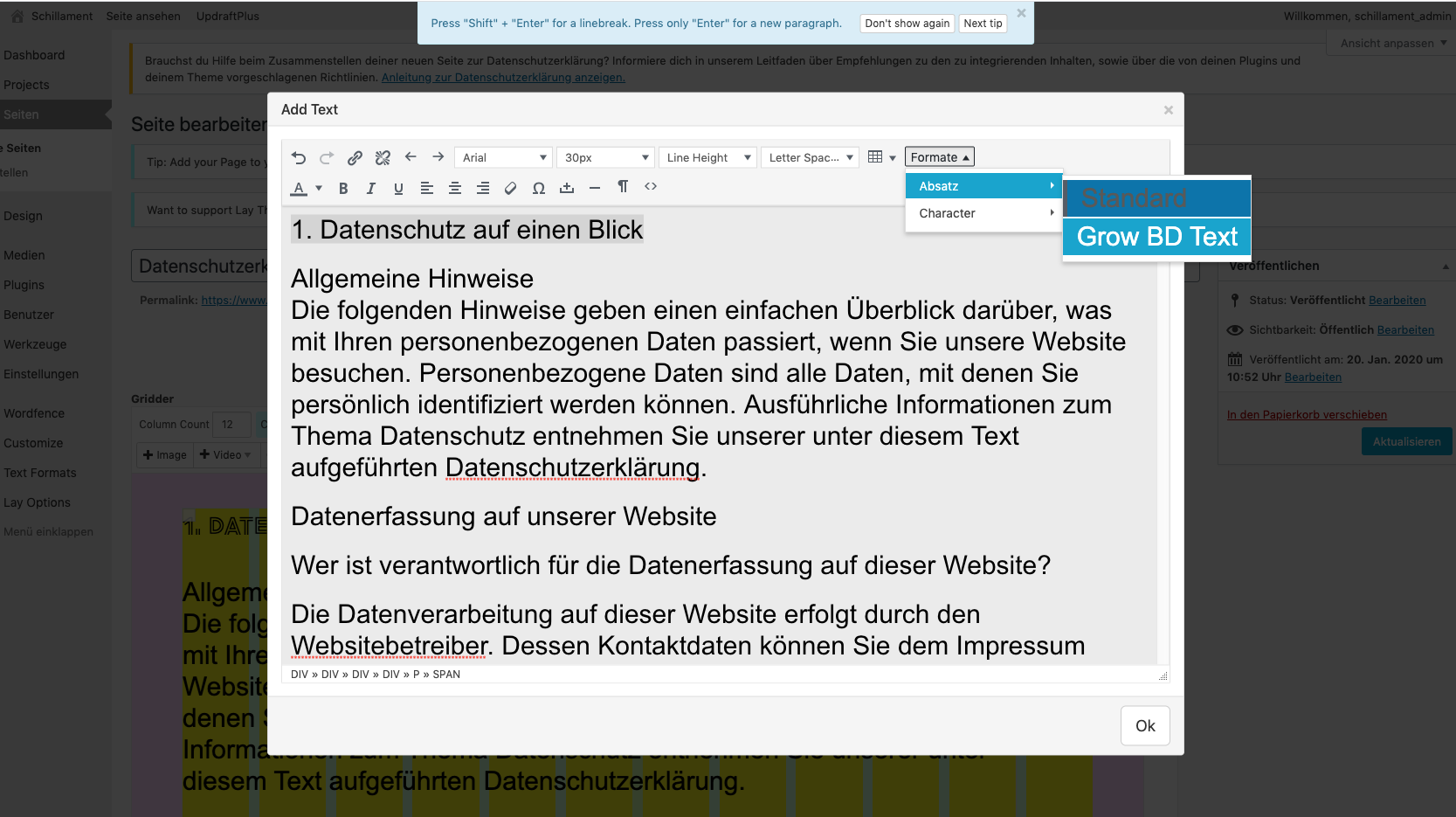
for the website schillament.de I purchased a font from dinamo (Grow BD). Now I wanted to start setting up the website using textformats. I uploaded the font as a woff file and tried to do textformats with this font. But for some reason the font doesn't show up in the dropdown menu when I want to apply it on text. I already tried to delete and reinstall the font – but it still doesn't work.
Can you maybe help with this problem?
-
-
@mariusjopen No. It doesn't work. I took the font from the fontlinst not from the textformats. And I need the textformat fo work because of the mobile version. Also the font doesnt show in the dropdown menu for the formats
A friend of mine went to the hompeage and there the font doesnt appear at all. He used Chrome Version 79.0.3945.130
Maybe you can help me in the a chat?
Best,
Sonja -
Hi!
So I figured out what's the problem. I named the formats with spaces. I deleted them and replaced them with an underlined stroke. Now it works out.
So I leave this threat here if anyone else is doing the same stupid mistake. :-)
Thanks for your answer anyways.
Best
Sonja -

Hello! It looks like you're interested in this conversation, but you don't have an account yet.
Getting fed up of having to scroll through the same posts each visit? When you register for an account, you'll always come back to exactly where you were before, and choose to be notified of new replies (either via email, or push notification). You'll also be able to save bookmarks and upvote posts to show your appreciation to other community members.
With your input, this post could be even better 💗
Register Login