Element Grid with different picture sizes
-
-
-
Maybe i'm stupid, but the gridder works perfectly for horizontal alignment, but if it comes to vertical it has its problems.
To align every picture, different sizes, vertical and horizontal with the same space between, i have to use stacks and check every picture space one by one.
-
Ok… could you make a quick sketch what you are trying to achieve?
If you really would like to have a grid where everything is spaced 100% evenly you are right:
The gridder is super nice to have a grid with a more lose appearance (like so).
If you’d like to have a grid where everything is spaced the same horizontally and vertically but some images have a double width like so the element grid unfortunately isn’t able to do that right now. But it would be a very good and helpful feature, I guess! -
-
That would be great!
Imagine having a radio button or something behind each item in the item list (bottom left of the backend screen). When you activate it, the item would span two columns in the grid. So it would be twice as big as the other items.
to do somthing like this? @mariusjopen @arminunruh :D <3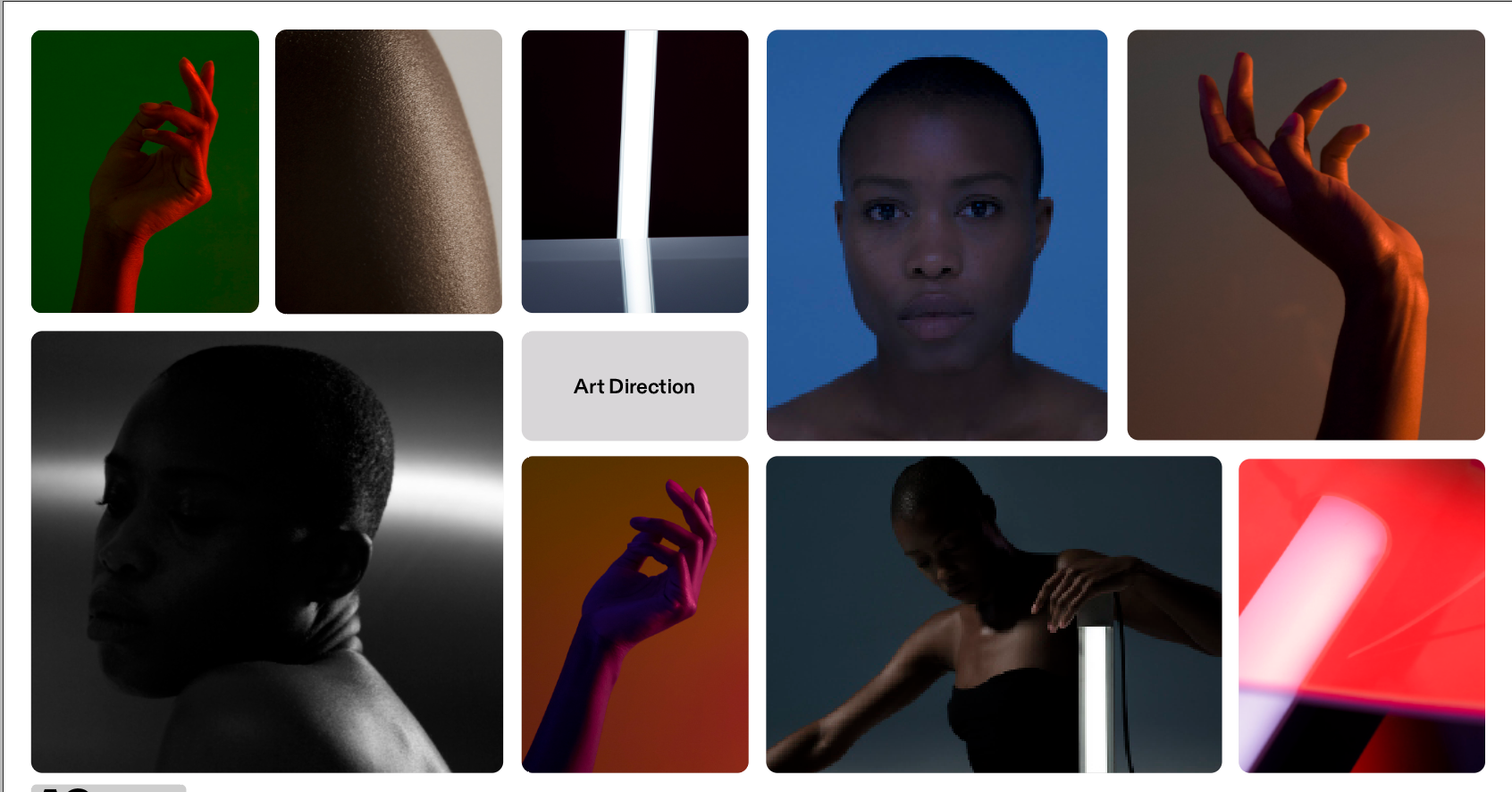
-
@albrecht how would that work for an element that is in the last column on the right, where there is no more space to expand?
-
yea its a great idea
mh it would probably just lead to elements going on the next line underneath -
i wrote it down




Hello! It looks like you're interested in this conversation, but you don't have an account yet.
Getting fed up of having to scroll through the same posts each visit? When you register for an account, you'll always come back to exactly where you were before, and choose to be notified of new replies (either via email, or push notification). You'll also be able to save bookmarks and upvote posts to show your appreciation to other community members.
With your input, this post could be even better 💗
Register Login