Webfont issue: 2 fonts working fine; 3rd one doesn't
-
Hello. In the past, when launching the site, I added 2 custom fonts using the "Add by "<link>" tag and CSS" method, via Lay Options > Webfonts. Everyone worked and works perfectly fine.
Now I wanted to add a 3rd font, using the exact same way, but this time, Lay does not recognize the font. Here's what I've done (same thing as with the first 2 fonts):
Font name: 'Graphik Semibold'
Woff files: Graphik-Semibold-Web.woff and Graphik-Semibold-Web.woff2-
Font files uploaded to wp-content/fonts
-
CSS added to fonts.css:
@font-face { font-family: 'Graphik Semibold'; font-style: normal; font-weight: 600;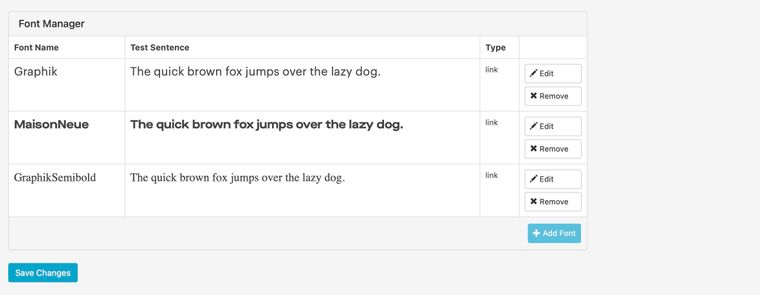 src: url('https://mk0beigexkd3qtegpvl.kinstacdn.com/wp-content/fonts/Graphik-Semibold-Web.woff2') format('woff2'), url('https://mk0beigexkd3qtegpvl.kinstacdn.com/wp-content/fonts/Graphik-Semibold-Web.woff') format('woff'); font-display: swap; }Note that the src:url points to the CDN, that's where the fonts are located. Again, this is the same as with the previous 2 fonts.
-
In Lay Options > Webfonts, added the font using the "Add by "<link>" tag and CSS".
Font name: GraphikSemibold
Link tag: <link href="https://mk0beigexkd3qtegpvl.kinstacdn.com/wp-content/fonts/fonts.css" rel="stylesheet" type="text/css">
"font-family" CSS: font-family: 'Graphik Semibold'; -
Hit Save Changes
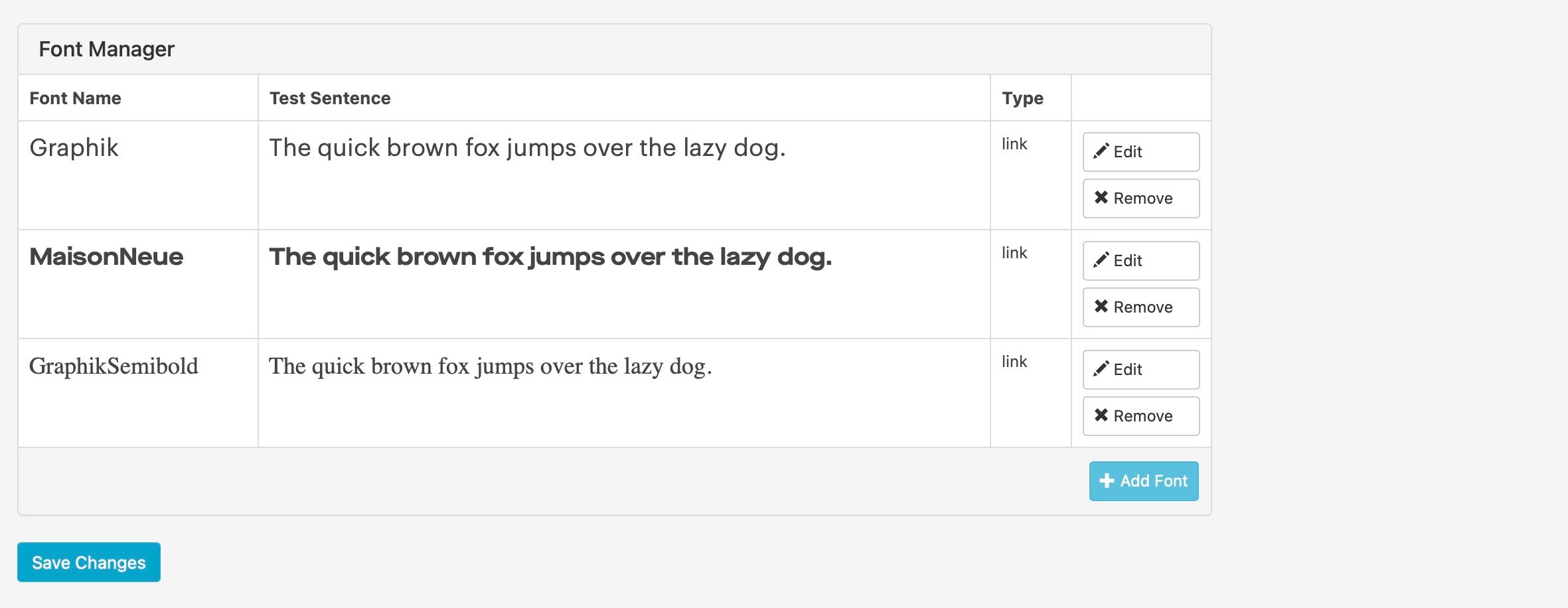
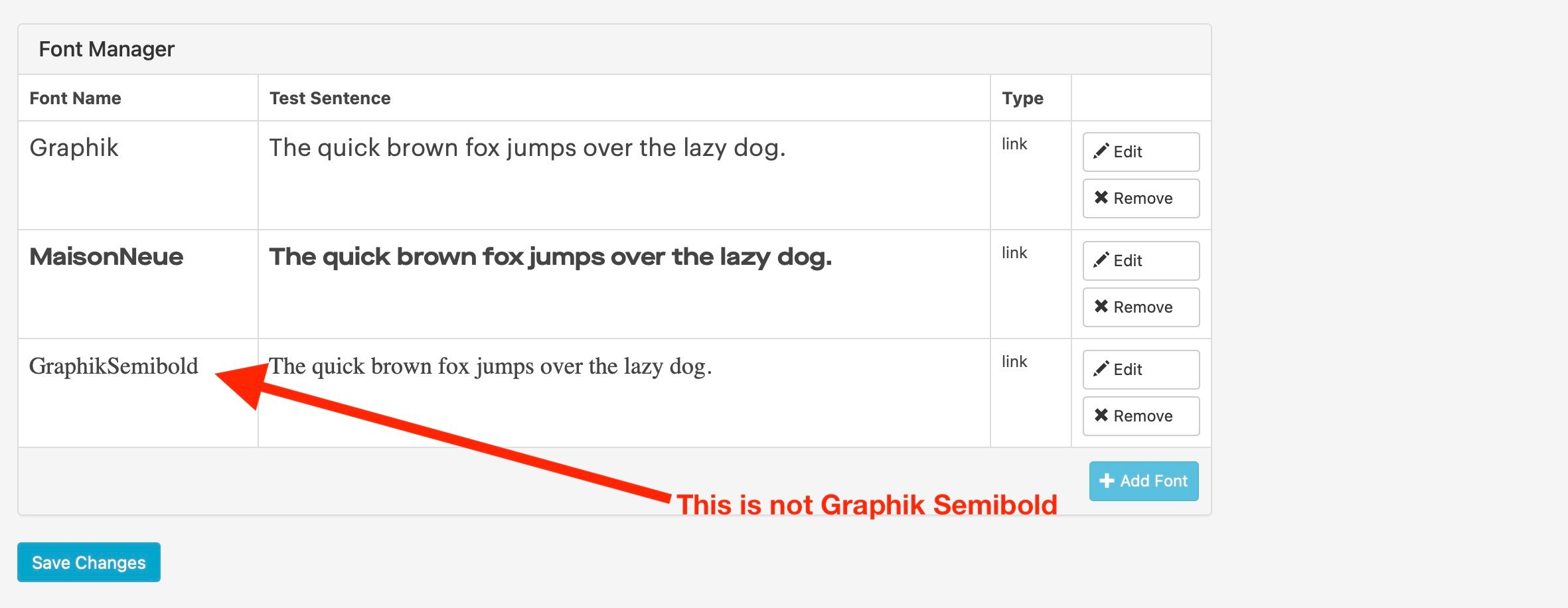
But that doesn't work. See attached screenshot.
Any ideas why?
-
-
Hello. In the past, when launching the site, I added 2 custom fonts using the "Add by "<link>" tag and CSS" method, via Lay Options > Webfonts. Everyone worked and works perfectly fine.
Now I wanted to add a 3rd font, using the exact same way, but this time, Lay does not recognize the font. Here's what I've done (same thing as with the first 2 fonts):
Font name: 'Graphik Semibold'
Woff files: Graphik-Semibold-Web.woff and Graphik-Semibold-Web.woff2-
Font files uploaded to wp-content/fonts
-
CSS added to fonts.css:
@font-face { font-family: 'Graphik Semibold'; font-style: normal; font-weight: 600; src: url('https://mk0beigexkd3qtegpvl.kinstacdn.com/wp-content/fonts/Graphik-Semibold-Web.woff2') format('woff2'), url('https://mk0beigexkd3qtegpvl.kinstacdn.com/wp-content/fonts/Graphik-Semibold-Web.woff') format('woff'); font-display: swap; }Note that the src:url points to the CDN, that's where the fonts are located. Again, this is the same as with the previous 2 fonts.
-
In Lay Options > Webfonts, added the font using the "Add by "<link>" tag and CSS".
Font name: GraphikSemibold
Link tag: <link href="https://mk0beigexkd3qtegpvl.kinstacdn.com/wp-content/fonts/fonts.css" rel="stylesheet" type="text/css">
"font-family" CSS: font-family: 'Graphik Semibold'; -
Hit Save Changes
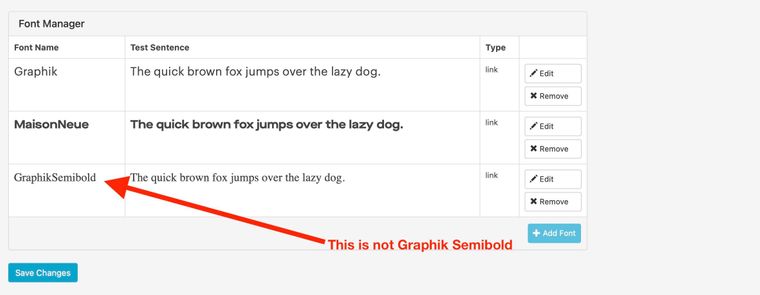
But that doesn't work. See attached screenshot.
Any ideas why?
And by the way, this is my site: https://beige.company
Thanks!
-
-
-
-

Hello! It looks like you're interested in this conversation, but you don't have an account yet.
Getting fed up of having to scroll through the same posts each visit? When you register for an account, you'll always come back to exactly where you were before, and choose to be notified of new replies (either via email, or push notification). You'll also be able to save bookmarks and upvote posts to show your appreciation to other community members.
With your input, this post could be even better 💗
Register Login