3-tiered dropdown menu
-
Is it possible to have a 3-tiered dropdown menu? Meaning, once you hover the mouse over the main menu item, the first level of sub-items show up, and then on one of those you can hover and additional options then pop up?
I have sub items input this way into the menu editor, but when using the code I listed below to enable the dropdown feature, they all show up at once instead of the third-tier items remaining unseen until I hover over their parent category. So basically I want to hover over "work" and then my subcategories show up, and when I hover over "VISUAL", "PORTRAIT" "FASHION", & "PERSONAL WORK" show up off to the right. Right now I have the below code used to enable the drop-down menu, but it makes everything show up at once when you hover over "work" (including the visual sub-items, which show up on top of everything so it's very messy).
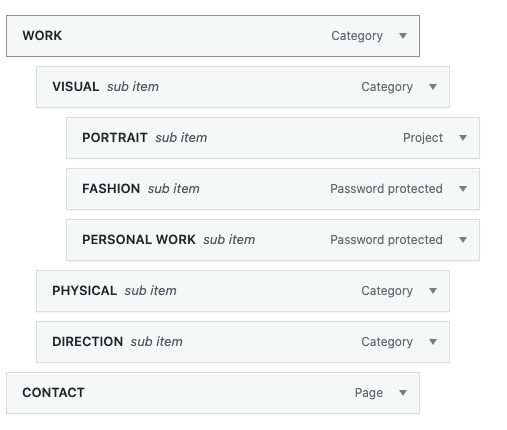

CODE I'M CURRENTLY USING:
nav.primary .sub-menu{
display: none;
position: absolute;
left: 0;
top: 30px;
background-color: rgba(255,255,255,0.9);
padding: 25px;
border: 0px solid grey;
}
nav.primary .sub-menu li{
display: block;
}
.menu-item:hover .sub-menu{
display: block;
}
Hello! It looks like you're interested in this conversation, but you don't have an account yet.
Getting fed up of having to scroll through the same posts each visit? When you register for an account, you'll always come back to exactly where you were before, and choose to be notified of new replies (either via email, or push notification). You'll also be able to save bookmarks and upvote posts to show your appreciation to other community members.
With your input, this post could be even better 💗
Register Login