project index styles
-
Hi, haven't been able to find this anywhere else. I have a project index page. And have set up styles so that background colour changes on hover. But it doesn't seem to apply.
http://urbanroomstoolkit.org/contents/
I've tried turning off custom css and upadting before coming here.
Ross
-
-
maybe try to set it again:
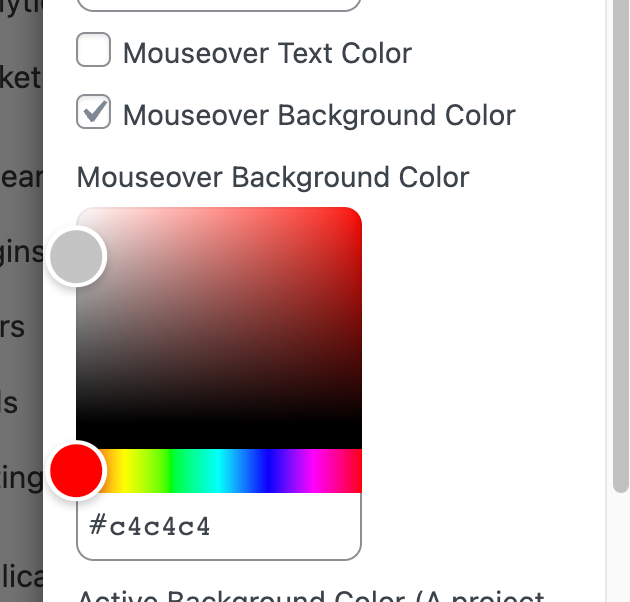
when you edit your project index element go to the "style" tab
also remove all of your custom css
and make sure you have update to the latest lay theme version -
maybe try to set it again:
when you edit your project index element go to the "style" tab
also remove all of your custom css
and make sure you have update to the latest lay theme version@arminunruh thanks for getting back! unfortunately it still does not work. i use the latest version of lay, removed all the custom code and set the mouseover-style again ...
i also removed the background image (seems it has an effect on css-styling) but it didn't solve the problem...
-
can you send your website address, /wp-admin/ username and password and a link to this topic to info@laytheme.com?
-
ok so i found out this happens when u activate "use imagehover" for the project index element in the "style" tab
but then you disable the imagehover addon
will be fixed with the next update

Hello! It looks like you're interested in this conversation, but you don't have an account yet.
Getting fed up of having to scroll through the same posts each visit? When you register for an account, you'll always come back to exactly where you were before, and choose to be notified of new replies (either via email, or push notification). You'll also be able to save bookmarks and upvote posts to show your appreciation to other community members.
With your input, this post could be even better 💗
Register Login