Text disappearing behind image (using browser height for row height)
-
Hi @arminunruh!
I'm working on another site with Laytheme and I have a little problem with text disappearing behind an image, it would be awesome if you could help me :)
When my text frame is as wide as my image (e.g. 4 columns wide), the text appears in front of the image. When my text block is wider, it disappears behind the image. In fact, what I need is for the text block to be wider than the image and perfectly centred on it (example left side) but in front of the image.
Here a screenshot:
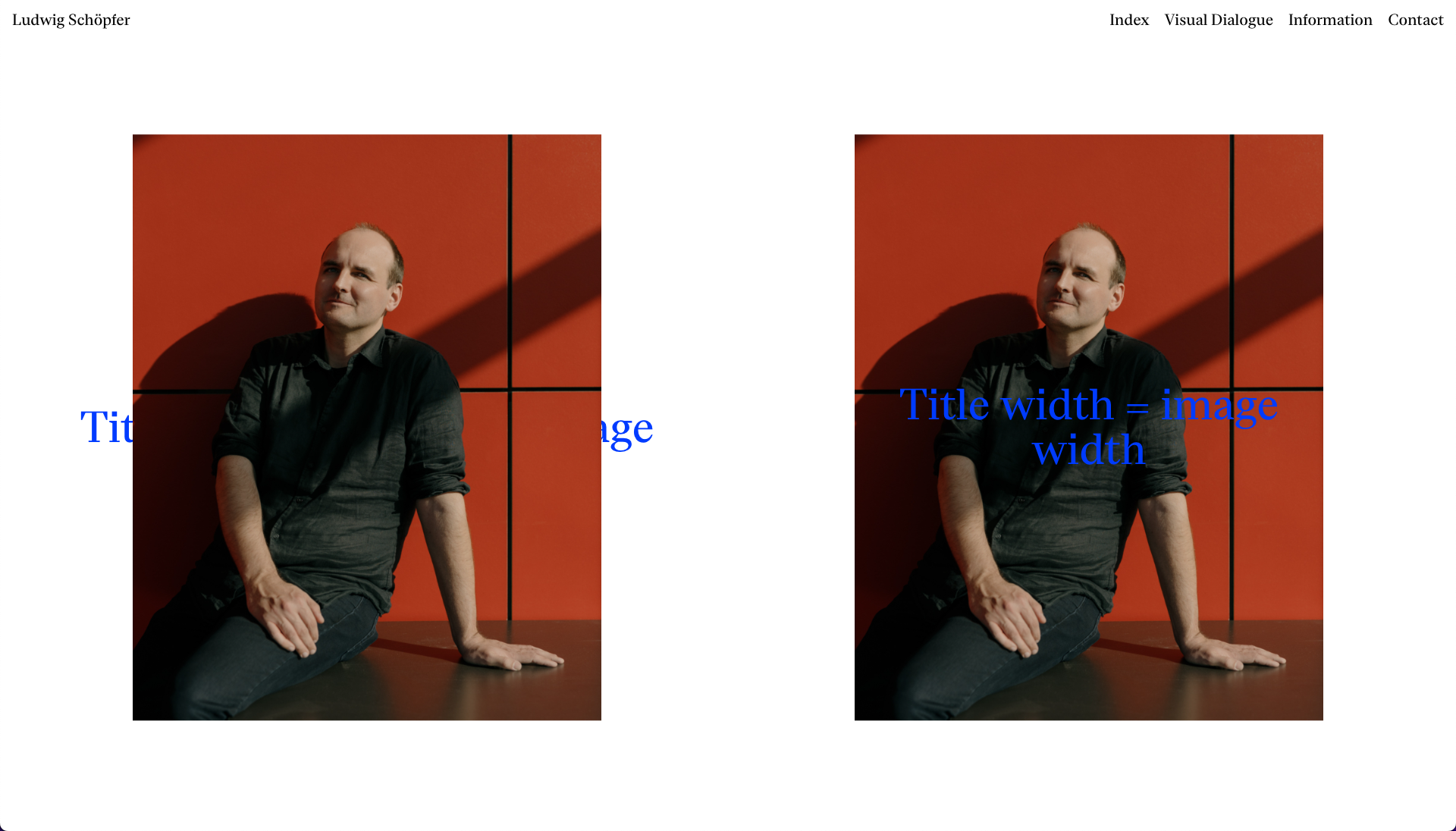
And here the page's link: http://new.ludwigschoepfer.de/the-only-light-at-the-end-of-the-tunnel/Any thought? :) Best!
-
oh hey
yea i need to fix this
can you use this css for now?
.column-wrap._100vh > .col.absolute-position.type-text, .col.type-text.absolute-position{ z-index: 2; } -
oh hey
yea i need to fix this
can you use this css for now?
.column-wrap._100vh > .col.absolute-position.type-text, .col.type-text.absolute-position{ z-index: 2; }@arminunruh thanks a lot, looks like you solved the problem in the last update. Again, thank you very much!

Hello! It looks like you're interested in this conversation, but you don't have an account yet.
Getting fed up of having to scroll through the same posts each visit? When you register for an account, you'll always come back to exactly where you were before, and choose to be notified of new replies (either via email, or push notification). You'll also be able to save bookmarks and upvote posts to show your appreciation to other community members.
With your input, this post could be even better 💗
Register Login