Re-arranging project order
-
Hello, the navigation between my projects via arrows is not in the correct order i.e. as it appears in each category.
When I try to move a project up or down (in "All Projects") it works on screen but not in reality; so when I navigate away from All Projects and then return the order hasn't been re-arranged at all.
Any ideas what I am doing wrong? All best, Simon
-
hey simon!
so you're going here to "all projects":
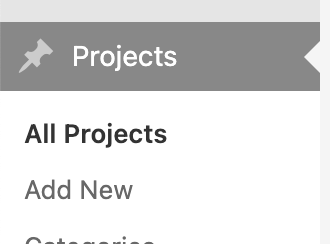
and you're reordering the projects.
and then in lay options, you have this enabled?

the expected behaviour would be:
clicking on "next project" goes to the next project of the "all projects" overviewWhen I try to move a project up or down (in "All Projects") it works on screen but not in reality
what do you mean it works on screen but not in reality
-
Hello Armin,
I was trying to make a video and send this to explain but that didn’t work.
Basically I can drag and drop the project to a new position in the order but once I click “apply” or refresh the project has jumped back to its previous position.
It seems possible to rearrange the order of other projects, just not this one.
All best, Simon
-
Hello Armin,
I was trying to make a video and send this to explain but that didn’t work.
Basically I can drag and drop the project to a new position in the order but once I click “apply” or refresh the project has jumped back to its previous position.
It seems possible to rearrange the order of other projects, just not this one.
All best, Simon
-
alright im happy it works again!

Hello! It looks like you're interested in this conversation, but you don't have an account yet.
Getting fed up of having to scroll through the same posts each visit? When you register for an account, you'll always come back to exactly where you were before, and choose to be notified of new replies (either via email, or push notification). You'll also be able to save bookmarks and upvote posts to show your appreciation to other community members.
With your input, this post could be even better 💗
Register Login