three row mobile menu possible?
-
Hello Armin and all Lay theme helpers,
First of all, thank you for putting our website www.waisenkindertansania.de on your lay theme page as portfolio reference. That was a nice surprise around christmas :-)I have a question and I am not sure, if this is the right categorie to ask for, but maybe you can help out, as we dont have a budget to pay someone 3rd party...
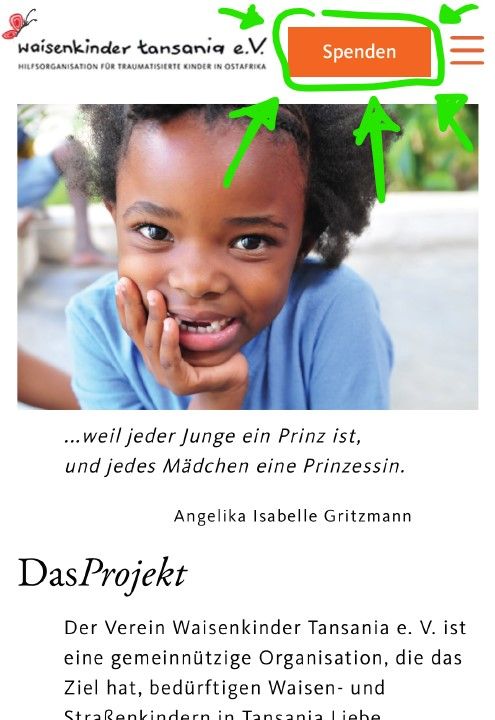
We would like to achive for the mobile menu a some kind of three row layout:
- the logo
- a "Spenden"-button
- the menu icon
Here the exemple:
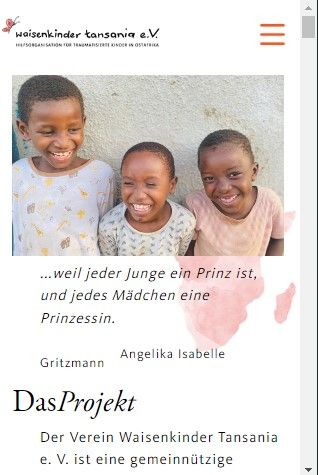
This is the actual look at the moment on the phone:
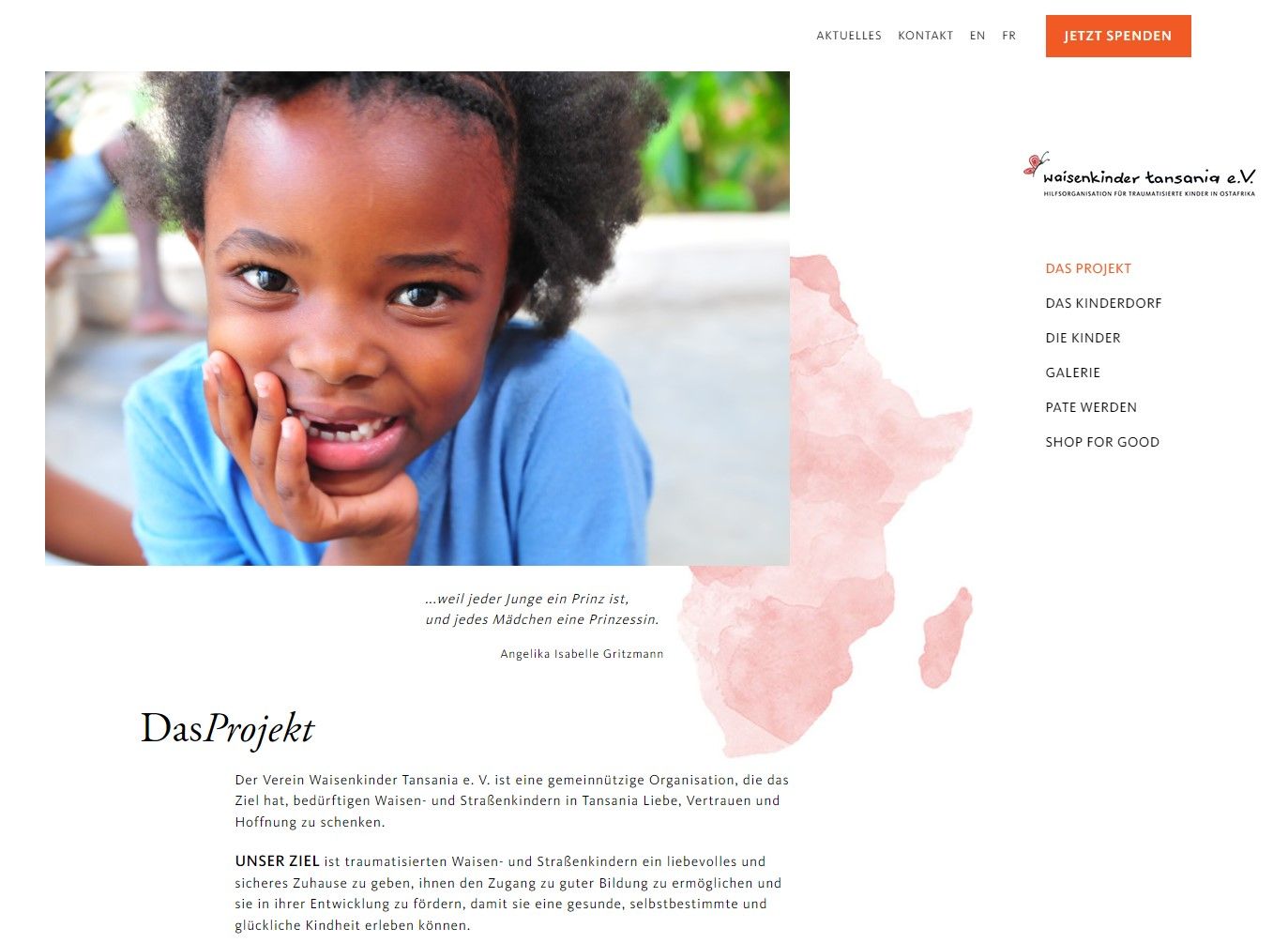
And this is the desktop version, where you can see the "Jetzt spenden"-button, that we would like to integrate on the mobile version:
I guess there is a lot of coding involved? And, could you give me a little hint on how to it? o_O'
Wish you all a nice day and all the best from the Waisenkinder Tansania Team
-
sure!
go to lay options → custom css & html
in html at bottom put:
<a class="mobile-spenden" href="https://waisenkindertansania.de/jetzt-spenden/" data-id="1632" data-type="page" data-title="JETZT SPENDEN"><span>Spenden</span></a>then in "css for desktop" put:
.mobile-spenden{
display: none;
}
then in "css for mobile" put:
.mobile-spenden{
right: 55px;
top: 25px;
position: absolute;
z-index: 20;

font-family: KievitPro-Medium;
    padding: 15px 20px;
    display: inline-block;
    background-color: #f15a24;
    border-radius: 0px;
    line-height: 1;
    text-decoration: none;
    border-bottom: none;
    color: white;
    opacity: 1;
    white-space: nowrap;
}
let me know if that works
havent tried it but i think it should work
-

Hello! It looks like you're interested in this conversation, but you don't have an account yet.
Getting fed up of having to scroll through the same posts each visit? When you register for an account, you'll always come back to exactly where you were before, and choose to be notified of new replies (either via email, or push notification). You'll also be able to save bookmarks and upvote posts to show your appreciation to other community members.
With your input, this post could be even better 💗
Register Login