Skip to content
  • Recent
  • Tags
  • Popular
  • Users
  • Search
Skins
  • Light
  • Brite
  • Cerulean
  • Cosmo
  • Flatly
  • Journal
  • Litera
  • Lumen
  • Lux
  • Materia
  • Minty
  • Morph
  • Pulse
  • Sandstone
  • Simplex
  • Sketchy
  • Spacelab
  • United
  • Yeti
  • Zephyr
  • Dark
  • Cyborg
  • Darkly
  • Quartz
  • Slate
  • Solar
  • Superhero
  • Vapor

  • Default (No Skin)
  • No Skin
Collapse

Lay Theme Forum

  1. Home
  2. Bug Reports
  3. Image compression on mobile is way too aggressive

Image compression on mobile is way too aggressive

Scheduled Pinned Locked Moved Bug Reports
48 Posts 3 Posters 10.6k Views 2 Watching
  • Oldest to Newest
  • Newest to Oldest
  • Most Votes
Reply
  • Reply as topic
Log in to reply
This topic has been deleted. Only users with topic management privileges can see it.
  • arminunruhA arminunruh

    i turned off all of your plugins and uploaded an image
    Screenshot 2023-08-09 at 22.01.26.png

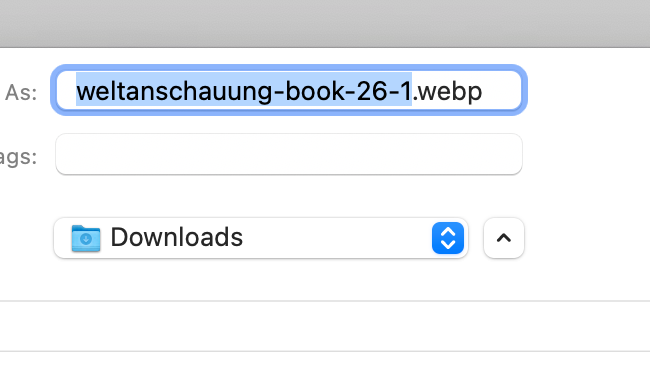
    when i right click one of your images, it wants to save it as a webp which is not normal because it is a jpg image

    maybe in your webhost settings there are some image/webp compression settings turned on?

    your htaccess file contained some "ls cache" statements and you had another htaccess file that contained some image

    i uploaded a 3mb jpg file of mine and put the image here:
    https://pavloradich.com/hello-world/

    in the media library it looks correct:
    Screenshot 2023-08-09 at 22.07.52.png

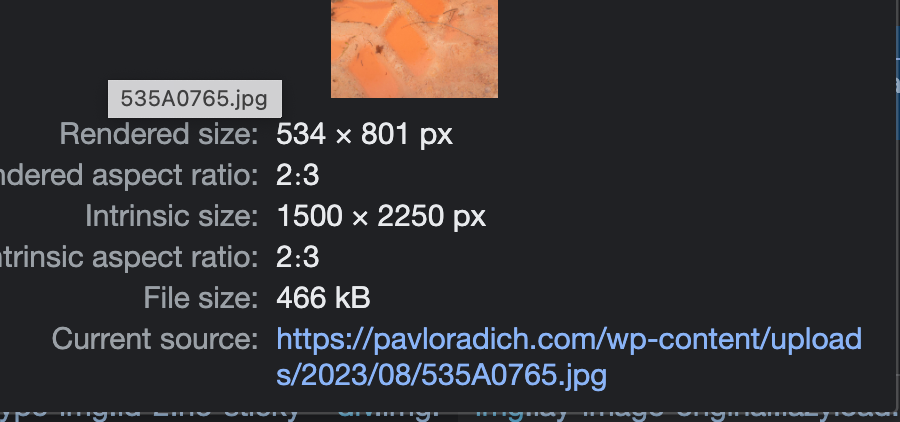
    but on the website it has the wrong filesize, probably because its turned into a webp somehow:
    Screenshot 2023-08-09 at 22.08.14.png

    i know i recommended this plugin:
    https://wordpress.org/plugins/webp-converter-for-media/

    it turns jpgs into webp did you use that?

    can you try to re-upload an image of your frontpage again now and put it on the website and see if it looks better?

    at least the image that i uploaded seems to look fine, whereas many of the original images that you have uploaded seem to have like 90% compression

    P
    P
    pavloradich
    wrote on last edited by pavloradich
    #18

    @arminunruh I didn’t use any of the image compression settings from that plugin (because you need to pay a premium for that, which I didn’t).

    Can the that webp format conversion be reversed back to original?

    Just tried to upload new image — same thing, super compressed :(

    P 1 Reply Last reply
    0
    • P pavloradich

      @arminunruh I didn’t use any of the image compression settings from that plugin (because you need to pay a premium for that, which I didn’t).

      Can the that webp format conversion be reversed back to original?

      Just tried to upload new image — same thing, super compressed :(

      P
      P
      pavloradich
      wrote on last edited by
      #19

      @pavloradich now I deactivated ‘converter for media’. I had no clue I even had that plugin:

      Images still compressed but not renamed anymore

      P 1 Reply Last reply
      0
      • arminunruhA
        arminunruhA
        arminunruh
        Global Moderator
        wrote on last edited by
        #20

        yea it seems just disabling that plugin doesn't do much, it still loads the webp files

        P 1 Reply Last reply
        0
        • P pavloradich

          @pavloradich now I deactivated ‘converter for media’. I had no clue I even had that plugin:

          Images still compressed but not renamed anymore

          P
          P
          pavloradich
          wrote on last edited by
          #21
          This post is deleted!
          1 Reply Last reply
          0
          • arminunruhA
            arminunruhA
            arminunruh
            Global Moderator
            wrote on last edited by
            #22

            yea im on your website

            1 Reply Last reply
            0
            • arminunruhA
              arminunruhA
              arminunruh
              Global Moderator
              wrote on last edited by
              #23

              so you also had the litespeed cache plugin enabled i see.
              it has lots of settings for caching and also image caching and webp images too.

              my best guess is some caching plugin messed this up and after turning the plugin off its kind of still doing its thing

              have you looked at your webhost control panel if there are any image / caching settings enabled? look at that

              1 Reply Last reply
              0
              • arminunruhA arminunruh

                yea it seems just disabling that plugin doesn't do much, it still loads the webp files

                P
                P
                pavloradich
                wrote on last edited by
                #24

                @arminunruh yeah :(

                are you on my website right now? Asking so we both don’t mess with it

                1 Reply Last reply
                0
                • arminunruhA
                  arminunruhA
                  arminunruh
                  Global Moderator
                  wrote on last edited by
                  #25

                  yea i said yes i am in my post before

                  1 Reply Last reply
                  0
                  • arminunruhA
                    arminunruhA
                    arminunruh
                    Global Moderator
                    wrote on last edited by
                    #26

                    Screenshot 2023-08-09 at 22.49.26.png

                    ok so i tried everything i could,
                    you can ask your webhost

                    you can write:

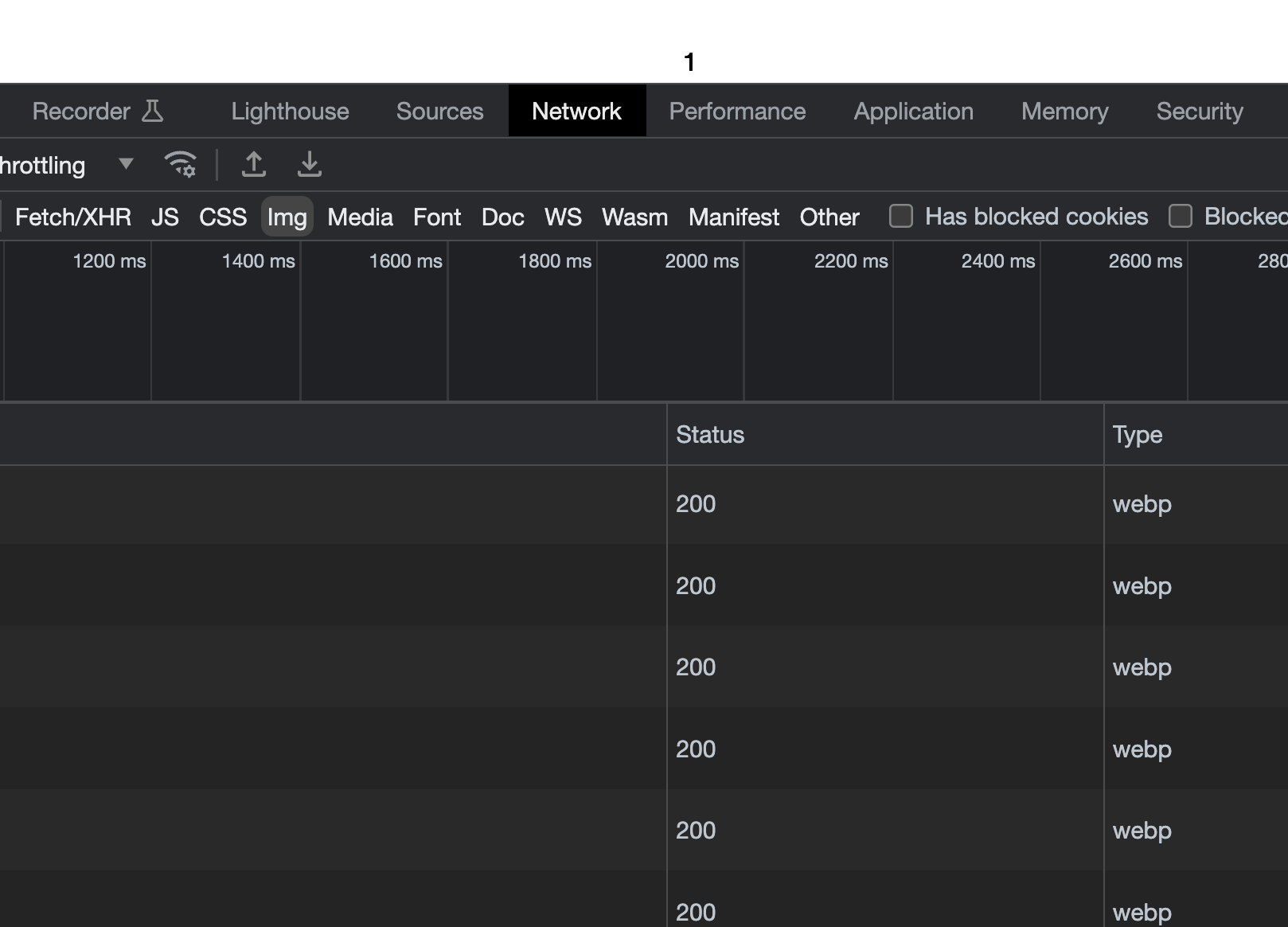
                    In chrome, when i open the chrome developer tools, open the network tab and filter for "Images" and show the "Type" tab, I see webp images are loaded instead of jpg images. Why is that? All plugins are disabled.

                    Then see if they can fix it.

                    Also do this:

                    have you looked at your webhost control panel if there are any image / caching settings enabled? look at that

                    1 Reply Last reply
                    0
                    • arminunruhA
                      arminunruhA
                      arminunruh
                      Global Moderator
                      wrote on last edited by
                      #27

                      if you want you can also send the login to your webhost control panel to info@laytheme.com and i can take a look

                      P 1 Reply Last reply
                      0
                      • arminunruhA arminunruh

                        if you want you can also send the login to your webhost control panel to info@laytheme.com and i can take a look

                        P
                        P
                        pavloradich
                        wrote on last edited by
                        #28

                        @arminunruh I can’t give a direct login but it is hosted on hostinger. Maybe you have an experience with that?

                        1 Reply Last reply
                        0
                        • arminunruhA
                          arminunruhA
                          arminunruh
                          Global Moderator
                          wrote on last edited by
                          #29

                          no i dont

                          P 2 Replies Last reply
                          0
                          • arminunruhA arminunruh

                            no i dont

                            P
                            P
                            pavloradich
                            wrote on last edited by
                            #30

                            @arminunruh I asked my host to have a look at the control panel, since I don’t have an access to that myself.

                            1 Reply Last reply
                            0
                            • arminunruhA arminunruh

                              no i dont

                              P
                              P
                              pavloradich
                              wrote on last edited by pavloradich
                              #31

                              @arminunruh but I doubt something was done by my host without my permission. Most likely it is some leftovers from one of the updated/half deleted plugin. I remember updating some of them recently, maybe issue started after that.

                              Shit I feel so helpless with this, since I understand almost nothing in coding. It all worked perfectly like 3 days ago

                              1 Reply Last reply
                              0
                              • arminunruhA
                                arminunruhA
                                arminunruh
                                Global Moderator
                                wrote on last edited by
                                #32

                                i uploaded this image:
                                https://pavloradich.com/wp-admin/upload.php?item=818

                                it seems to have a great quality no?

                                1 Reply Last reply
                                0
                                • arminunruhA
                                  arminunruhA
                                  arminunruh
                                  Global Moderator
                                  wrote on last edited by
                                  #33

                                  when i activate the standard theme, it still only loads webp files, so its not a lay theme issue

                                  P 1 Reply Last reply
                                  0
                                  • arminunruhA arminunruh

                                    when i activate the standard theme, it still only loads webp files, so its not a lay theme issue

                                    P
                                    P
                                    pavloradich
                                    wrote on last edited by pavloradich
                                    #34

                                    @arminunruh yeah, I just saved it and it is webp and downsized in resolution.

                                    Maybe it is not lay theme but wordpress? I also updated it recently.

                                    1 Reply Last reply
                                    0
                                    • arminunruhA
                                      arminunruhA
                                      arminunruh
                                      Global Moderator
                                      wrote on last edited by
                                      #35

                                      no i have the same wordpress version as you

                                      yea i just updated your lay theme, i didnt publish the latest update correctly yesterday

                                      i opened a ticket here for the author of the convert media plugin:
                                      https://wordpress.org/support/topic/webp-images-are-loaded-even-after-disabling-plugin/#new-topic-0

                                      lets see

                                      1 Reply Last reply
                                      0
                                      • arminunruhA
                                        arminunruhA
                                        arminunruh
                                        Global Moderator
                                        wrote on last edited by
                                        #36

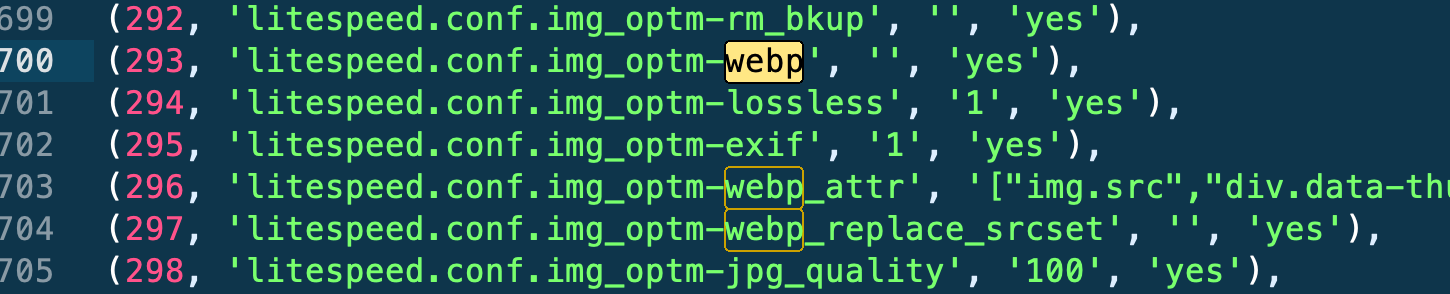
                                        i see some settings in your database of the lightspeed plugin you used that seem to be related to webp:
                                        Screenshot 2023-08-10 at 00.51.11.png

                                        1 Reply Last reply
                                        0
                                        • arminunruhA
                                          arminunruhA
                                          arminunruh
                                          Global Moderator
                                          wrote on last edited by
                                          #37

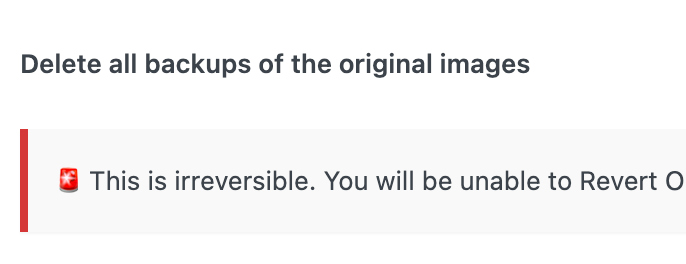
                                          in the lightspeed plugin there are lots of settings for image optimization

                                          when i turn them off, it doesnt seem to change anything :D
                                          Screenshot 2023-08-10 at 00.56.58.png Screenshot 2023-08-10 at 00.57.03.png

                                          your webhost has caching too:
                                          Screenshot 2023-08-10 at 00.48.39.png

                                          maybe your webhost can fix it

                                          P 1 Reply Last reply
                                          0

                                          Hello! It looks like you're interested in this conversation, but you don't have an account yet.

                                          Getting fed up of having to scroll through the same posts each visit? When you register for an account, you'll always come back to exactly where you were before, and choose to be notified of new replies (either via email, or push notification). You'll also be able to save bookmarks and upvote posts to show your appreciation to other community members.

                                          With your input, this post could be even better 💗

                                          Register Login
                                          Reply
                                          • Reply as topic
                                          Log in to reply
                                          • Oldest to Newest
                                          • Newest to Oldest
                                          • Most Votes


                                          Online Users
                                          I
                                          itsbadjujuju
                                          Forgot your key, lost your files, need a previous Lay Theme or Addon version? Go to www.laykeymanager.com
                                          laytheme.com
                                          • Login

                                          • Don't have an account? Register

                                          • Login or register to search.
                                          • First post
                                            Last post
                                          0
                                          • Recent
                                          • Tags
                                          • Popular
                                          • Users
                                          • Search