Menu broken after update
-
Recently updated wordpress and Laytheme and my menu is stretched after update.
Please help. www.williameadon.com
I have some custom CSS that has been affected, but not sure how to fix.
Original menu at top right corner should look like this...
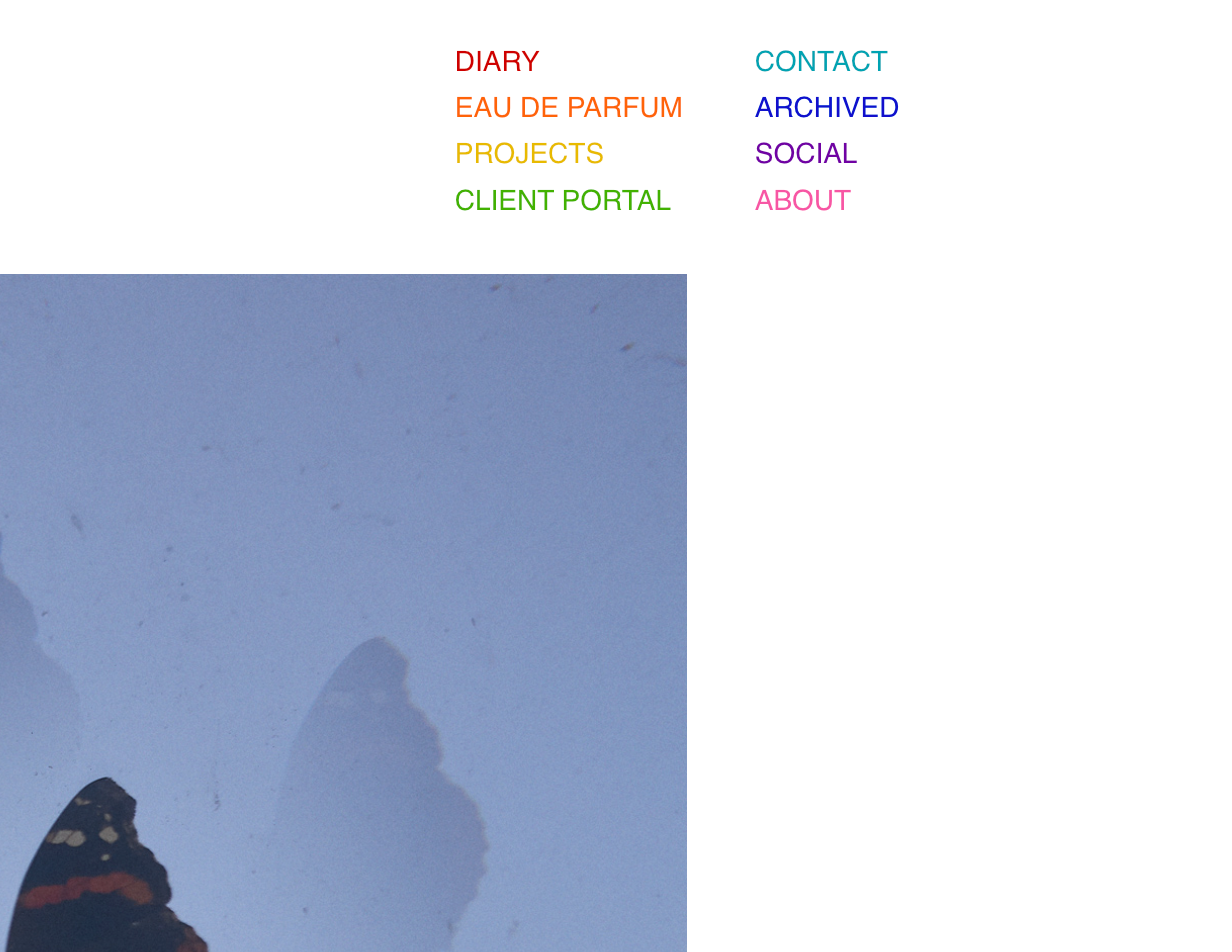
instead looks how it does now...
Here is a copy of the custom CSS that i am using in wordpress for the menu pre update.
Thanks in advance for your help!
William@media (min-width: 601px) {
#laytheme #main-region #grid {
padding-top: 145px;
}
}/*
don't show the William Eadon extra text on mobile
*/
@media (max-width: 600px) {
.sitetitle-txt-inner {
display: none;
}
}body > nav.laynav.primary > ul {
overflow:hidden;
max-width: 300px;
}
/*
below affects menu nav sizing and rows of menu
*/
body > nav.laynav.primary > ul > li {
width: 50%;
line-height: 1.65em;
float:left;
margin: 0;
display:inline;
}/* menu colors */
/* Diary */
nav.primary .menu-item-27 a {
color: #ce0000;
}/* Diary hover */
nav.primary .menu-item-27 a:hover {
color: #a6a6a6;
}/* EDP */
nav.primary .menu-item-28 a {
color: #ff630a;
}/* EDP hover */
nav.primary .menu-item-28 a:hover {
color: #a6a6a6;
}/* Portfolio I */
nav.primary .menu-item-29 a {
color: #e8ba01;
}/* Portfolio I hover */
nav.primary .menu-item-29 a:hover {
color: #a6a6a6;
}/* Portfolio II */
nav.primary .menu-item-30 a {
color: #41b200;
}/* Portfolio II hover */
nav.primary .menu-item-30 a:hover {
color: #a6a6a6;
}/* Contact */
nav.primary .menu-item-31 a {
color: #00a3b2;
}/* Contact hover */
nav.primary .menu-item-31 a:hover {
color: #a6a6a6;
}/* Archived */
nav.primary .menu-item-32 a {
color: #040ecc;
}/* Archived hover */
nav.primary .menu-item-32 a:hover {
color: #a6a6a6;
}/* Social */
nav.primary .menu-item-33 a {
color: #7001a3;
}/* Social hover */
nav.primary .menu-item-33 a:hover {
color: #a6a6a6;
}/* ABOUT */
nav.primary .menu-item-34 a {
color: #f756a4;
}/* ABOUT hover */
nav.primary .menu-item-34 a:hover {
color: #a6a6a6;
} -
hey there!
you can revert back to an older version of laytheme, u can get the earlier versions here:
or you can fix your css or ask the person who did the css to fix it
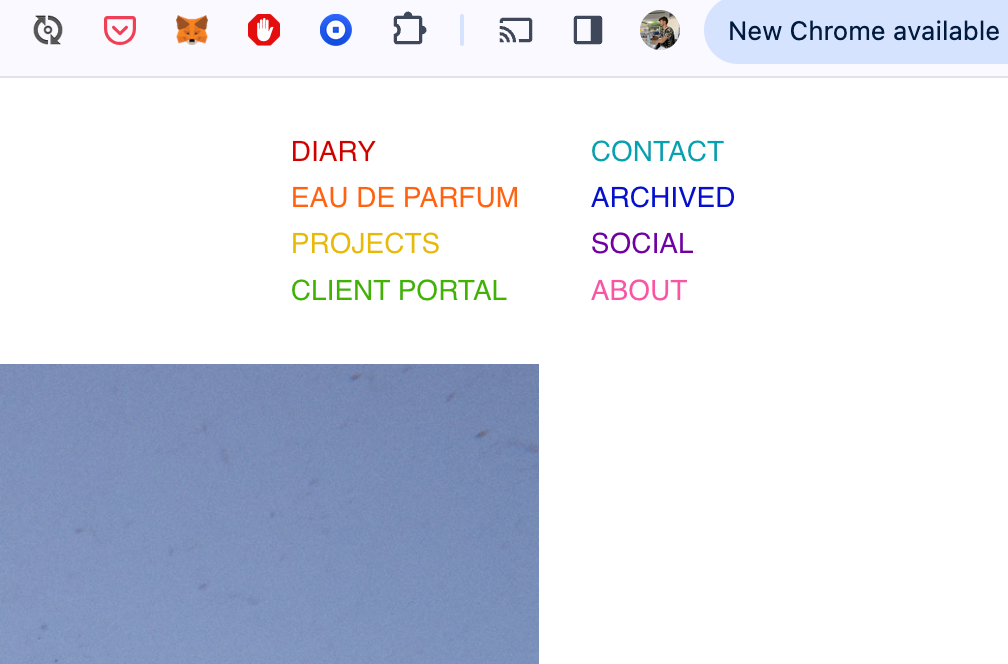
it seems like u managed to fix it?
what i changed was i now use display: flex; for menus
u can use this css to not use display flex:
nav.laynav ul{
display: block!important;
}
or you can learn a little about flexbox css and use that info to change the css for the menu
nav.laynav ul
is set to display: flex;
flex-direction: row;
is used there too. u change it to flex-direction: column;
also i use gap: 10px; -
thanks..
added
display:inline-block; in "body > nav.laynav.primary > ul {"
was the fix
regards, W

Hello! It looks like you're interested in this conversation, but you don't have an account yet.
Getting fed up of having to scroll through the same posts each visit? When you register for an account, you'll always come back to exactly where you were before, and choose to be notified of new replies (either via email, or push notification). You'll also be able to save bookmarks and upvote posts to show your appreciation to other community members.
With your input, this post could be even better 💗
Register Login