Skip to content
  • Recent
  • Tags
  • Popular
  • Users
  • Search
Skins
  • Light
  • Brite
  • Cerulean
  • Cosmo
  • Flatly
  • Journal
  • Litera
  • Lumen
  • Lux
  • Materia
  • Minty
  • Morph
  • Pulse
  • Sandstone
  • Simplex
  • Sketchy
  • Spacelab
  • United
  • Yeti
  • Zephyr
  • Dark
  • Cyborg
  • Darkly
  • Quartz
  • Slate
  • Solar
  • Superhero
  • Vapor

  • Default (No Skin)
  • No Skin
Collapse

Lay Theme Forum

  1. Home
  2. Addons
  3. carousel customization

carousel customization

Scheduled Pinned Locked Moved Addons
6 Posts 2 Posters 931 Views 1 Watching
  • Oldest to Newest
  • Newest to Oldest
  • Most Votes
Reply
  • Reply as topic
Log in to reply
This topic has been deleted. Only users with topic management privileges can see it.
  • StarcS
    StarcS
    Starc
    wrote on last edited by
    #1

    Hi @arminunruh,
    I have some questions regarding the carousel code customization:

    1. Is it possible to make the carousel overflow visible only on the left while keeping it hidden on the right? (Currently, I managed to make it visible, but it affects the entire X-axis.)
    2. Can we disable vertical mouse scrolling within the carousel slides?
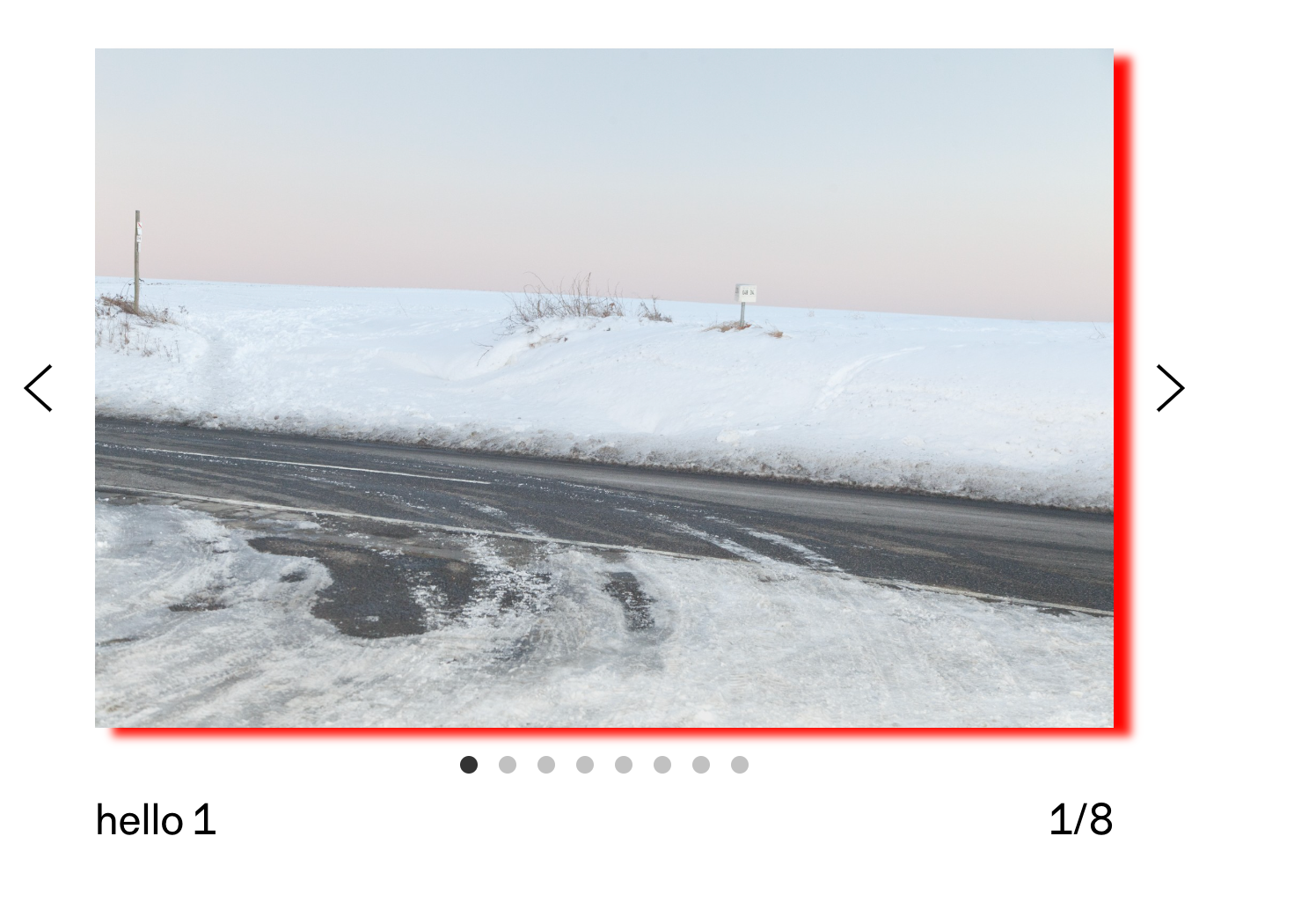
    3. I tried applying the box-shadow effect and setting a transparent background on the container that I believe holds the slides, but without success. Is there a way to achieve the shadow effect without overlapping the adjacent carousel slides?
    4. I would like to add a shadow on the right side so that the carousel appears to fade out at the edge. I know how to create the shadow effect, but I’m not sure which selector I should apply it to.

    Carousel type "slide"

    Thank you,
    M.

    1 Reply Last reply
    0
    • arminunruhA
      arminunruhA
      arminunruh
      Global Moderator
      wrote on last edited by
      #2
      1. no

      2. you mean you use transition slide, and activated "mouse scroll"?

      3. do u have a link?

      Screenshot 2025-02-13 at 15.39.34.png
      .lay-carousel{
      box-shadow: 10px 5px 5px red;
      }

      1. mh maybe inset shadow?
        not sure if its possible ! https://stackoverflow.com/questions/5115427/how-can-i-add-a-box-shadow-on-one-side-of-an-element

      sorry for the late reply

      1 Reply Last reply
      0
      • arminunruhA
        arminunruhA
        arminunruh
        Global Moderator
        wrote on last edited by
        #3

        i think number 4 wont really work

        1 Reply Last reply
        0
        • arminunruhA
          arminunruhA
          arminunruh
          Global Moderator
          wrote on last edited by arminunruh
          #4

          ok to make point 4 work:
          to get this bar on the right side that is a gradient from white to transparent:
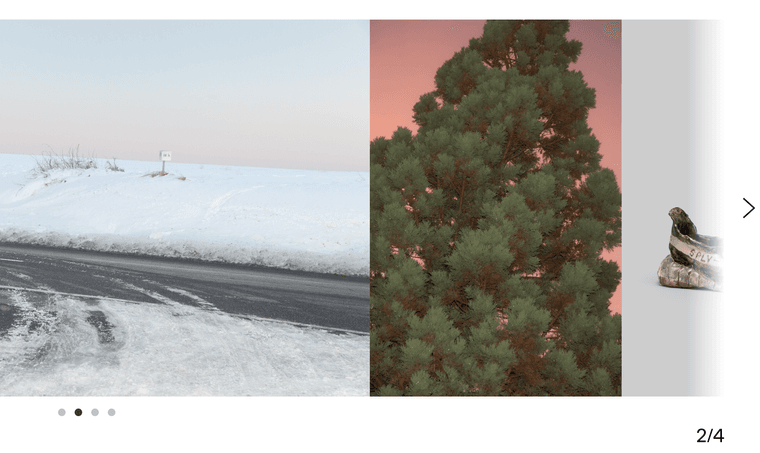
          Screenshot 2025-02-13 at 18.54.26.png

          put this in lay options → custom css & html → custom <head> content:

          <script>
          window.laytheme.on('newpageshown', function(){
              jQuery(".lay-carousel").each(function(){
                  if(jQuery(this).find('.fadebar').length == 0){
                      jQuery(this).append('<div class="fadebar"></div>');
                  }
              })
          })
          </script>
          <style>
              .fadebar{
                  position: absolute;
                  z-index: 1;
                  right: 0;
                  width: 50px;
                  height: 100%;
                  pointer-events: none;
                  background: linear-gradient(to right, rgba(255,255,255,0), rgba(255,255,255,1));
              }
          </style>
          

          this adds a container: <div class="fadebar"></div> to all carousels and the css below makes it a gradient that you can click through

          1 Reply Last reply
          0
          • arminunruhA
            arminunruhA
            arminunruh
            Global Moderator
            wrote on last edited by
            #5
            1. if you just want horizontal mouse scrolling, you can use the new transition scroll feature:
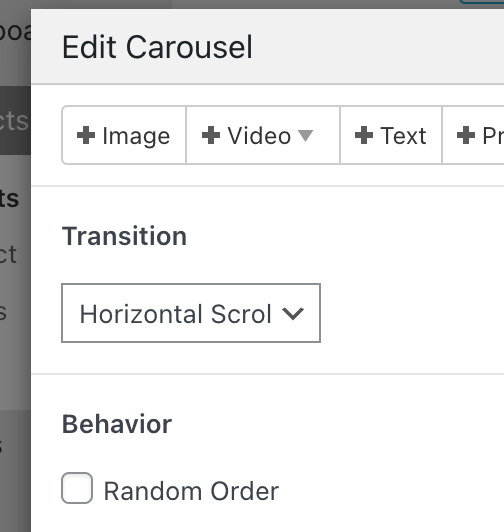
            Screenshot 2025-02-13 at 18.57.00.png

            1 Reply Last reply
            0
            • StarcS
              StarcS
              Starc
              wrote on last edited by
              #6

              Thanks you for your help. I’ll study it in the next few days. Right now, I’m busy dealing with various issues from my first exports from local to remote. :)

              1 Reply Last reply
              1

              Hello! It looks like you're interested in this conversation, but you don't have an account yet.

              Getting fed up of having to scroll through the same posts each visit? When you register for an account, you'll always come back to exactly where you were before, and choose to be notified of new replies (either via email, or push notification). You'll also be able to save bookmarks and upvote posts to show your appreciation to other community members.

              With your input, this post could be even better 💗

              Register Login
              Reply
              • Reply as topic
              Log in to reply
              • Oldest to Newest
              • Newest to Oldest
              • Most Votes


              Online Users
              Forgot your key, lost your files, need a previous Lay Theme or Addon version? Go to www.laykeymanager.com
              laytheme.com
              • Login

              • Don't have an account? Register

              • Login or register to search.
              • First post
                Last post
              0
              • Recent
              • Tags
              • Popular
              • Users
              • Search