Light box settings "zoom only" does not appear
-
Hello, thank you for developing the Lay theme, it's been very useful.
I have an issue regarding the Light box addon:
the settings to enable the zoom function on the images is simply not there, i cannot toggle it.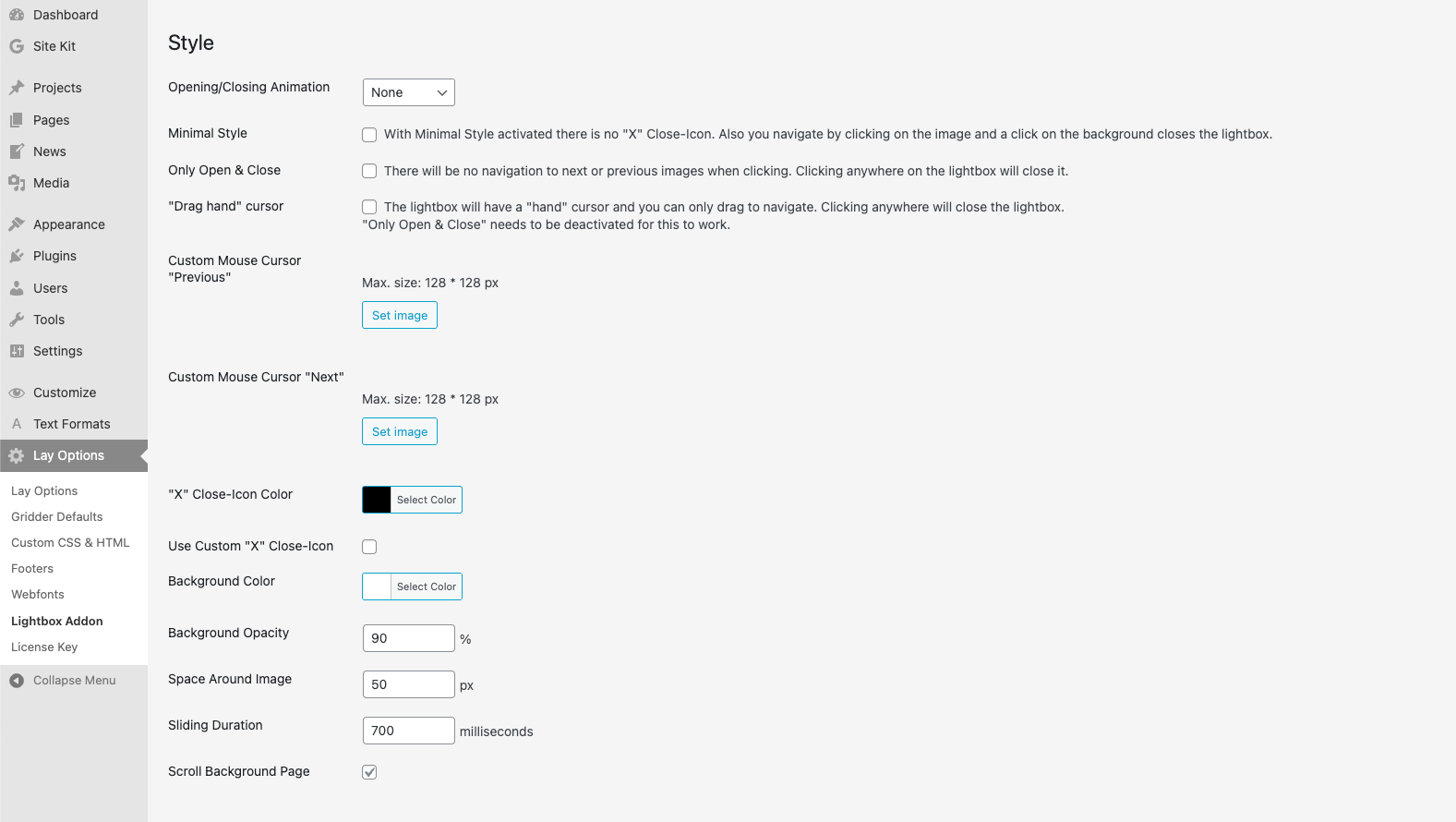
What I have checked so far:
-my laytheme is up to date as well as my lightbox addon.
-I have deleted my cache, and i have deactivated my wp cache plugin. I don't have another image carousel-like plugin that could conflict.I do have a number of plugins, all up to date:
Modern Image Formats
Performance Lab
Site Kit by Google
Speculative Loading
WP Add Mime Types
WP Super CacheI would like my website images to have a zoom in feature: https://jbmaitre.com/paintings/
Any clues of what i should look for to toggle the zoom function on my images?
Thank you for your help. -

it should be this one here
-
Many thanks Armin for taking the time. This opening/closing animation works fine when i toggle the zoom function: it opens a larger view of the image in a zoom animation. What I am looking for is that the images can be zoomed in to see details once open. some sort of magnifying feature. I understood that the Lightbox addon has this feature, but maybe the only zoom feature is this animation. It seems I might need an additional zoom specific plugin to add magnifying feature into the enlarged image in lightbox. I will research further and post my finding here.
-
there is no maginfying glass feature. when you click on an image on the page it opens the image in the lightbox in a larger view. thats it :/
-
-
hello! im writing it down, im not sure yet when i would have time to work on this

Hello! It looks like you're interested in this conversation, but you don't have an account yet.
Getting fed up of having to scroll through the same posts each visit? When you register for an account, you'll always come back to exactly where you were before, and choose to be notified of new replies (either via email, or push notification). You'll also be able to save bookmarks and upvote posts to show your appreciation to other community members.
With your input, this post could be even better 💗
Register Login