Skip to content
  • Recent
  • Tags
  • Popular
  • Users
  • Search
Skins
  • Light
  • Brite
  • Cerulean
  • Cosmo
  • Flatly
  • Journal
  • Litera
  • Lumen
  • Lux
  • Materia
  • Minty
  • Morph
  • Pulse
  • Sandstone
  • Simplex
  • Sketchy
  • Spacelab
  • United
  • Yeti
  • Zephyr
  • Dark
  • Cyborg
  • Darkly
  • Quartz
  • Slate
  • Solar
  • Superhero
  • Vapor

  • Default (No Skin)
  • No Skin
Collapse

Lay Theme Forum

  1. Home
  2. Addons
  3. Can I display project titles below the carousel instead of on it ?

Can I display project titles below the carousel instead of on it ?

Scheduled Pinned Locked Moved Addons
10 Posts 2 Posters 1.2k Views 2 Watching
  • Oldest to Newest
  • Newest to Oldest
  • Most Votes
Reply
  • Reply as topic
Log in to reply
This topic has been deleted. Only users with topic management privileges can see it.
  • P
    P
    PépiteWorld
    wrote on last edited by
    #1

    Hello !

    I'm considering purchasing LayTheme and the Carousel Addon. I have a question about caption positioning.

    I want to display the project title BELOW the carousel image (like https://weberruss.com/en), not overlaid on top of the image (like https://andreaguccini.com/).

    Does the Carousel Addon's "below Carousel" setting place the caption :

    • Outside/below the image (vertically separated from the carousel) (what I want)
    • OR just at the bottom but still overlaid on the image?

    Is this possible with the Carousel Addon?
    Thanks for your help !
    Bastien

    1 Reply Last reply
    0
    • arminunruhA
      arminunruhA
      arminunruh
      Global Moderator
      wrote on last edited by
      #2

      hey!

      yes you can do that. actually thats the default way captions are placed.

      1 Reply Last reply
      0
      • arminunruhA
        arminunruhA
        arminunruh
        Global Moderator
        wrote on last edited by arminunruh
        #3

        image.png
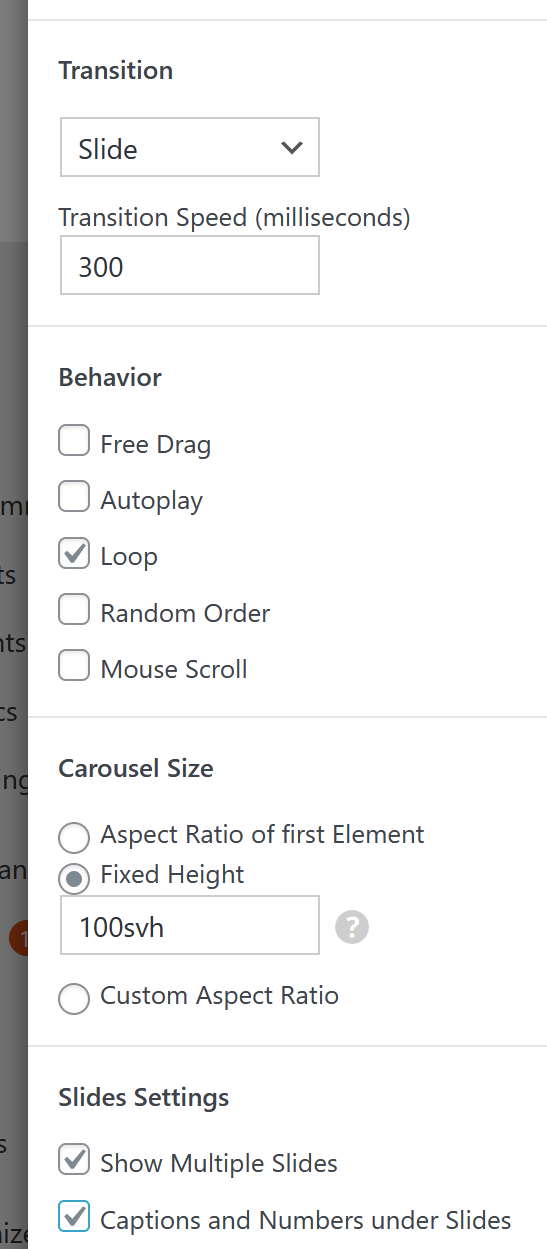
        when u use these settings in a carousel, the captions can even be under each slide:
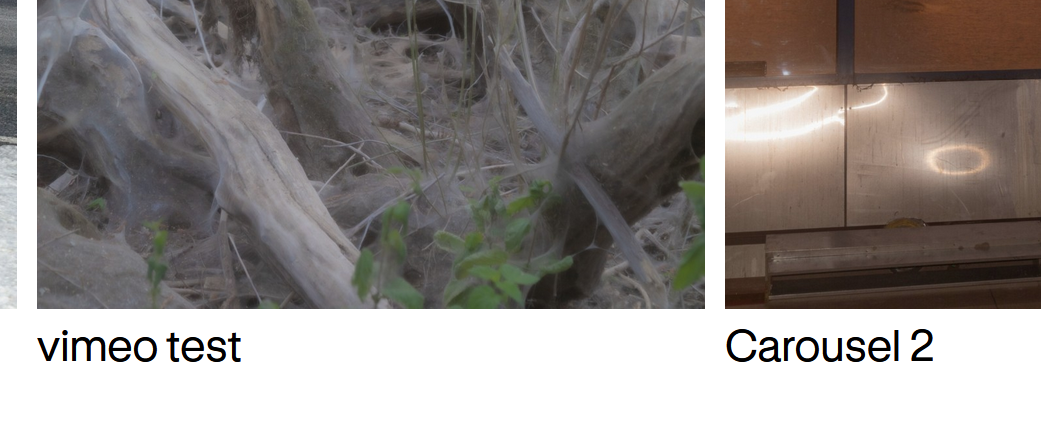
        90133239-31b9-4826-ab06-ea7273e8dff1-image.png

        the placement of the captions is done in:
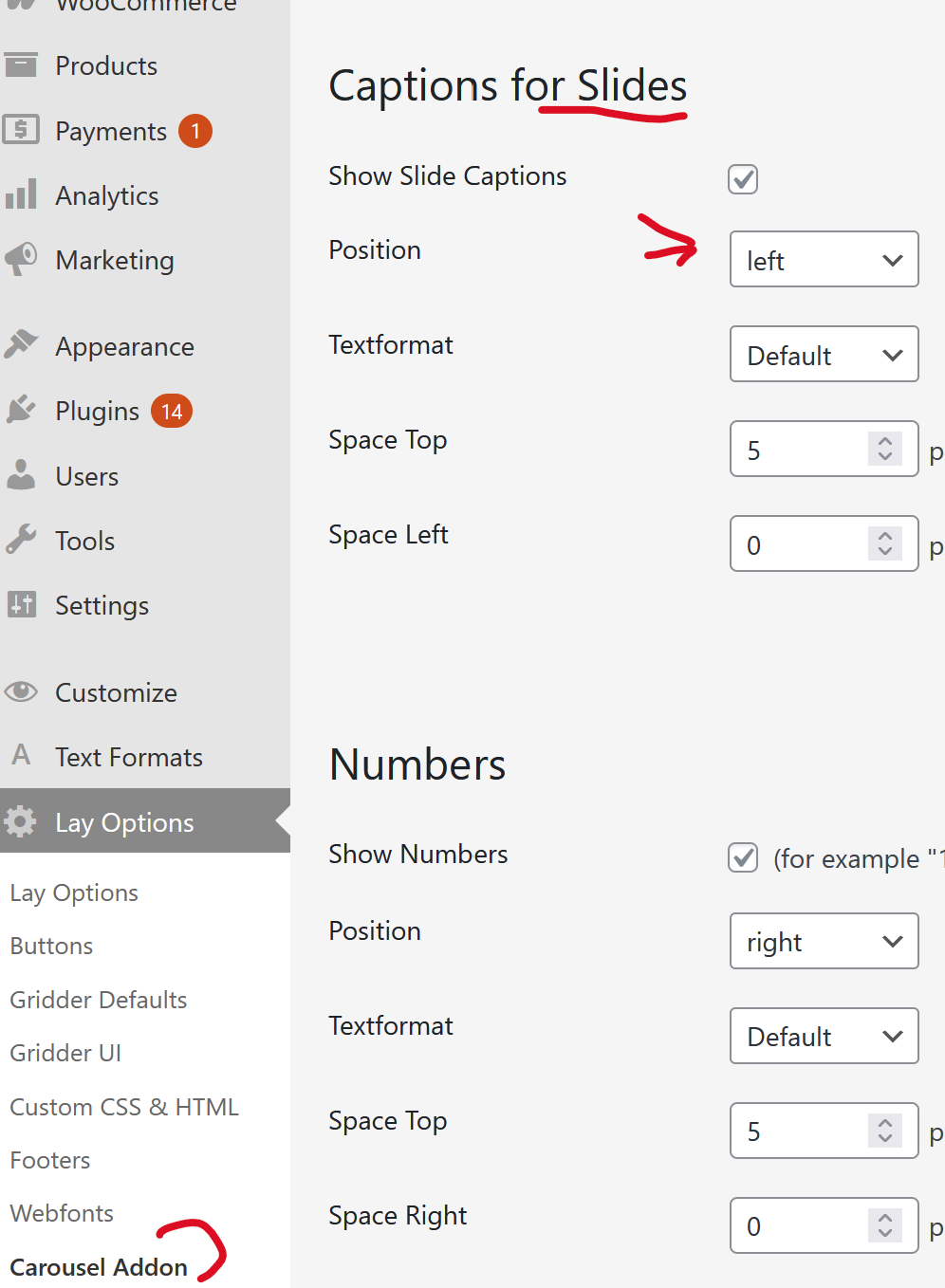
        image.png

        1 Reply Last reply
        0
        • arminunruhA
          arminunruhA
          arminunruh
          Global Moderator
          wrote on last edited by
          #4

          and with the default settings enabled, the caption is just under a slide like so:
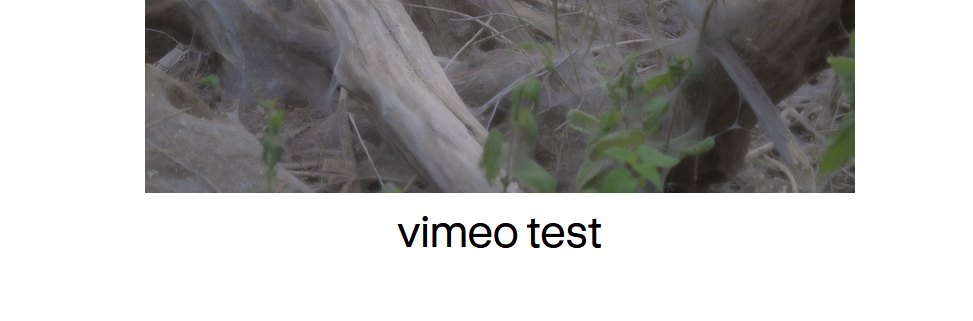
          image.png

          1 Reply Last reply
          0
          • P
            P
            PépiteWorld
            wrote on last edited by
            #5

            Perfect, thank you for confirming !
            One more question: when the caption is positioned below the carousel, are both the image AND the caption/title clickable to open the project ?
            Or is only the image clickable ?
            Thanks again !

            1 Reply Last reply
            0
            • arminunruhA
              arminunruhA
              arminunruh
              Global Moderator
              wrote on last edited by
              #6

              by default, only the image is clickable.

              however, when u edit the carousel, you can click on the image:
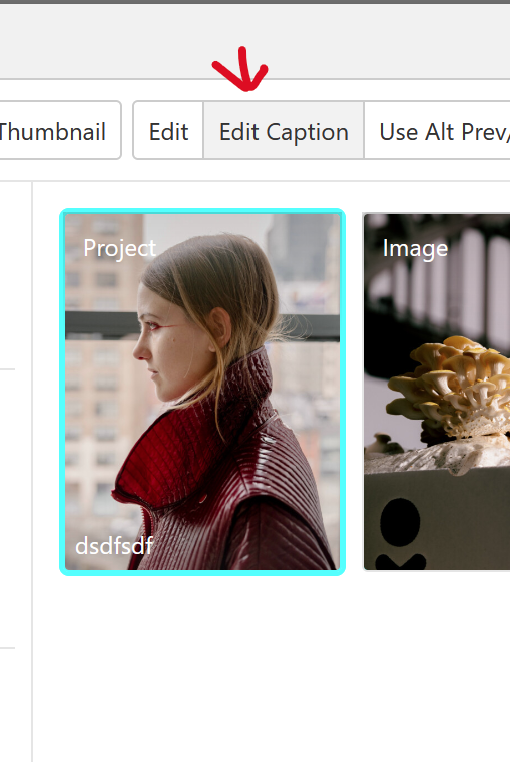
              image.png

              then click "edit caption"

              and in here, you can link the text using the link button when u select the text
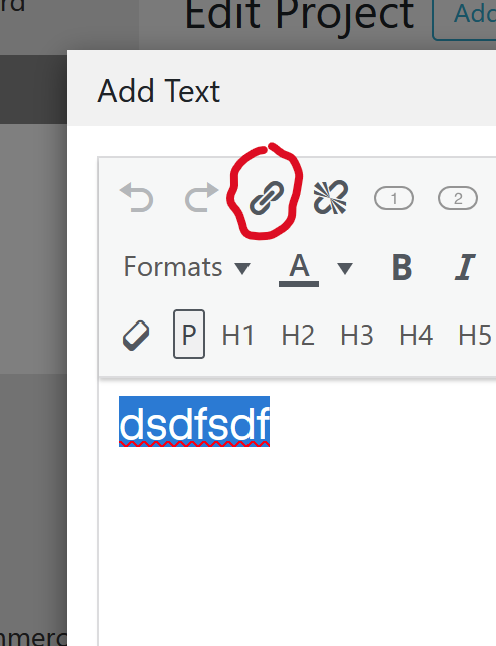
              image.png

              1 Reply Last reply
              0
              • P
                P
                PépiteWorld
                wrote on last edited by
                #7

                Thanks! That's perfect :)

                I have juste another question about the carousel setup
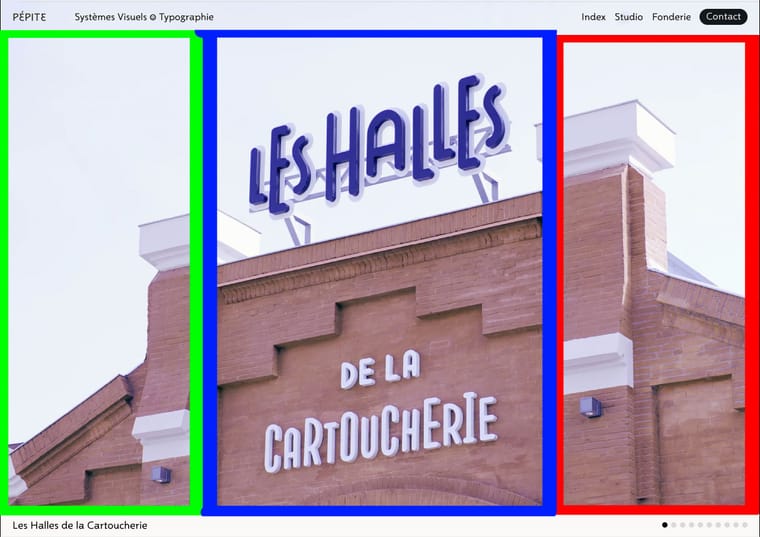
                I would like three click zones : (see attached images)

                • Center zone (blue): Click on the carousel center OR on the title below → opens the project

                • Left zone (green): Click → show previous slide

                • Right zone (red): Click → show next slide

                Cursor: Use mouse cursor as navigation arrows (previous/next)

                Is this possible with the Carousel Addon settings? Can I define custom click zones like this, or would I need custom CSS/JavaScript?

                If this isn't possible, I'll use the navigation buttons instead.

                Thanks again for your help!
                Capture-d’écran-2025-11-26-à-09.25.20.jpg

                1 Reply Last reply
                0
                • arminunruhA
                  arminunruhA
                  arminunruh
                  Global Moderator
                  wrote on last edited by
                  #8

                  looking at your design, lets first talk about the sizing and placement of the carousel.
                  i would suggest you set the page's frame top space to 0:
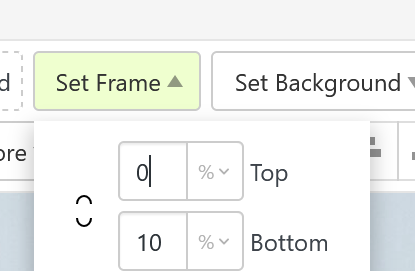
                  image.png

                  this way you have no space between the top of the browser and the carousel.

                  when creating the carousel use a fixed height setting like this:
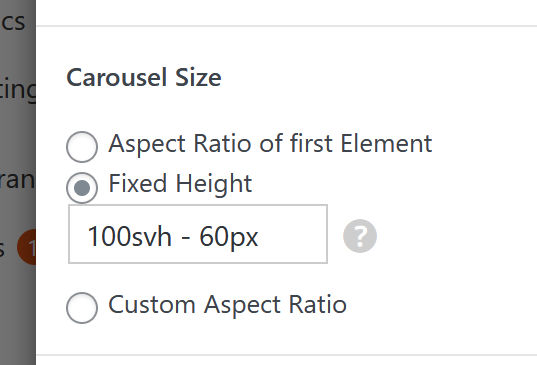
                  image.png

                  it will make sure your carousel is browser height (100svh) minus a pixel value.
                  this pixel value will be the white bar at the bottom where your caption is (under the image)

                  then u might also want to choose "fill slides"
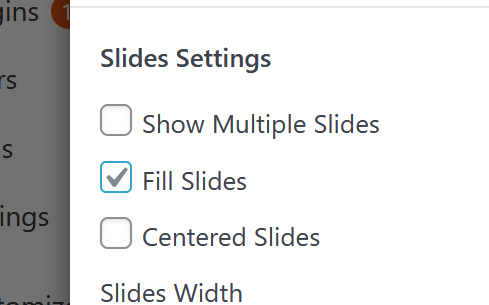
                  image.png

                  1 Reply Last reply
                  0
                  • arminunruhA
                    arminunruhA
                    arminunruh
                    Global Moderator
                    wrote on last edited by
                    #9

                    ok now about your click zones and mouse cursor.

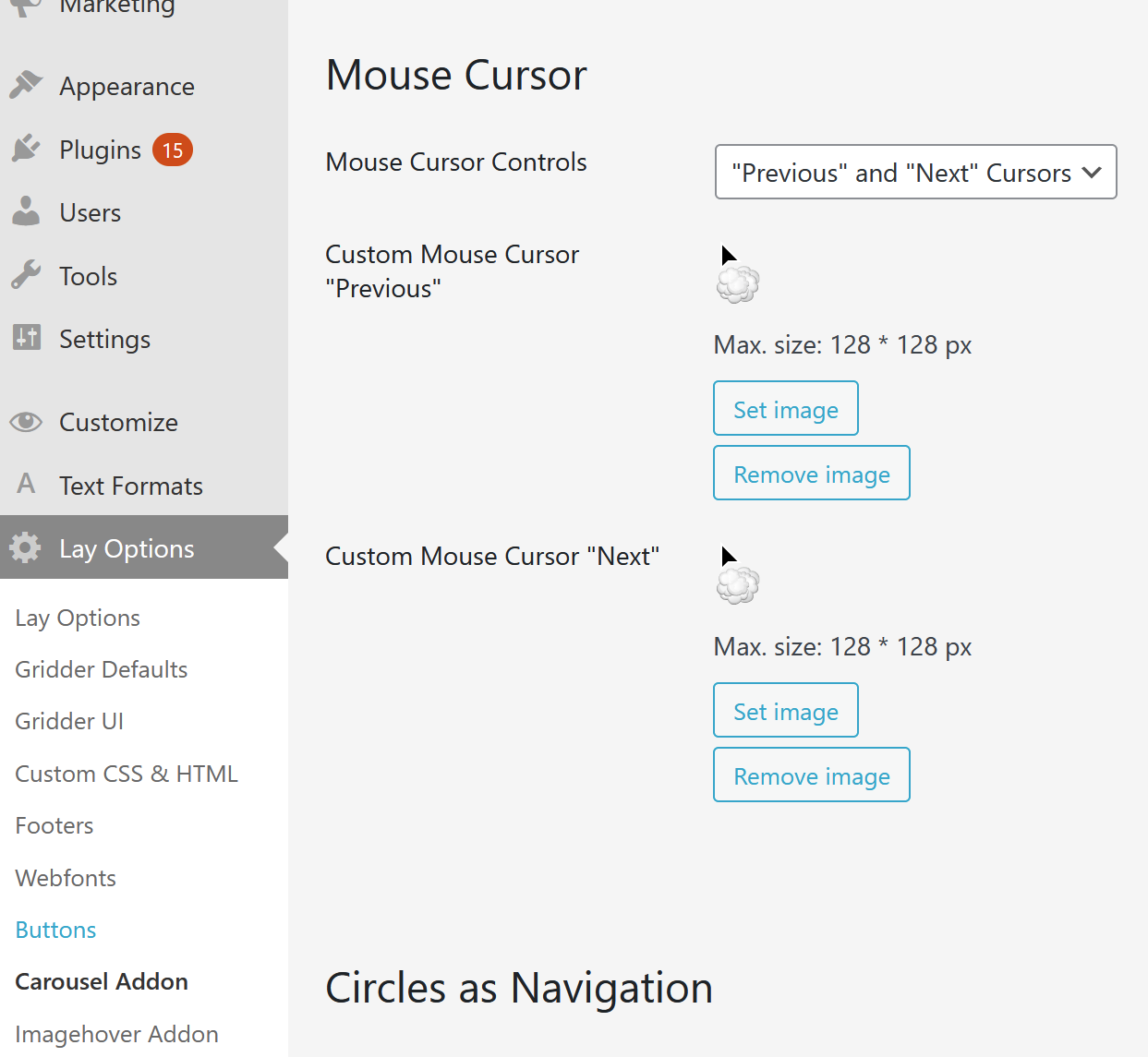
                    mouse cursor:
                    in lay options -> carousel addon

                    you can set the mouse cursor:

                    image.png

                    1 Reply Last reply
                    0
                    • arminunruhA
                      arminunruhA
                      arminunruh
                      Global Moderator
                      wrote on last edited by arminunruh
                      #10

                      click zones: theres no such thing, but we have buttons:
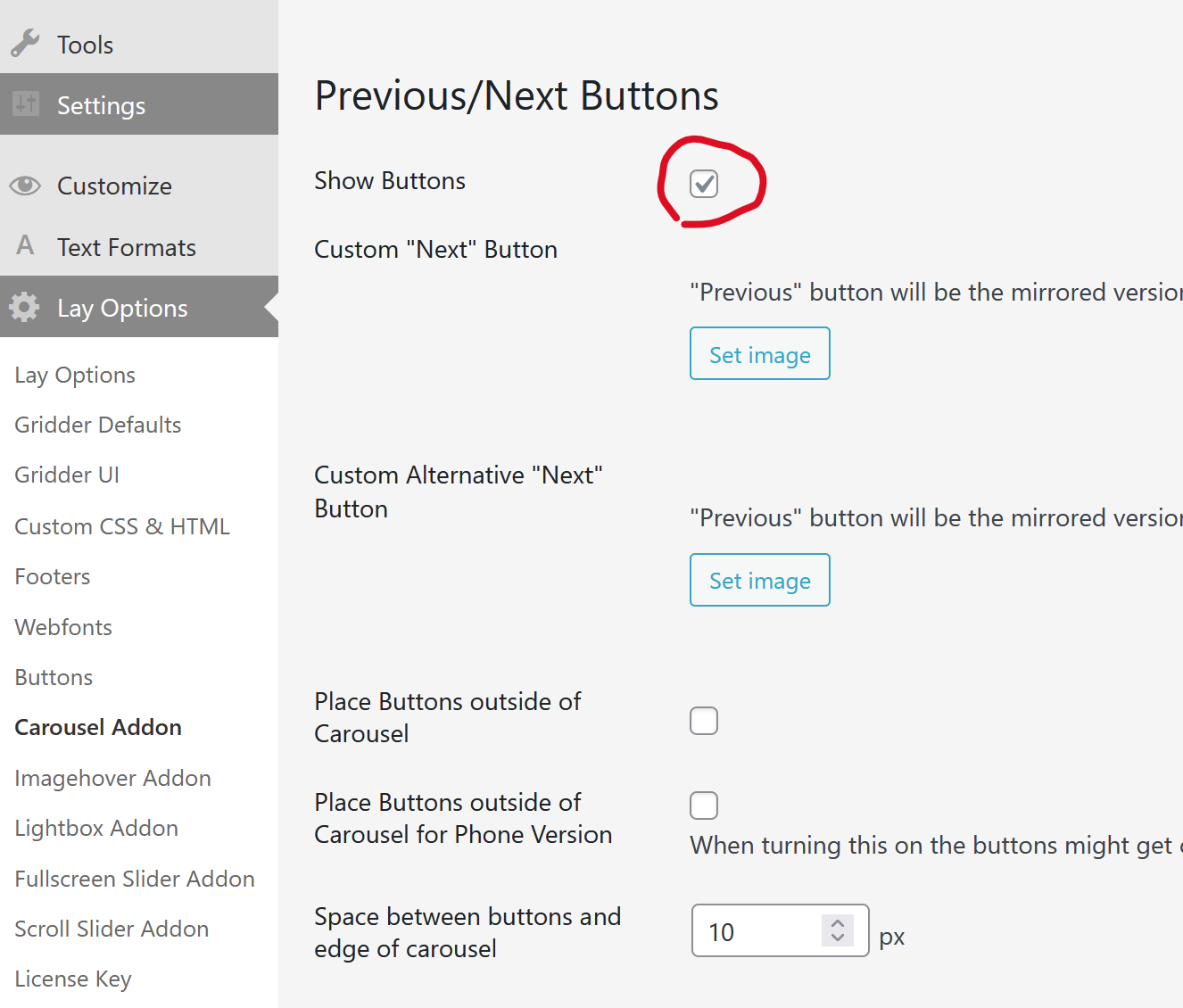
                      image.png

                      and then use css like

                      .flickity-prev-next-button.next{
                      height: 100%;
                      width: 20%;
                      right: 0!important;
                      cursor: e-resize!important;
                      }
                      .flickity-prev-next-button.next svg{
                      display: none;
                      }
                      
                      .flickity-prev-next-button.previous{
                      height: 100%;
                      width: 20%;
                      left: 0!important;
                      cursor: w-resize!important;
                      }
                      .flickity-prev-next-button.previous svg{
                      display: none;
                      }
                      

                      in add this in:
                      lay options -> custom css & html -> custom css

                      i added the cursor css, cause when i think about it, this mouse cursor setting
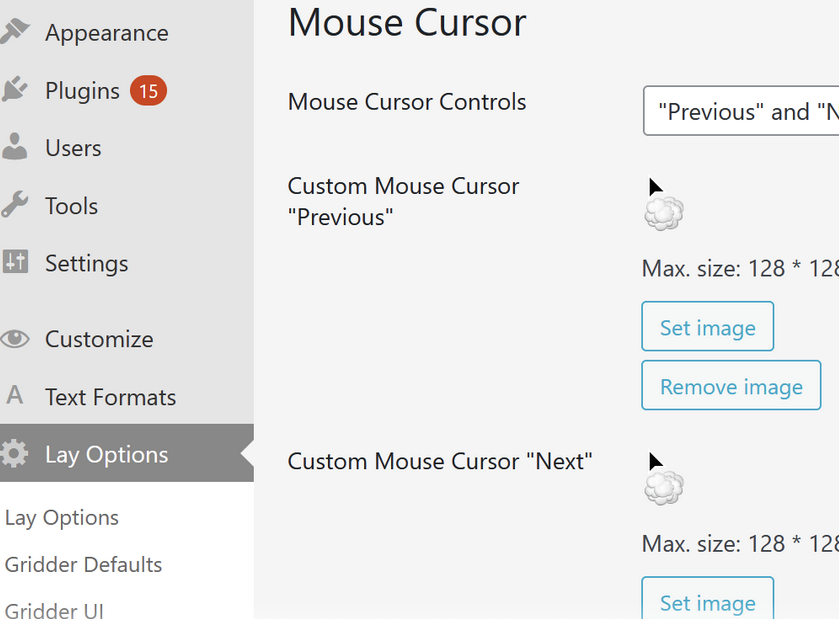
                      03d81d14-2445-4a76-ba96-78a8aca23e03-image.png

                      wont do anything cause when you have images that are links to a project, it wont show those mouse cursors but just a pointer instead, indicating that it is a clickable link

                      but with my css above, at least the prev / next areas will have cursors

                      1 Reply Last reply
                      0

                      Hello! It looks like you're interested in this conversation, but you don't have an account yet.

                      Getting fed up of having to scroll through the same posts each visit? When you register for an account, you'll always come back to exactly where you were before, and choose to be notified of new replies (either via email, or push notification). You'll also be able to save bookmarks and upvote posts to show your appreciation to other community members.

                      With your input, this post could be even better 💗

                      Register Login
                      Reply
                      • Reply as topic
                      Log in to reply
                      • Oldest to Newest
                      • Newest to Oldest
                      • Most Votes


                      Online Users
                      J
                      j.varela
                      A
                      alasdair17
                      Forgot your key, lost your files, need a previous Lay Theme or Addon version? Go to www.laykeymanager.com
                      laytheme.com
                      • Login

                      • Don't have an account? Register

                      • Login or register to search.
                      • First post
                        Last post
                      0
                      • Recent
                      • Tags
                      • Popular
                      • Users
                      • Search