Image hover footer
-
Hello,
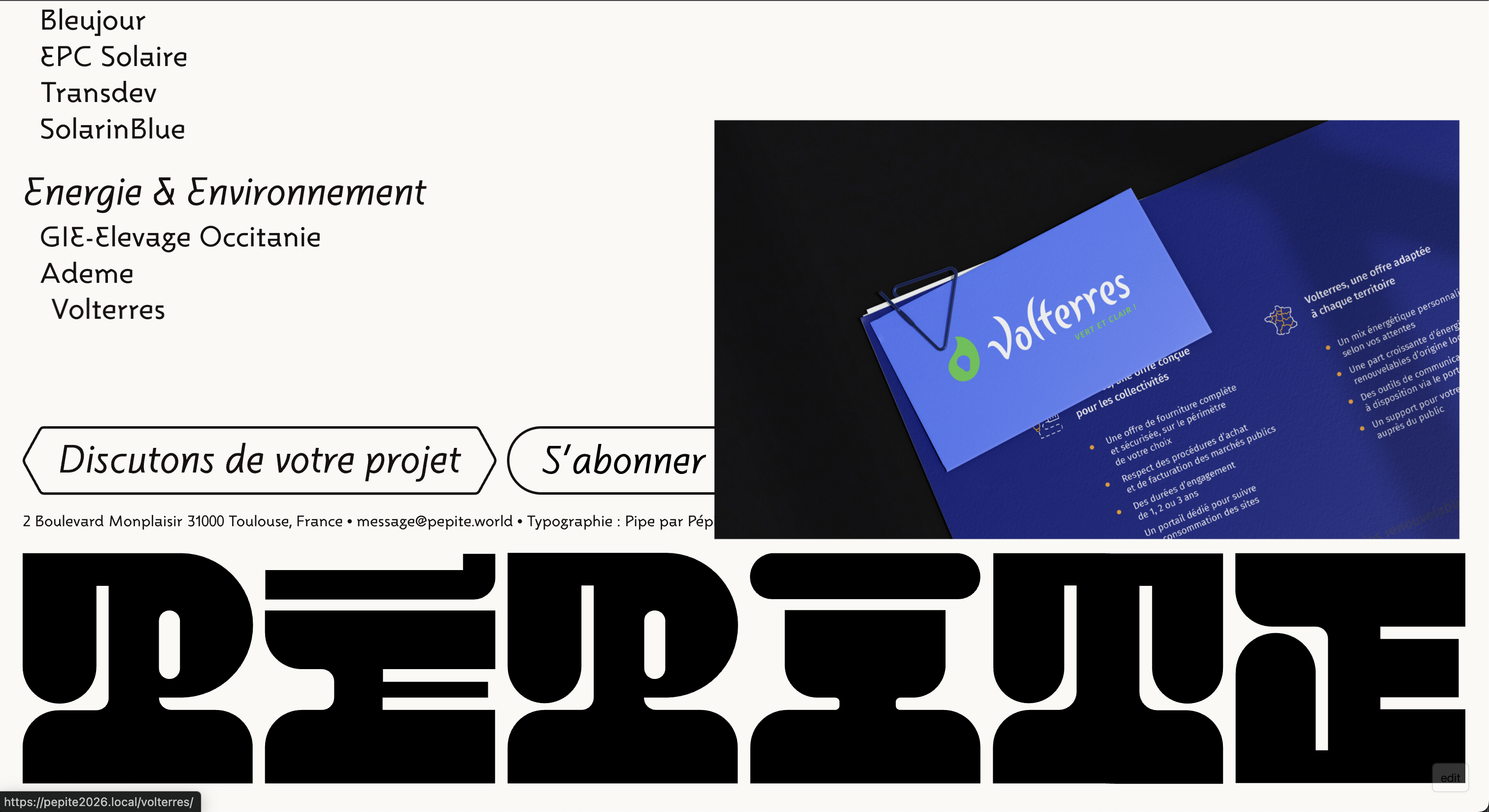
I'm using the Image Hover addon with custom image positioning, and I have an issue: when scrolling to the bottom of the page, the hover images overlap my footer.
I've already enabled the option "Adjust Image Position so it is always in Viewport" in the addon settings, but it doesn't solve the problem. The images are still going over the footer area.
I would like to have images constrained within the project grid area (before the footer). When hovering over projects at the bottom of the page, images should align to the bottom of the available space instead of going over the footer.
I have an example on www.republique.studio/index
Thanks for your help,
Bastien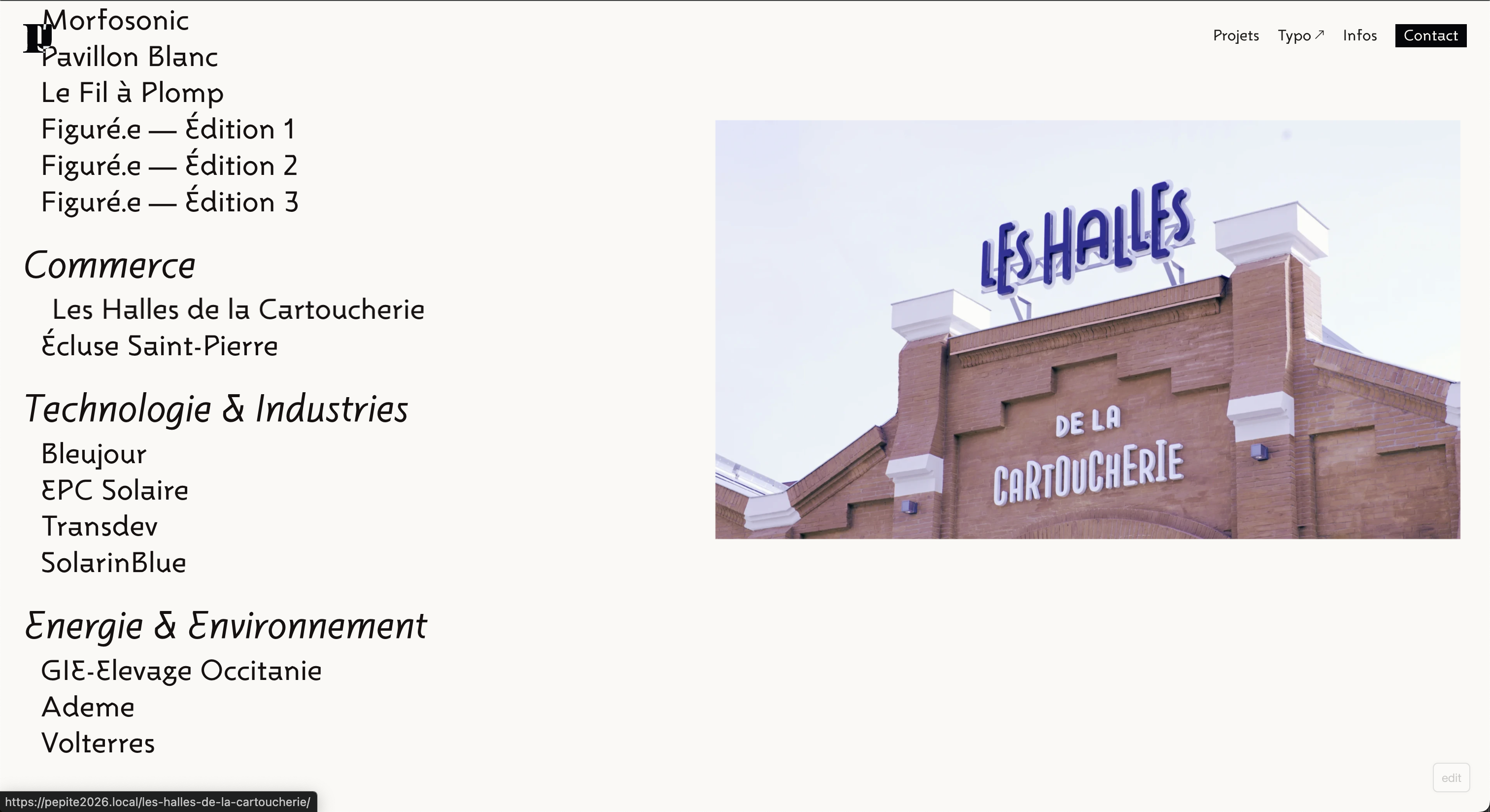
-
I've already enabled the option "Adjust Image Position so it is always in Viewport" in the addon settings, but it doesn't solve the problem. The images are still going over the footer area.
yea the viewport is the browser window
the website u sent me is not a lay theme website
the images for the imagehover addon are always fixedmaybe if your website is online you can send me the link and i can see if i can do sth with custom css
-
Thank you for your reply and your help.
I'm currently working locally, but I'll send you the website when it goes live next week.Thanks !
Bastien -
ok! but im not sure if i can make it work :// lets see

Hello! It looks like you're interested in this conversation, but you don't have an account yet.
Getting fed up of having to scroll through the same posts each visit? When you register for an account, you'll always come back to exactly where you were before, and choose to be notified of new replies (either via email, or push notification). You'll also be able to save bookmarks and upvote posts to show your appreciation to other community members.
With your input, this post could be even better 💗
Register Login