no option for auto-update
-
Hi there,
I've built multiple websites with laytheme but my ongoing problem is, that there appears to be no option for auto-updates in my case. I know that this option is supposed to appear like this:
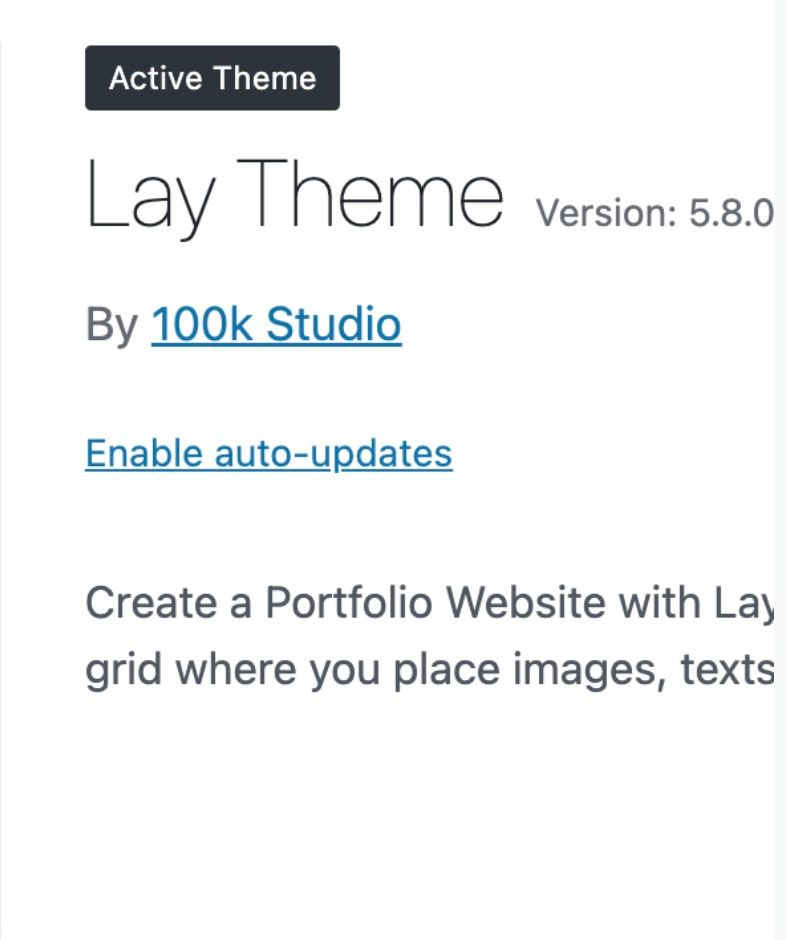
But for me, there is no option like this at all:
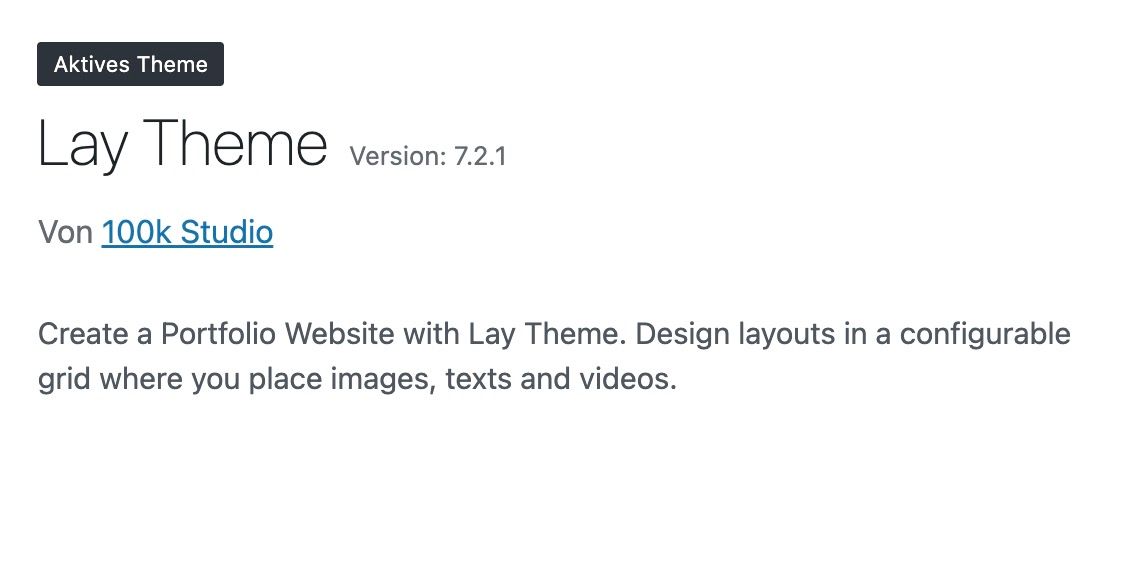
This is a big problem for me because I never know when a new LayTheme version is available and when older versions don‘t work anymore. As I can see in the Version History, the updates are very frequent. On some occasions my websites had major bugs because the LayTheme version just seemed to be too old. I work for an institution and this always creates big workarouds because I can't update the LayTheme version myself and always have to contact other people to do it. Is there a solution for this?
Best,
Jana -
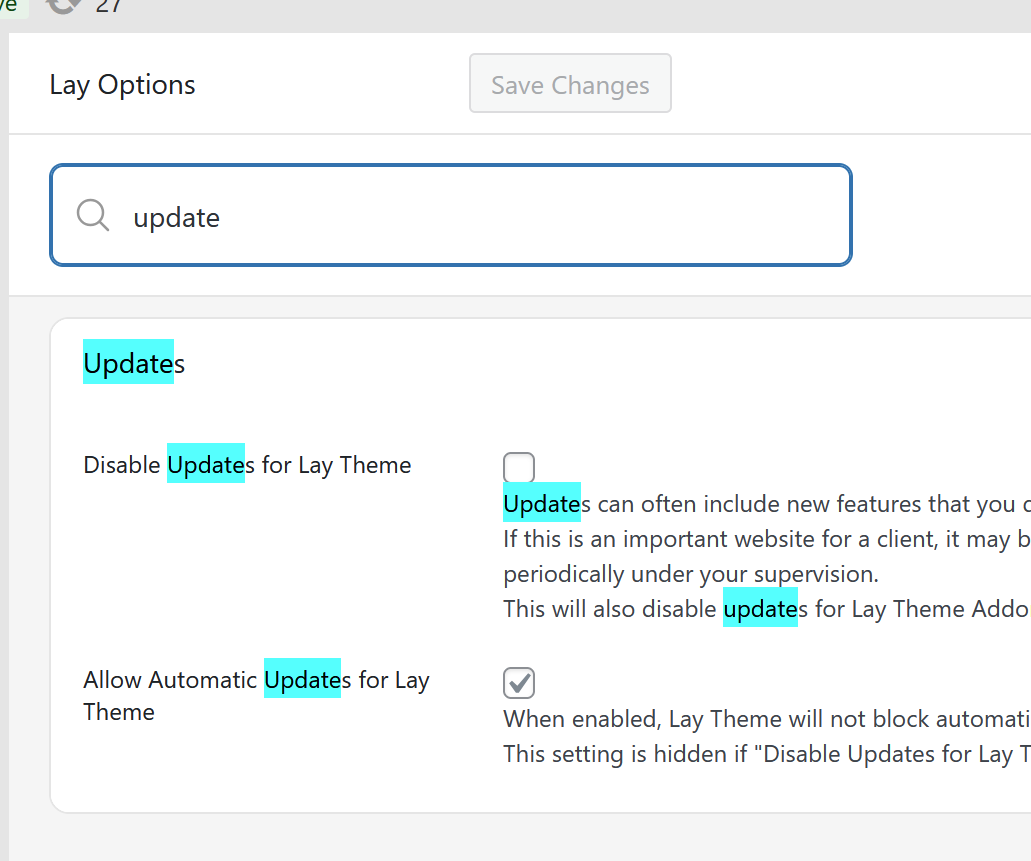
can u make sure the settings are set like this?
i had to disable automatic updates
because in the summertime, my update provider created a faulty update package that lead to hundreds of lay theme websites breaking after they were updated automaticallysince then, i manually test every lay update myself, but as a safety measure, i turned off automatic updates
-
I don't have any settings regarding updates under the menu item "Lay Options"...
But again, generally asking, is there a way to get a notification or something when a new update is available? What does the suggested workflow look like?
I would always have to use this link: https://lay-key-and-file-manager-clientdeploy-production.up.railway.app/, enter my License Keys regularly and check if there's updates?All the best,
Jana -
Can you please send:
- a link to this forum topic
- your website address
- /wp-admin/ username and password
to: info@laytheme.com

Hello! It looks like you're interested in this conversation, but you don't have an account yet.
Getting fed up of having to scroll through the same posts each visit? When you register for an account, you'll always come back to exactly where you were before, and choose to be notified of new replies (either via email, or push notification). You'll also be able to save bookmarks and upvote posts to show your appreciation to other community members.
With your input, this post could be even better 💗
Register Login