Skip to content
  • Recent
  • Tags
  • Popular
  • Users
  • Search
Skins
  • Light
  • Brite
  • Cerulean
  • Cosmo
  • Flatly
  • Journal
  • Litera
  • Lumen
  • Lux
  • Materia
  • Minty
  • Morph
  • Pulse
  • Sandstone
  • Simplex
  • Sketchy
  • Spacelab
  • United
  • Yeti
  • Zephyr
  • Dark
  • Cyborg
  • Darkly
  • Quartz
  • Slate
  • Solar
  • Superhero
  • Vapor

  • Default (No Skin)
  • No Skin
Collapse

Lay Theme Forum

  1. Home
  2. Feedback
  3. text on image and stacks

text on image and stacks

Scheduled Pinned Locked Moved Feedback
13 Posts 3 Posters 1.4k Views 2 Watching
  • Oldest to Newest
  • Newest to Oldest
  • Most Votes
Reply
  • Reply as topic
Log in to reply
This topic has been deleted. Only users with topic management privileges can see it.
  • A
    A
    alasdair17
    Global Moderator
    wrote on last edited by alasdair17
    #1

    hey @arminunruh

    really enjoying the sidebar features!

    Text on Image (Sidebar):

    When you add a rounded corner to an image and apply a gradient to it the gradient doesn’t take into account that the corner is round and applies it as if it were a rectangle.

    Could we have a blurred effect option when a gradient is applied here? So either the top or bottom of the image is slightly blurred with text on top - could be cool!

    Stacks:

    When you build a card using a stack (image, text and background colour etc together) the background shape doesn’t cleanly enter or exit the page when you have navigation transitions on. It always shows up first or last. It works fine when it’s not in a stack, like if it's just text with a background colour. Hope that makes sense!

    Thanks!

    1 Reply Last reply
    0
    • arminunruhA
      arminunruhA
      arminunruh
      Global Moderator
      wrote on last edited by
      #2

      yes the gradient fix i did, just need to release the update today.

      unfortunately, blur doesnt support fading out like that. i mean its possible but not clean and really hacky. i wont code this as a feature as long as theres no good way to do it.

      ok i will check out the stack issue

      A 1 Reply Last reply
      1
      • arminunruhA
        arminunruhA
        arminunruh
        Global Moderator
        wrote on last edited by
        #3

        ok stack issue will be fixed with the next update!

        1 Reply Last reply
        1
        • arminunruhA arminunruh

          yes the gradient fix i did, just need to release the update today.

          unfortunately, blur doesnt support fading out like that. i mean its possible but not clean and really hacky. i wont code this as a feature as long as theres no good way to do it.

          ok i will check out the stack issue

          A
          A
          alasdair17
          Global Moderator
          wrote on last edited by
          #4

          @arminunruh thanks! and yeah no worries as that makes sense!

          1 Reply Last reply
          0
          • S
            S
            samfrancis
            wrote on last edited by
            #5

            Nice catches, especially the stack transition thing, I’ve noticed something similar before but couldn’t quite pin it down.

            Good to hear both are getting fixed though. The gradient issue in particular was a bit distracting with rounded corners.

            For the blur idea, yeah I get why it’s tricky. Would be a really cool effect if there was a clean way to do it though, maybe something CSS-based in the future.

            Looking forward to the update 👍

            1 Reply Last reply
            1
            • arminunruhA
              arminunruhA
              arminunruh
              Global Moderator
              wrote on last edited by arminunruh
              #6

              Yea the blur gradient is a really good idea, agree! The update that I released yesterday did fix both issues.

              1 Reply Last reply
              1
              • A
                A
                alasdair17
                Global Moderator
                wrote on last edited by
                #7

                Screenshot 2026-03-25 at 07.46.10.png

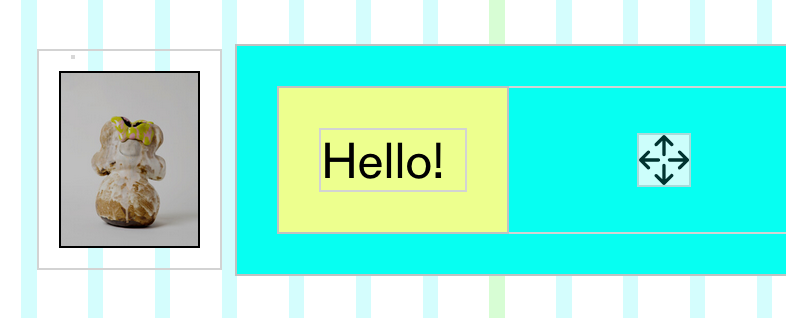
                also noticed @arminunruh that text elements inside a stack the padding isn't applied.

                arminunruhA 1 Reply Last reply
                0
                • A
                  A
                  alasdair17
                  Global Moderator
                  wrote on last edited by
                  #8

                  Screenshot 2026-03-25 at 07.57.26.png

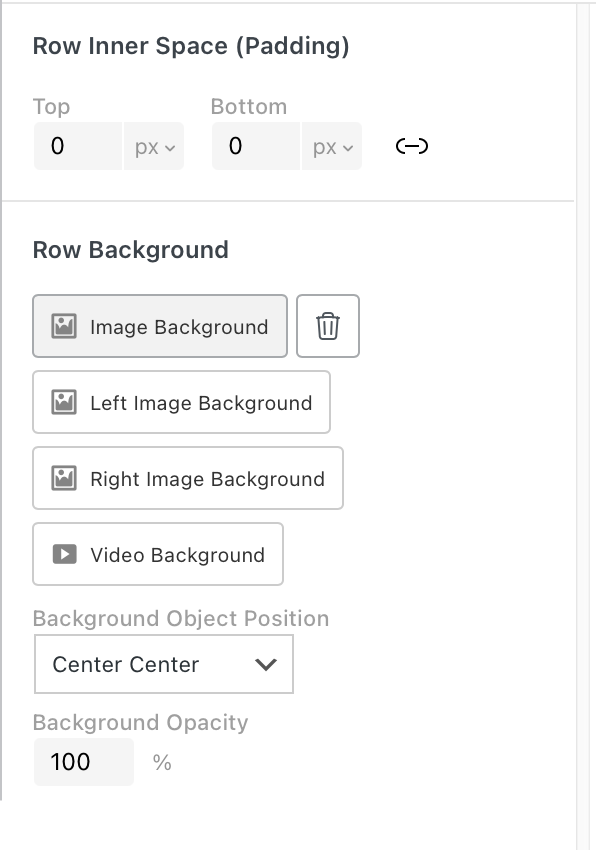
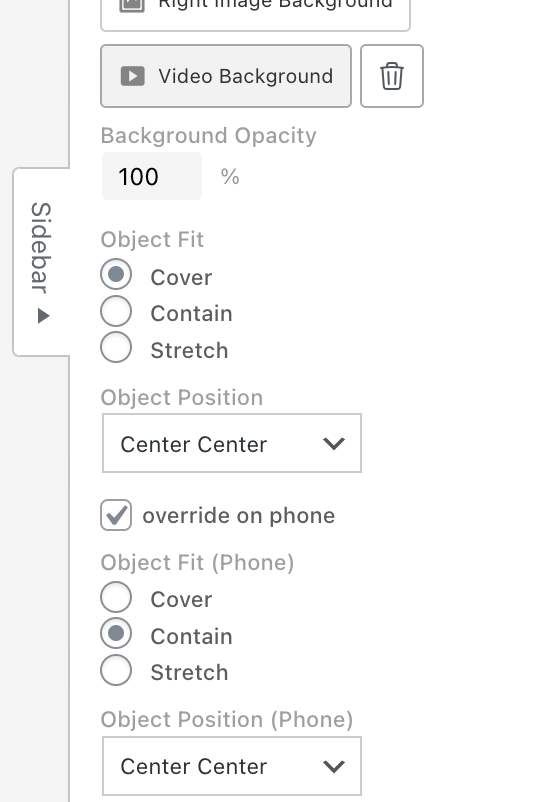
                  could we also have more control of row image backgrounds for mobile here? Like be able to choose a different position for mobile?

                  1 Reply Last reply
                  0
                  • A
                    A
                    alasdair17
                    Global Moderator
                    wrote on last edited by alasdair17
                    #9

                    Screenshot 2026-03-25 at 08.18.51.png

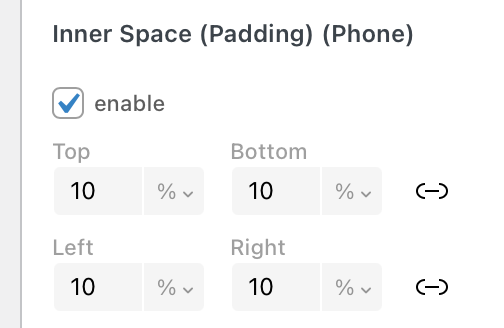
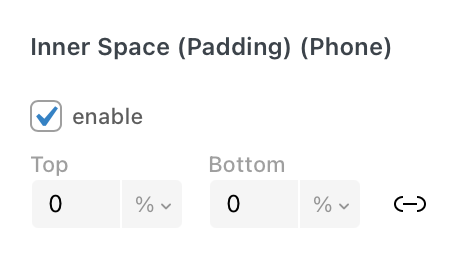
                    sorry noticed another thing! could we have left and right padding for stacks and images on the sidebar?

                    1 Reply Last reply
                    0
                    • A alasdair17

                      Screenshot 2026-03-25 at 07.46.10.png

                      also noticed @arminunruh that text elements inside a stack the padding isn't applied.

                      arminunruhA
                      arminunruhA
                      arminunruh
                      Global Moderator
                      wrote on last edited by
                      #10

                      @alasdair17 this will be fixed with the next update

                      1 Reply Last reply
                      1
                      • arminunruhA
                        arminunruhA
                        arminunruh
                        Global Moderator
                        wrote on last edited by arminunruh
                        #11

                        ok stack elements and images will get padding left and right too with the next update
                        1b92d386-4eb4-416c-abe8-0f837c7df778-grafik.png

                        1 Reply Last reply
                        1
                        • arminunruhA
                          arminunruhA
                          arminunruh
                          Global Moderator
                          wrote on last edited by
                          #12

                          ok row background object fit and object position will be setable for phone too with the next update
                          grafik.png

                          1 Reply Last reply
                          1
                          • A
                            A
                            alasdair17
                            Global Moderator
                            wrote on last edited by
                            #13

                            amazing! thanks @arminunruh

                            1 Reply Last reply
                            0

                            Hello! It looks like you're interested in this conversation, but you don't have an account yet.

                            Getting fed up of having to scroll through the same posts each visit? When you register for an account, you'll always come back to exactly where you were before, and choose to be notified of new replies (either via email, or push notification). You'll also be able to save bookmarks and upvote posts to show your appreciation to other community members.

                            With your input, this post could be even better 💗

                            Register Login
                            Reply
                            • Reply as topic
                            Log in to reply
                            • Oldest to Newest
                            • Newest to Oldest
                            • Most Votes


                            Online Users
                            L
                            lstark
                            Forgot your key, lost your files, need a previous Lay Theme or Addon version? Go to www.laykeymanager.com
                            laytheme.com
                            • Login

                            • Don't have an account? Register

                            • Login or register to search.
                            • First post
                              Last post
                            0
                            • Recent
                            • Tags
                            • Popular
                            • Users
                            • Search