content overflowing when there is row padding
-
I am experiencing a really annoying issue, where if I add top/bottom row padding, then the content inside the row overflows the bottom. In particular if I use the vertical lines. The code I am using is as follows. What I am doing wrong here?:
.row_padded {
  background-color: #f79b89;
  padding-top:100px;
  padding-bottom:100px;
}
Alternatively is there a better way to add row padding? I keep finding that content is running to close to the top/bottom of rows when I have specified a row background colour.
-
yea you can click on a row, then in the sidebar:
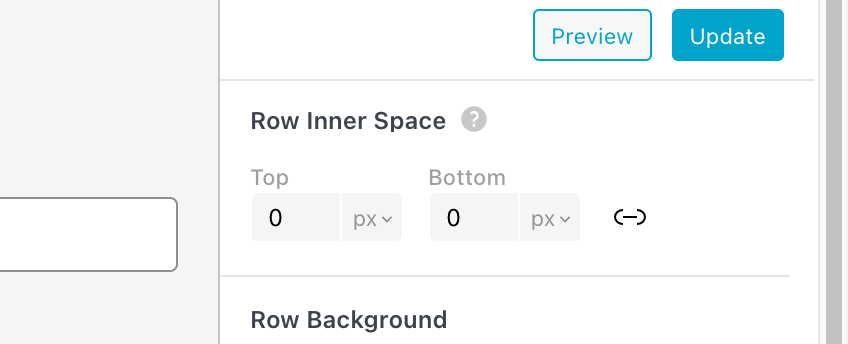
can you try that instead of the css?
-
-
ah yea now i understand what you mean!! ok i will fix it.
until then use this CSS
.col.type-vl.absolute-position{
top: 0!important;
}in lay options -> custom css & html
or
.row_padded .col.type-vl.absolute-position{
top: 0!important;
} -
Thanks @arminunruh that sort of works. The issue looks to be that the vertical lines now touch the very top/bottom edge of the row once padding is added. What I am trying to achieve is for rows to have padding, and vertical lines to inherit this same padding when placed in a row, rather than ignoring this padding. if that makes sense?
-
ah now i understand what you mean. ok let me think about it
-
-
this should be fixed now!!

Hello! It looks like you're interested in this conversation, but you don't have an account yet.
Getting fed up of having to scroll through the same posts each visit? When you register for an account, you'll always come back to exactly where you were before, and choose to be notified of new replies (either via email, or push notification). You'll also be able to save bookmarks and upvote posts to show your appreciation to other community members.
With your input, this post could be even better 💗
Register Login