Element Grid — overlapping items block reordering
-
Hi,
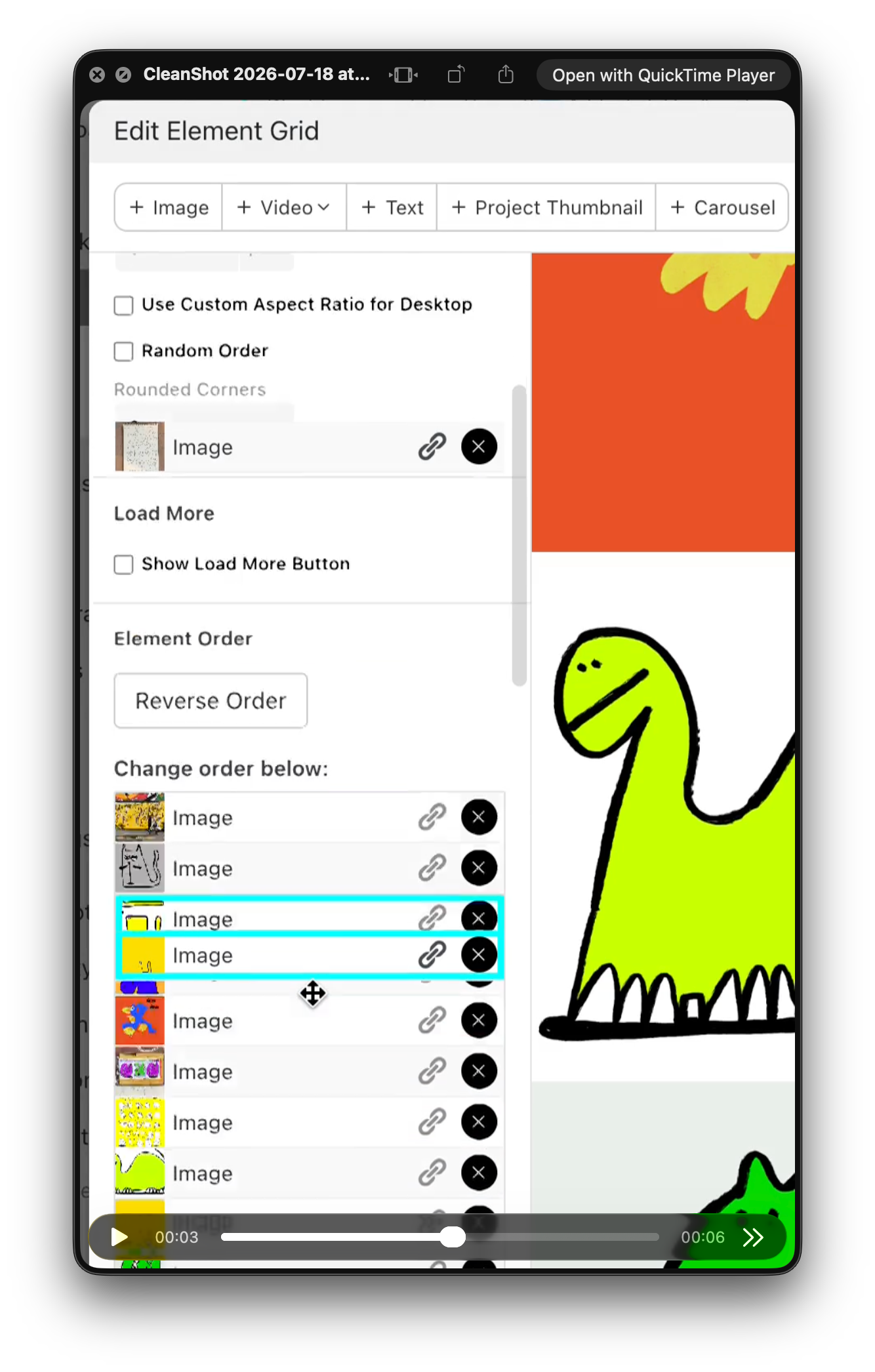
I've run into a bug in the new version of Laytheme, in the "Edit Element Grid" panel.
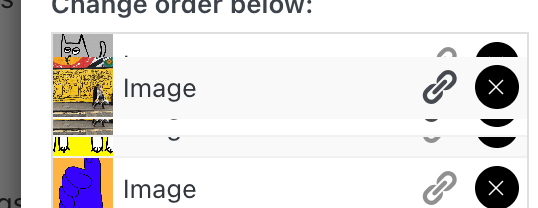
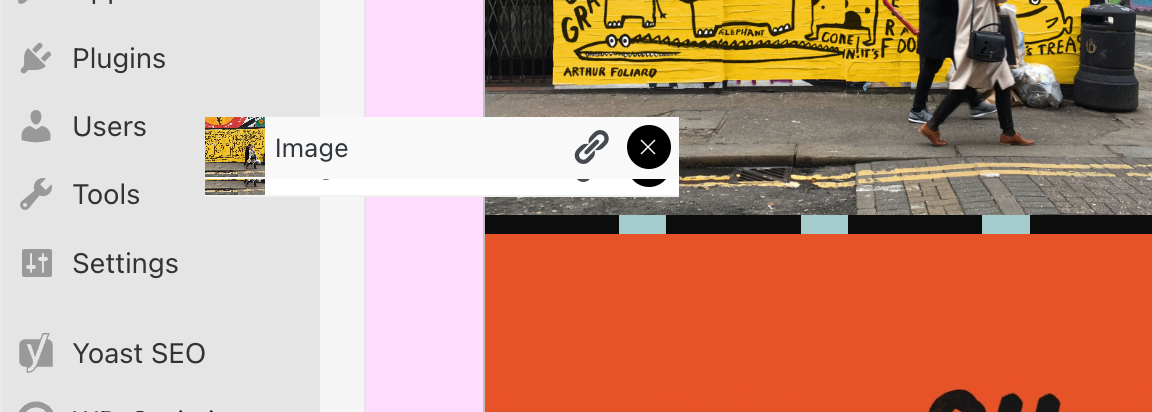
When reordering elements in the "Change order below" list, some items overlap with the rest of the UI. An image row renders on top of the settings above (Rounded Corners, Random Order, etc.) and stays stuck there. Once that happens, elements can't be selected or dragged properly, which makes reordering a grid with many images almost impossible.
Steps to reproduce:
- Open a page with an element grid containing a large number of images
- Open "Edit Element Grid" and scroll to "Change order below"
- Start dragging an item up or down the list
- The dragged item (or its duplicate) detaches and overlaps the settings section higher up, and can no longer be moved or selected
I'm attaching a few screenshots showing the overlapping elements.
Setup: macOS, latest Laytheme version.
A small suggestion while I'm here, it would be much easier if we could reorder elements directly from the grid preview on the right, rather than through the list. But even just fixing the overlap would already help a lot.
Thanks,
-
hello @ksed,
thanks for the detailed report and screenshots! i fixed the issue where items could overlap the settings while reordering. i’ll release an update shortly, after updating it should work properly again, also with alot of images. let me know if you still run into it! -
-
-
hey @ksed, thanks for the follow-up! i found the remaining issue: the drag preview was attached outside of the modal, which is why it could overlap the settings and even stay visible after closing the page. this is fixed now and will be included in the next update. please test it again after updating and let me know if it still happens!
xD


Hello! It looks like you're interested in this conversation, but you don't have an account yet.
Getting fed up of having to scroll through the same posts each visit? When you register for an account, you'll always come back to exactly where you were before, and choose to be notified of new replies (either via email, or push notification). You'll also be able to save bookmarks and upvote posts to show your appreciation to other community members.
With your input, this post could be even better 💗
Register Login