Caption position Carousel
-
Hi, I can't seem to position mij Carousel caption on the same height as the numbering. Both are set to 0px space between slide and caption/numbers. So why is my caption lower?
My site is:
www.studiorubio.be -
I've encountered the same problem. I solved it by adding a caption to a single image instead. See example: 1.
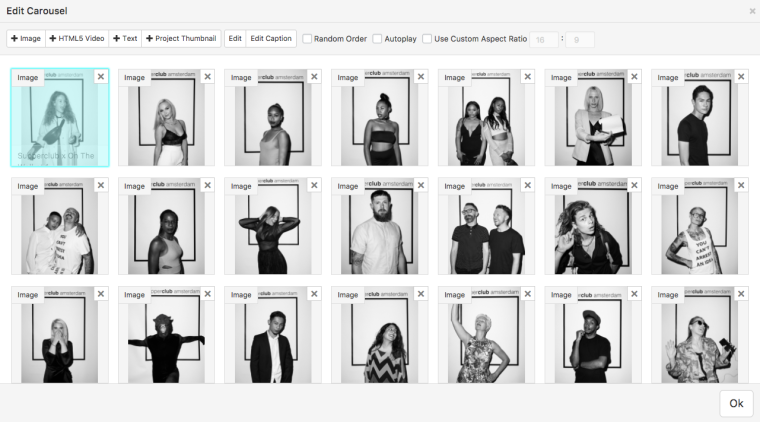
example: 1.But I'm not satisfied with this solution since I ratter have the choice to have it for the entirety of all the images in the carrousel.
Let me know if you figured this one out.Cheers!
-
Hi Wouter,
On my screen it is not lower. Can you send me a screenshot?
All the best!
Marius

-
Hi Marius,
it's not lower anymore because I used Dustin's method of adding the same caption to al the images individually.
When you add a caption tot the carousel alone, it's lower.
You can see the difference in the screenshot. Both captions use the same text format, but the one on the left is an overall caption for the whole carousel, where as the one on the right, the caption is placed on the image itself.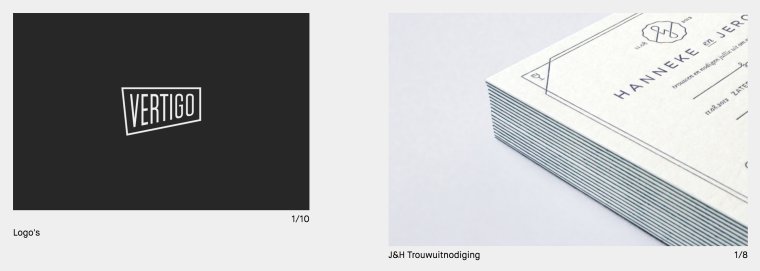
-
Hi Wouter,
exactly. Dustin gave you the right solution. it is a bit secret But that's the way to go.
All the best!
Marius


Hello! It looks like you're interested in this conversation, but you don't have an account yet.
Getting fed up of having to scroll through the same posts each visit? When you register for an account, you'll always come back to exactly where you were before, and choose to be notified of new replies (either via email, or push notification). You'll also be able to save bookmarks and upvote posts to show your appreciation to other community members.
With your input, this post could be even better 💗
Register Login