Fullscreen slider resizes images to weird format
-
Hey Armin,
The fullscreen slider is changing my images and the position of the content.
I've tried looking in the settings but haven't found anything weird, maybe I'm looking in the wrong places, but could you have a look for me?
I want my images to be centered and resized within the designated frame padding. It should also apply this to multi content placement without shifting to the bottom. Don't know whats going on.Cheers,
-
Hi Dustin,
you can send me an email with your login and password and I will have a look.
The layout with the Fullscreen Slider always gets changed a bit because it needs to adjust to the screen: All the information needs to fit on it.
I can have a look and see where the problem might be.
All the best!
Marius
www.mariusjopen.world
-
Hi Dustin,
you can send me an email with your login and password and I will have a look.
The layout with the Fullscreen Slider always gets changed a bit because it needs to adjust to the screen: All the information needs to fit on it.
I can have a look and see where the problem might be.
All the best!
Marius
Hey @mariusjopen thank you for your reply. I will mail you now.
-
Hi Dustin,
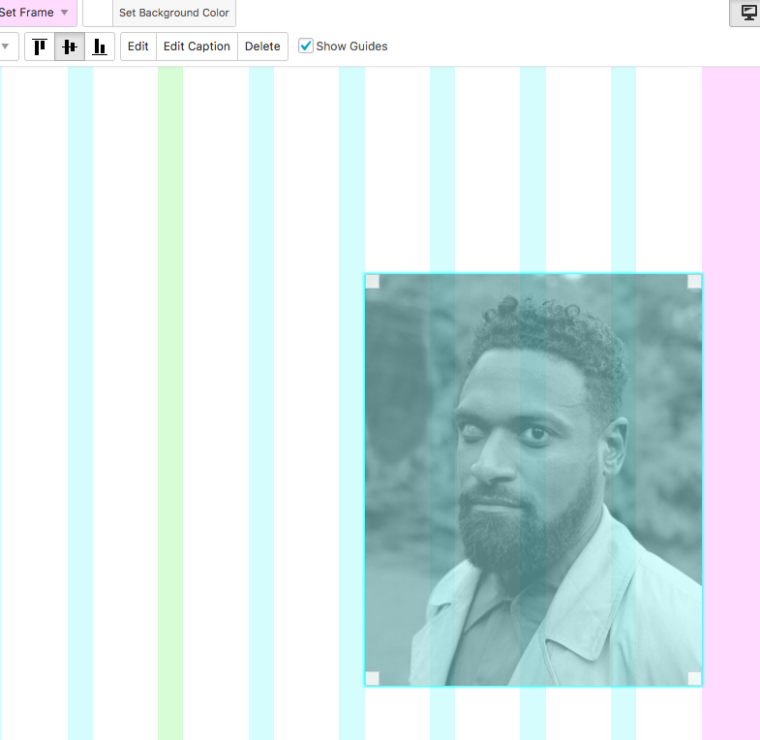
the vertical-centered-image-problem is solved I think.
You had a padding 120px on the top of your gridder.
I set it to 0 now and now the images look fine.
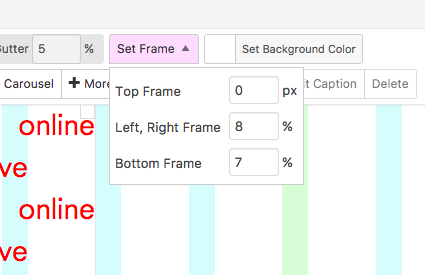
Also I vertically centered the image.
About the other issue with the carousel:
I’ve also encountered an issue with the mouse pointer over the Carousel addon, don’t know why the mouse changes position when it moves away from the element. It’s like its having a hickup.
Your Custom cursor in the <body> tag has the coordinates 4 and 12px.
Try this:
.cursor-right {
    cursor: url(http://dustinthierry.com/wp-content/uploads/2017/07/red-dot.png) 4 12, pointer !important;
}
So also your new custom cursors need those coordinates.
I hope I could help.
All the best :-)
Marius
www.mariusjopen.world
-
Hi Dustin,
the vertical-centered-image-problem is solved I think.
You had a padding 120px on the top of your gridder.
I set it to 0 now and now the images look fine.
Also I vertically centered the image.
About the other issue with the carousel:
I’ve also encountered an issue with the mouse pointer over the Carousel addon, don’t know why the mouse changes position when it moves away from the element. It’s like its having a hickup.
Your Custom cursor in the <body> tag has the coordinates 4 and 12px.
Try this:
.cursor-right {
    cursor: url(http://dustinthierry.com/wp-content/uploads/2017/07/red-dot.png) 4 12, pointer !important;
}
So also your new custom cursors need those coordinates.
I hope I could help.
All the best :-)
Marius
Hey Marius,
Thanks you for your efforts, its being appreciated. So no padding needed for the fullscreen slider. That helps a lot.
@mariusjopen said in Fullscreen slider resizes images to weird format:
Your Custom cursor in the <body> tag has the coordinates 4 and 12px.
Try this:
.cursor-right {
cursor: url(http://dustinthierry.com/wp-content/uploads/2017/07/red-dot.png) 4 12, pointer !important;
}So also your new custom cursors need those coordinates.
I've tried this, but it didn't solve anything, I'm still stuck with the jumpy red-dot.
If you navigate the cursor from Carousel to a different project thumbnail it hickups from posistion, like a glitch. Try it out and you'll see what I mean.Cheers,
Dustin
-
-
Hi Dustin,
this is an issue with the fullscreen slider.
If the content is too big. Especially with text it will go over the borders.
Images will scale proportionally. but text wont of course.
The only option is to use less text.
About the cursor:
I managed to fix it.
I put all your cursor related CSS into one CSS-function:
#lightbox-region #lightbox-inner.cursor-left img,
#lightbox-region #lightbox-inner.cursor-right img,
.cursor-left,
.cursor-right,
body,
a,
.lightbox-css-on #lightbox-region .close-lightbox,
.lightbox-css-on #main-region .col[data-type="img"] img,
.scrolltotop,
.col .lay-carousel.cursor-right .lay-carousel-slide,
.col .lay-carousel.cursor-left .lay-carousel-slide {
    cursor: url("http://dustinthierry.com/wp-content/uploads/2017/07/red-dot.png") 4 12, pointer !important;
}
And I added those two things:
.col .lay-carousel.cursor-right .lay-carousel-slide,
.col .lay-carousel.cursor-left .lay-carousel-slide
All the best!
Marius



Hello! It looks like you're interested in this conversation, but you don't have an account yet.
Getting fed up of having to scroll through the same posts each visit? When you register for an account, you'll always come back to exactly where you were before, and choose to be notified of new replies (either via email, or push notification). You'll also be able to save bookmarks and upvote posts to show your appreciation to other community members.
With your input, this post could be even better 💗
Register Login