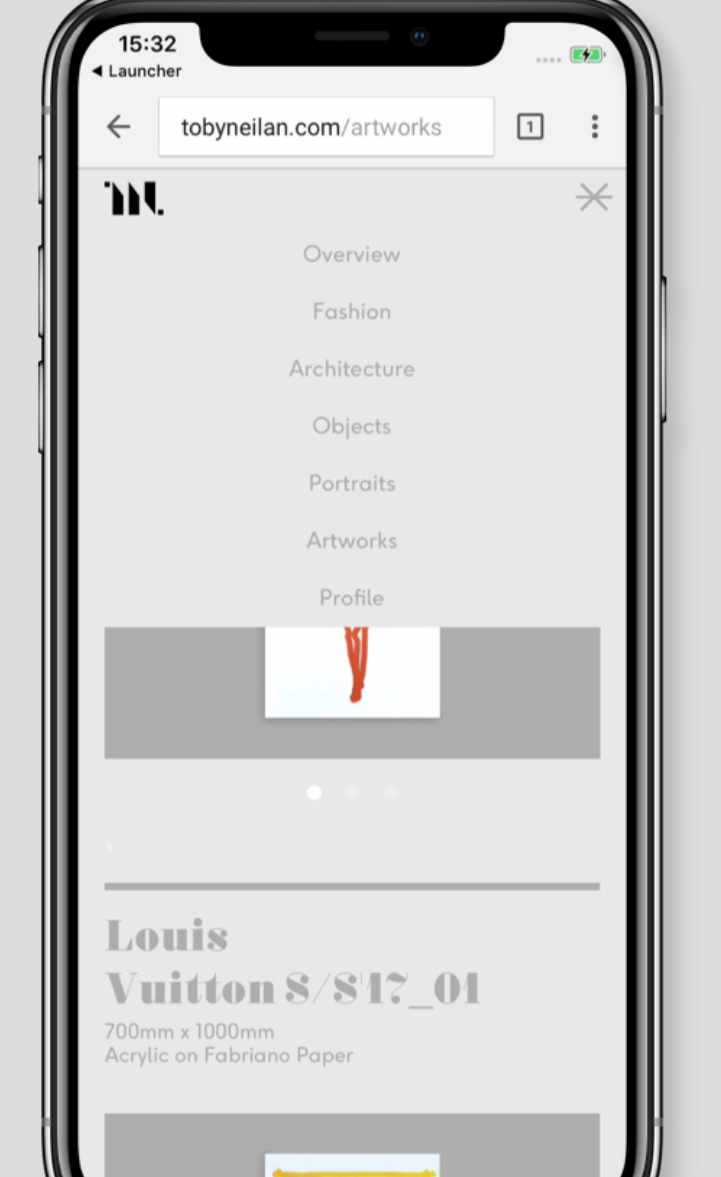
Fonts on the mobile
-
-
-
Ok.
Does this happen with any custom font or is it only this one?
Maybe it has sth to do with the font itself, maybe you can try a different webfont? -
-
-
@mariusjopen Thanks Marius email has been sent.
-
-
-
-
-
Ok Toby
Can you delete all of your webfonts from lay options -> webfonts, and then re-insert them?
I believe the problem is not the iphone version, but when you visit the website using https instead of http the fonts are not loaded correctly.This I fixed in a certain lay theme verison but it only works with newly inserted fonts.
If that doesn't work please send me your /wp-admin/ login info to armin.unruh@gmail.com along with a link to this topic, thanks!
-




Hello! It looks like you're interested in this conversation, but you don't have an account yet.
Getting fed up of having to scroll through the same posts each visit? When you register for an account, you'll always come back to exactly where you were before, and choose to be notified of new replies (either via email, or push notification). You'll also be able to save bookmarks and upvote posts to show your appreciation to other community members.
With your input, this post could be even better 💗
Register Login