cover feature: dimming cover image when scrolling out of view
-
In the demo video shown here (http://laytheme.com/documentation.html#covers) where the fullscreen slider addon is used to enable the cover feature, the cover image dims as the next row of content scrolls up. How do we enable the dimming?
-
Hi ddkk10!
very simple.
Go to Cover Options and enable Darken Cover when scrolling down.
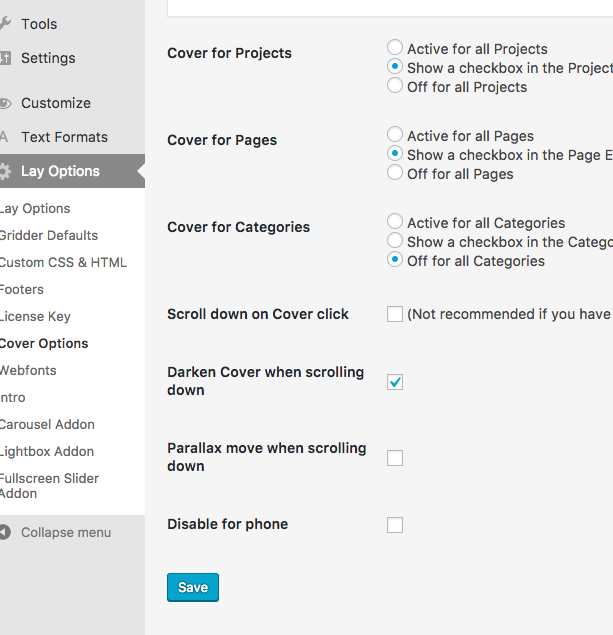
All the best!
Marius
-
Hey
Is it also possilbe change to a specific color by scrolling down, instead of just darken? -
Dear @ddkk10
not really.
The overlay is done with a filter and not with a background color and opacity change.Maybe you can find a solution with CUSTOM CSS yourself.
Best!
Marius

Hello! It looks like you're interested in this conversation, but you don't have an account yet.
Getting fed up of having to scroll through the same posts each visit? When you register for an account, you'll always come back to exactly where you were before, and choose to be notified of new replies (either via email, or push notification). You'll also be able to save bookmarks and upvote posts to show your appreciation to other community members.
With your input, this post could be even better 💗
Register Login