Dash in title is shown as "–" instead of "-"
-
Hey guys,
I encountered a bug while naming my titles.
Whenever I am using a dash, it will show up as "& # 8 2 1 1 ;" instead of "-" in the browser tab.
Here is an example on my site: https://www.edgarberg.com/cartier-trinity-campaign/

I always used a dash in my titles but I think with some of the updates, it broke.
Looking forward to an easy fix :)
Thanks a lot
E -
now it works no?
-
Hey Armin,
I didn't have the time to check in on this issue but now as I am uploading new content it is still not fixed.
https://www.edgarberg.com/atmos-archipelago/
Any ideas on how to get rid of it?
Thanks in advance!
E -

it shows correctly for me
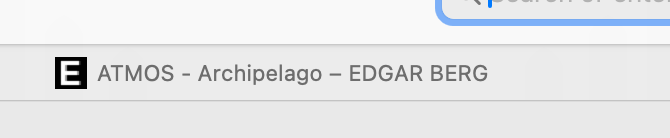
-
-
ah now i understand! ok let me see
-
if you update lay theme now, does it work?
-


Hello! It looks like you're interested in this conversation, but you don't have an account yet.
Getting fed up of having to scroll through the same posts each visit? When you register for an account, you'll always come back to exactly where you were before, and choose to be notified of new replies (either via email, or push notification). You'll also be able to save bookmarks and upvote posts to show your appreciation to other community members.
With your input, this post could be even better 💗
Register Login