Skip to content
  • Recent
  • Tags
  • Popular
  • Users
  • Search
Skins
  • Light
  • Brite
  • Cerulean
  • Cosmo
  • Flatly
  • Journal
  • Litera
  • Lumen
  • Lux
  • Materia
  • Minty
  • Morph
  • Pulse
  • Sandstone
  • Simplex
  • Sketchy
  • Spacelab
  • United
  • Yeti
  • Zephyr
  • Dark
  • Cyborg
  • Darkly
  • Quartz
  • Slate
  • Solar
  • Superhero
  • Vapor

  • Default (No Skin)
  • No Skin
Collapse

Lay Theme Forum

  1. Home
  2. Feedback
  3. Carousel captions / fullscreen

Carousel captions / fullscreen

Scheduled Pinned Locked Moved Feedback
19 Posts 3 Posters 2.9k Views 3 Watching
  • Oldest to Newest
  • Newest to Oldest
  • Most Votes
Reply
  • Reply as topic
Log in to reply
This topic has been deleted. Only users with topic management privileges can see it.
  • F
    F
    fernandol97
    wrote on last edited by
    #10

    Thanks, guys. Getting there with this.
    some strange behaviour with the captions. They are all hyperlinked to case studies but some are not clickable?

    also is it possible to set a max width of element grids, so that that first slide when I have a image pair can stay at 60% like the rest of the slides?

    1 Reply Last reply
    0
    • F
      F
      felix_rabe
      wrote on last edited by felix_rabe
      #11

      @fernandol97
      did you do something different on the pages where the links don't work?

      can you show a screenshot or sketch of the 60% thing? I don't quite understand what you mean.

      and I would deactivate the Lightbox for images in your slider.

      F 1 Reply Last reply
      0
      • F felix_rabe

        @fernandol97
        did you do something different on the pages where the links don't work?

        can you show a screenshot or sketch of the 60% thing? I don't quite understand what you mean.

        and I would deactivate the Lightbox for images in your slider.

        F
        F
        fernandol97
        wrote on last edited by
        #12

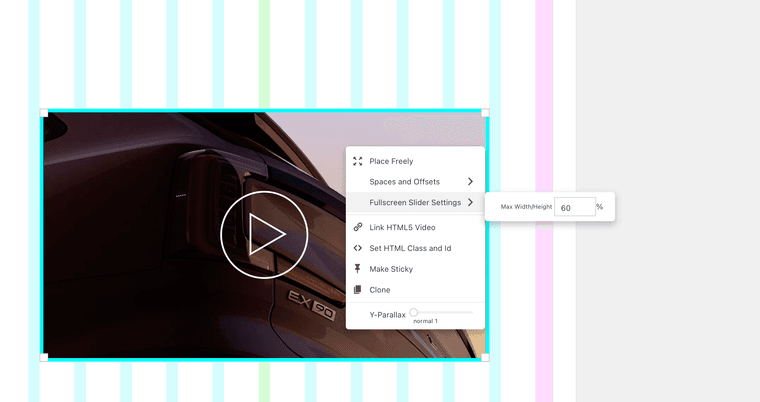
        @felix_rabe Heres a screengrab of what i mean with the 60% thing, you can see it stops the video from clashing with the edges when the window is resized, but I don't see this option of element grids or multiple assets on one page. If you resize the window with the first page you will see what I mean Screenshot 2024-08-07 at 12.33.38.png
        With the links, not that I know of. i will try deleting them and starting again with the hyperlinks

        1 Reply Last reply
        0
        • F
          F
          fernandol97
          wrote on last edited by
          #13

          Even cloning the linked caption from slide 1 to 3 and the hyperlink still does not function

          1 Reply Last reply
          0
          • F
            F
            felix_rabe
            wrote on last edited by
            #14

            for i have not worked that much with fullscreen-slider, maybe @arminunruh can help with this detail.

            1 Reply Last reply
            1
            • F
              F
              fernandol97
              wrote on last edited by
              #15

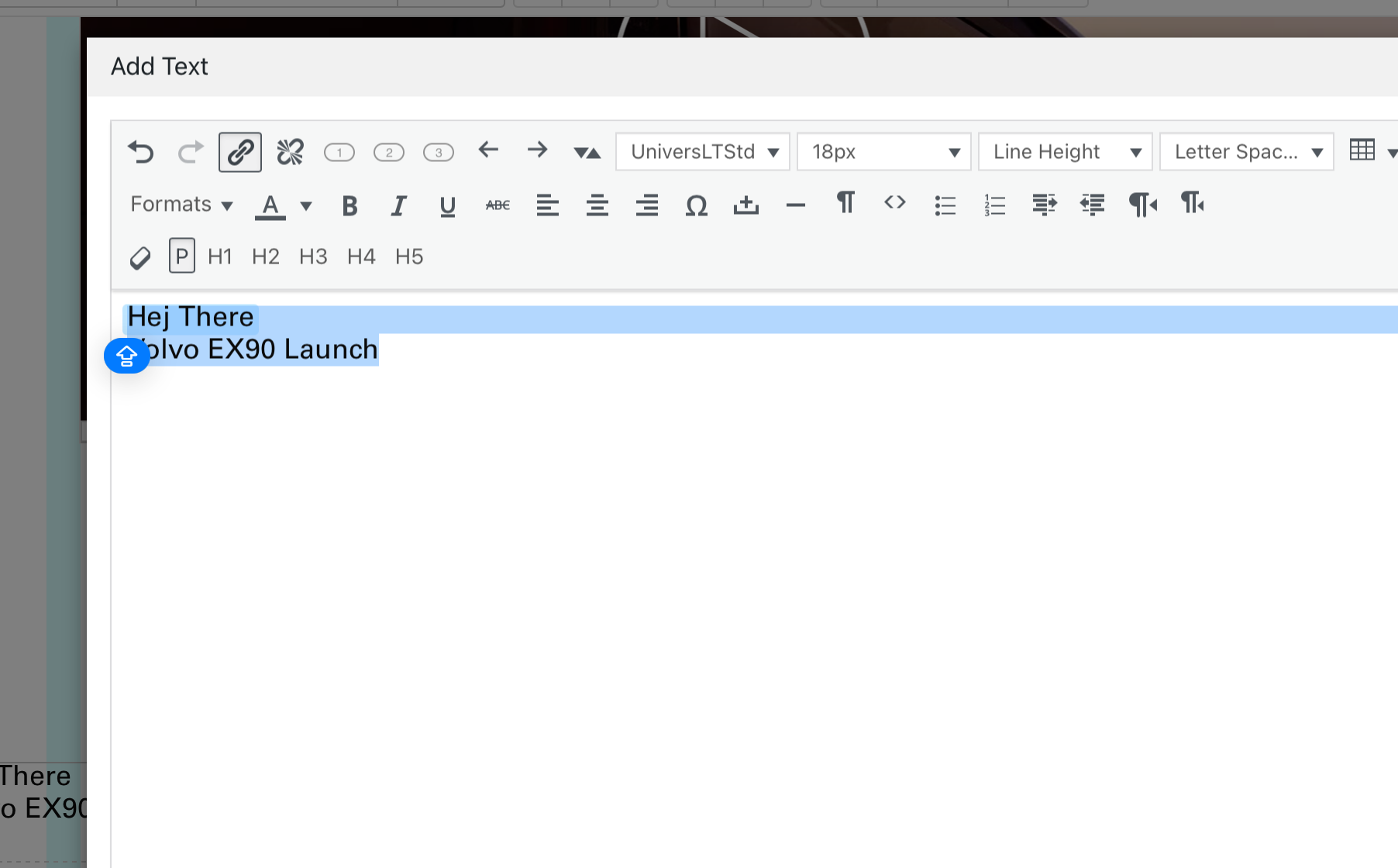
              Thanks, no idea whats going on with the hyperlinks. They seem to be set up correctly in the text editor
              Screenshot 2024-08-07 at 14.36.36.png

              1 Reply Last reply
              0
              • F
                F
                fernandol97
                wrote on last edited by
                #16

                Ok hyperlink issue solved by just creating a new page and starting from scratch

                1 Reply Last reply
                1
                • F
                  F
                  fernandol97
                  wrote on last edited by
                  #17

                  But if anyone has any idea how to make the first page with two images not clash with the edges when resizing the window I am all ears ha
                  https://www.fernandolobina.com/homenew/

                  1 Reply Last reply
                  0
                  • arminunruhA
                    arminunruhA
                    arminunruh
                    Global Moderator
                    wrote on last edited by arminunruh
                    #18

                    Screenshot 2024-08-18 at 14.58.28.png

                    hey can u fix your ssl / https in your webhost control panel?

                    But if anyone has any idea how to make the first page with two images not clash with the edges when resizing the window I am all ears ha

                    if you have two image side by side, this only works if you combine both images into one and then use that setting:
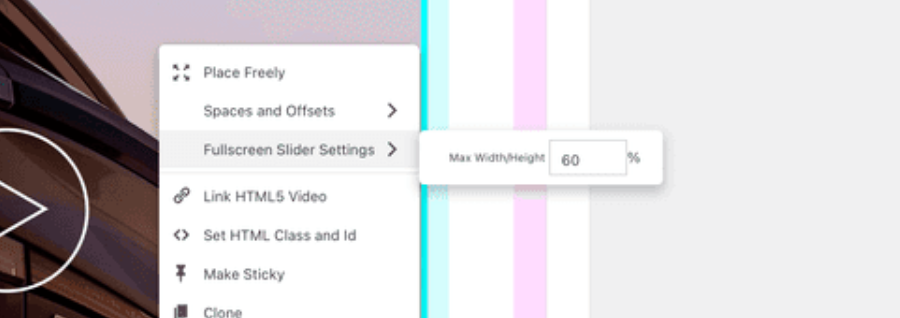
                    Screenshot 2024-08-18 at 14.59.24.png

                    or then use the setting lay options → fullscreen slider →
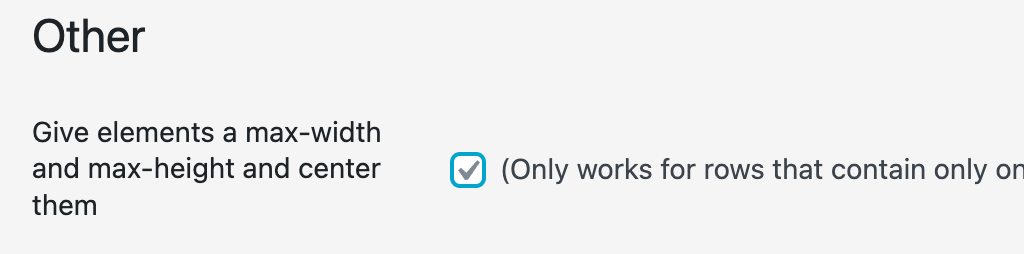
                    Screenshot 2024-08-18 at 14.59.58.png

                    this here doesn't work for element grid elements i think:
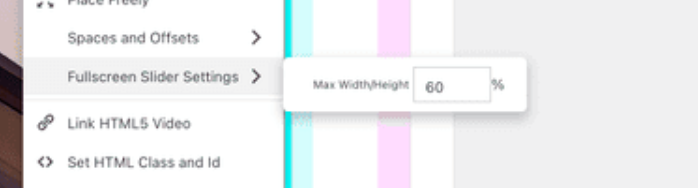
                    Screenshot 2024-08-18 at 15.00.14.png

                    it just works for elements like a video, an image

                    F 1 Reply Last reply
                    0
                    • arminunruhA arminunruh

                      Screenshot 2024-08-18 at 14.58.28.png

                      hey can u fix your ssl / https in your webhost control panel?

                      But if anyone has any idea how to make the first page with two images not clash with the edges when resizing the window I am all ears ha

                      if you have two image side by side, this only works if you combine both images into one and then use that setting:

                      Screenshot 2024-08-18 at 14.59.24.png

                      or then use the setting lay options → fullscreen slider →

                      Screenshot 2024-08-18 at 14.59.58.png

                      this here doesn't work for element grid elements i think:

                      Screenshot 2024-08-18 at 15.00.14.png

                      it just works for elements like a video, an image

                      F
                      F
                      fernandol97
                      wrote on last edited by
                      #19

                      @arminunruh Thank you @arminunruh, no idea whats gone off with the site recently. will contact my hosting, thanks for flagging

                      1 Reply Last reply
                      0

                      Hello! It looks like you're interested in this conversation, but you don't have an account yet.

                      Getting fed up of having to scroll through the same posts each visit? When you register for an account, you'll always come back to exactly where you were before, and choose to be notified of new replies (either via email, or push notification). You'll also be able to save bookmarks and upvote posts to show your appreciation to other community members.

                      With your input, this post could be even better 💗

                      Register Login
                      Reply
                      • Reply as topic
                      Log in to reply
                      • Oldest to Newest
                      • Newest to Oldest
                      • Most Votes


                      Online Users
                      Forgot your key, lost your files, need a previous Lay Theme or Addon version? Go to www.laykeymanager.com
                      laytheme.com
                      • Login

                      • Don't have an account? Register

                      • Login or register to search.
                      • First post
                        Last post
                      0
                      • Recent
                      • Tags
                      • Popular
                      • Users
                      • Search