Carousel shows border on mobile
-
Hi!
I have a problem on my mobile device (an iPhone 12 mini) using Safari. A very thin border is showing around a video on the first slide of a carousel. The border is not part of the video. Weirdly it's not showing when I do a screenshot or if I record the screen. So attached you'll find a picture of my phone.
The domain is: https://schoenetoene.ch
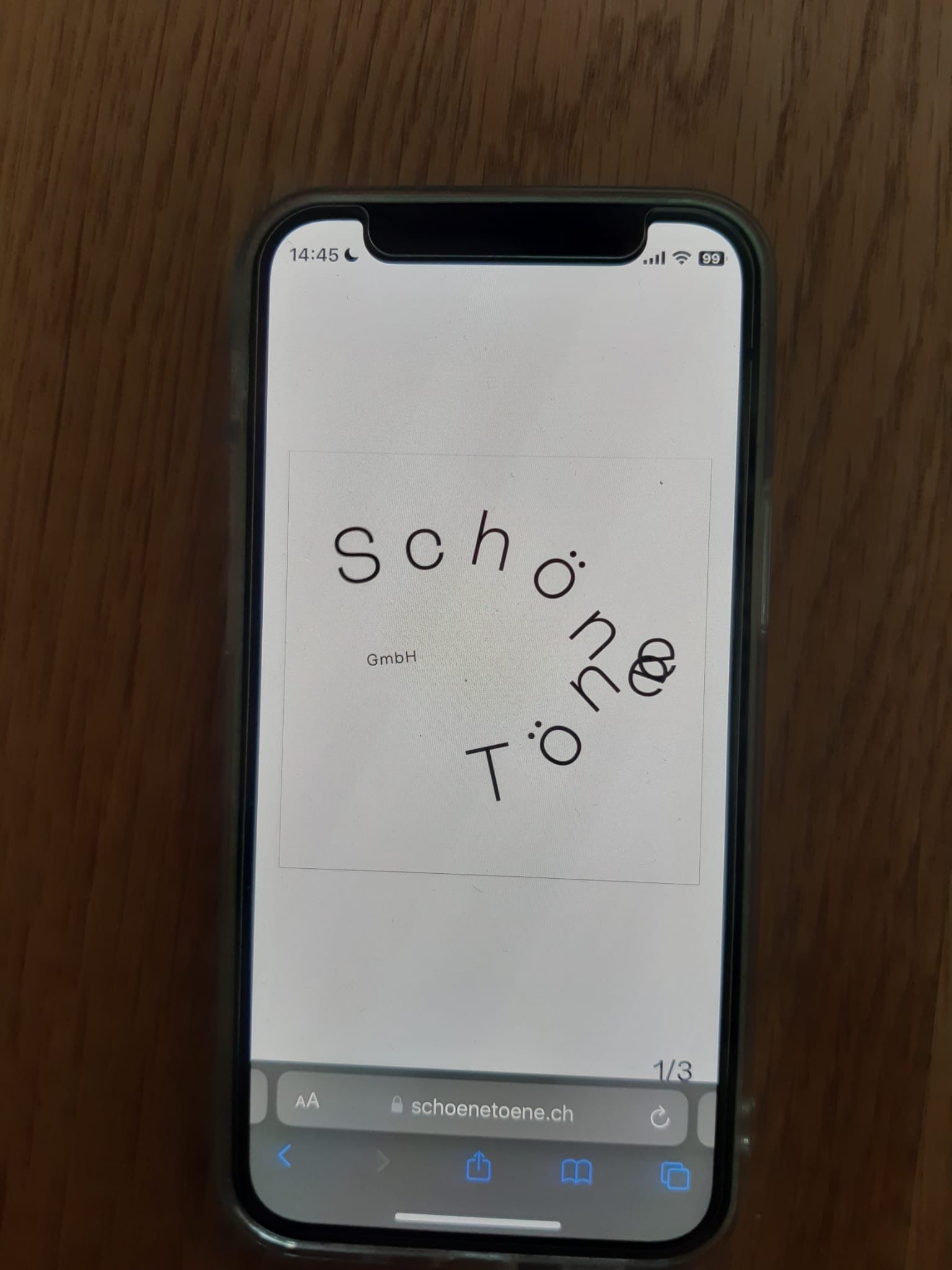
P.S.: I've tried all the things you recommend before posting to your forum.
-
Hi!
I have a problem on my mobile device (an iPhone 12 mini) using Safari. A very thin border is showing around a video on the first slide of a carousel. The border is not part of the video. Weirdly it's not showing when I do a screenshot or if I record the screen. So attached you'll find a picture of my phone.
The domain is: https://schoenetoene.ch
P.S.: I've tried all the things you recommend before posting to your forum.
@Eeva try this in custom css:
video { -webkit-mask-image: -webkit-radial-gradient(white, black); -webkit-backface-visibility: hidden; -moz-backface-visibility: hidden; } -
-
oh thats weird i never saw this issue before!
thanks @felix_rabe ! <3

Hello! It looks like you're interested in this conversation, but you don't have an account yet.
Getting fed up of having to scroll through the same posts each visit? When you register for an account, you'll always come back to exactly where you were before, and choose to be notified of new replies (either via email, or push notification). You'll also be able to save bookmarks and upvote posts to show your appreciation to other community members.
With your input, this post could be even better 💗
Register Login