Skip to content
  • Recent
  • Tags
  • Popular
  • Users
  • Search
Skins
  • Light
  • Brite
  • Cerulean
  • Cosmo
  • Flatly
  • Journal
  • Litera
  • Lumen
  • Lux
  • Materia
  • Minty
  • Morph
  • Pulse
  • Sandstone
  • Simplex
  • Sketchy
  • Spacelab
  • United
  • Yeti
  • Zephyr
  • Dark
  • Cyborg
  • Darkly
  • Quartz
  • Slate
  • Solar
  • Superhero
  • Vapor

  • Default (No Skin)
  • No Skin
Collapse

Lay Theme Forum

  1. Home
  2. Bug Reports
  3. images not loading in overlay pages

images not loading in overlay pages

Scheduled Pinned Locked Moved Bug Reports
7 Posts 2 Posters 578 Views 2 Watching
  • Oldest to Newest
  • Newest to Oldest
  • Most Votes
Reply
  • Reply as topic
Log in to reply
This topic has been deleted. Only users with topic management privileges can see it.
  • M
    M
    Monamos
    wrote on last edited by
    #1

    Hi all,

    We have a site that uses pages as overlays. So they slide out from the right hand side when you click a hyperlink on the home page. It was all working fine, but I have just noticed that any images that are in an overlay page, no longer appear on mobile. It's very strange.

    I have tired creating a new page from scratch, new image etc, but no luck.
    When you view the full url of that page, as a normal page rather than an overlay, then images appear ok - so it looks to be related to a page being specified as an overlay.

    Has anyone else experienced this bug??

    1 Reply Last reply
    0
    • arminunruhA
      arminunruhA
      arminunruh
      Global Moderator
      wrote on last edited by
      #2

      do u have a link please

      M 1 Reply Last reply
      0
      • arminunruhA arminunruh

        do u have a link please

        M
        M
        Monamos
        wrote on last edited by
        #3

        @arminunruh Hi Armin you can test it here: https://theysay.com.au/sandbox

        Click on the "timetable" menu option. There should be a jpg of a timetable graphic in the page when it slides out.

        1 Reply Last reply
        0
        • arminunruhA
          arminunruhA
          arminunruh
          Global Moderator
          wrote on last edited by
          #4

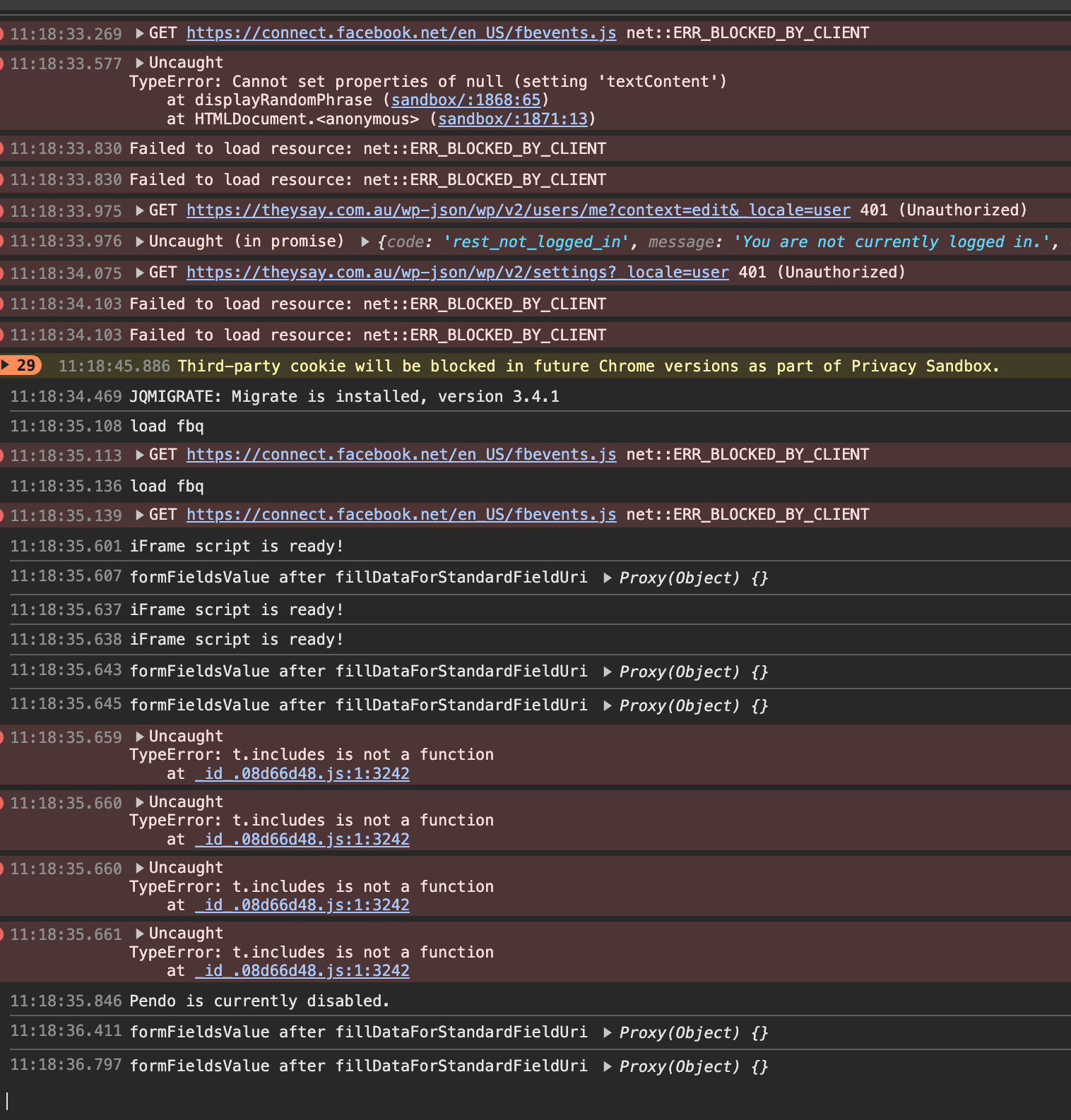
          Screenshot 2024-08-19 at 11.18.51.png

          have you tried disabling your custom code, theres a lot of errors here.

          Go to Lay Options → Custom CSS & HTML, click "Turn Off All Custom Code", click "Save Changes"

          please try the thigns in the blue box to the right first

          1 Reply Last reply
          0
          • M
            M
            Monamos
            wrote on last edited by
            #5

            I have tried disabling, and it made no difference. It's very unusual. There is definitely some sort of bug that is preventing this. Can you replicate it on your end?

            1 Reply Last reply
            0
            • arminunruhA
              arminunruhA
              arminunruh
              Global Moderator
              wrote on last edited by arminunruh
              #6

              no i cant on my own lay theme installation but i can see it not working on ur website.

              can you send your website address, /wp-admin/ username and password and a link to this topic to info@laytheme.com?

              1 Reply Last reply
              0
              • M
                M
                Monamos
                wrote on last edited by
                #7

                Ok always the way lol. I'll send through. I got it eventually working last night, but without any real logic. I duplicated a page that worked, swapped the image over, and for some reason that one worked. The original page just wouldn't...

                1 Reply Last reply
                1

                Hello! It looks like you're interested in this conversation, but you don't have an account yet.

                Getting fed up of having to scroll through the same posts each visit? When you register for an account, you'll always come back to exactly where you were before, and choose to be notified of new replies (either via email, or push notification). You'll also be able to save bookmarks and upvote posts to show your appreciation to other community members.

                With your input, this post could be even better 💗

                Register Login
                Reply
                • Reply as topic
                Log in to reply
                • Oldest to Newest
                • Newest to Oldest
                • Most Votes


                Online Users
                Forgot your key, lost your files, need a previous Lay Theme or Addon version? Go to www.laykeymanager.com
                laytheme.com
                • Login

                • Don't have an account? Register

                • Login or register to search.
                • First post
                  Last post
                0
                • Recent
                • Tags
                • Popular
                • Users
                • Search