thumnail grid category filter mobile bug
-
Hi @arminunruh
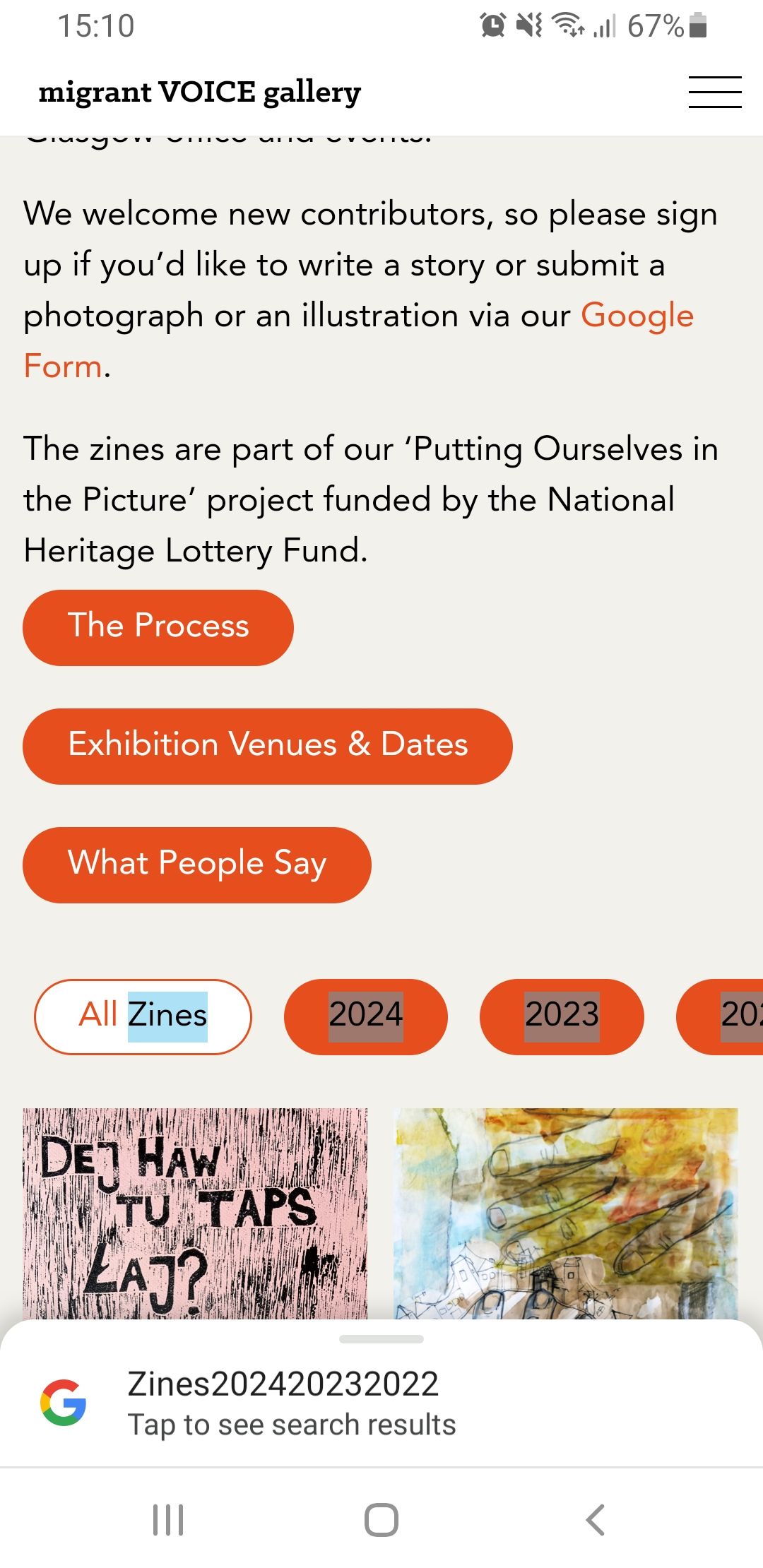
I'm working on a new site and is all going well other than when I tap on a heading on the category filter using my samsung mobile it highlights them and prompts chrome to ask if I want to search them on google.
I've used custom css to style them as the same as regular lay buttons (issue still occurs when I take off these styles) - side note: would it be possible to integrate a setting to use lay buttons for the category filter?
See screenshot and here is a link to the work in progress site: https://mvg.alasdairdimmick.com/zine-poster-exhibition/
Thanks!
Alasdair
-
maybe try this css?
.lay-thumbnailgrid-filter-anchor{
  -webkit-touch-callout: none;
  -webkit-user-select: none;
  -khtml-user-select: none;
  -moz-user-select: none;
  -ms-user-select: none;
  user-select: none;
}
I've used custom css to style them as the same as regular lay buttons (issue still occurs when I take off these styles) - side note: would it be possible to integrate a setting to use lay buttons for the category filter
but i think you can style them in the customizer in customize → project thumbnail → project thumbnail grid tag filter
no?
or are the settings there not enough -
maybe try this css?
.lay-thumbnailgrid-filter-anchor{
  -webkit-touch-callout: none;
  -webkit-user-select: none;
  -khtml-user-select: none;
  -moz-user-select: none;
  -ms-user-select: none;
  user-select: none;
}
I've used custom css to style them as the same as regular lay buttons (issue still occurs when I take off these styles) - side note: would it be possible to integrate a setting to use lay buttons for the category filter
but i think you can style them in the customizer in customize → project thumbnail → project thumbnail grid tag filter
no?
or are the settings there not enough@arminunruh works great, thank you armin!
and yeah there are great settings already in the customiser, I was just thinking that because the category filter acts kinda like a button maybe for consistency you would want to use the same style of buttons throughout your site so the filter could have rounded borders etc like your other buttons for example
It's easy enough via css but maybe if you didn't know css you would like this.
-
ah i think only the tag filter had this button style with setting for it in the customizer
i think i will leave it like this for now

Hello! It looks like you're interested in this conversation, but you don't have an account yet.
Getting fed up of having to scroll through the same posts each visit? When you register for an account, you'll always come back to exactly where you were before, and choose to be notified of new replies (either via email, or push notification). You'll also be able to save bookmarks and upvote posts to show your appreciation to other community members.
With your input, this post could be even better 💗
Register Login