Fixed Height Issue in Carousel Plugin on Mobile – Need CSS Solution
-
Hi Armin,
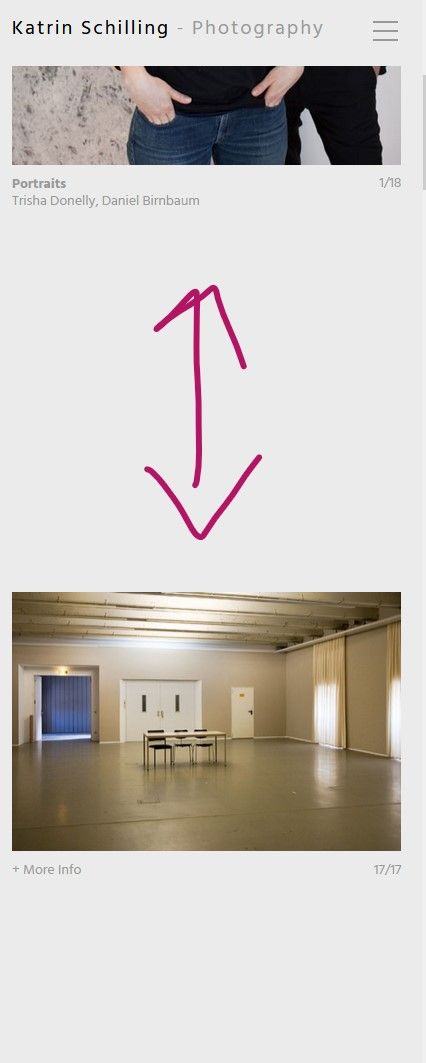
I have a question regarding the fixed height setting in a carousel plugin. For a client, I set a fixed height of 630 pixels for the carousel, as it must always be exactly 630 pixels (using pixel values, not VH).
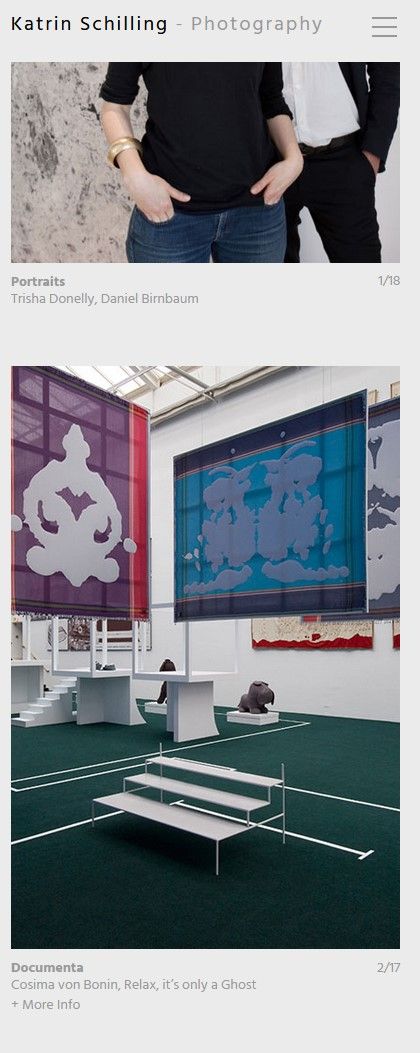
The issue arises in the mobile version , especialy for horizontal photos where maintaining the 630px height creates a large gap between the carousel and the next element. Unfortunately, I can't adjust the fixed height separately for mobile via a dedicated mobile layout, as any changes there also affect the desktop version.
Is there a way to override the fixed height for mobile using CSS? I’ve already tried testing different classes but haven’t found a good solution yet. Any tips would be greatly appreciated!
Site: http://katrin-schilling.de/2025/
Best regards,
AntonHorizontal Photos with fixed height 630px
Vertical Photos with 630 fixed height :
-
does this work?
.lay-carousel{
height: 300px!important;
}
Enter this css in "lay options" -> "custom css & html" -> "custom css for mobile"
or
how about for the mobile version you create a custom phone layout?
https://laytheme.com/documentation/custom-phone-layouts.htmland have carousels with a different sizing in there
or you could always use a portrait aspect ratio photo as the first in your carousel.

Hello! It looks like you're interested in this conversation, but you don't have an account yet.
Getting fed up of having to scroll through the same posts each visit? When you register for an account, you'll always come back to exactly where you were before, and choose to be notified of new replies (either via email, or push notification). You'll also be able to save bookmarks and upvote posts to show your appreciation to other community members.
With your input, this post could be even better 💗
Register Login