Active Menu Point styling with text formats?
-
How do I style active menu points with text formats in css? I made a text format specifically to use for active menu points and can’t just apply it within the customizer.
Also wouldn’t that be a great standard feature for it?
-
Oh, sorry, I must have overlooked this post of yours here.
In fact, this is a great idea. Currently, you can only apply some settings in the customizer for the active menu points.
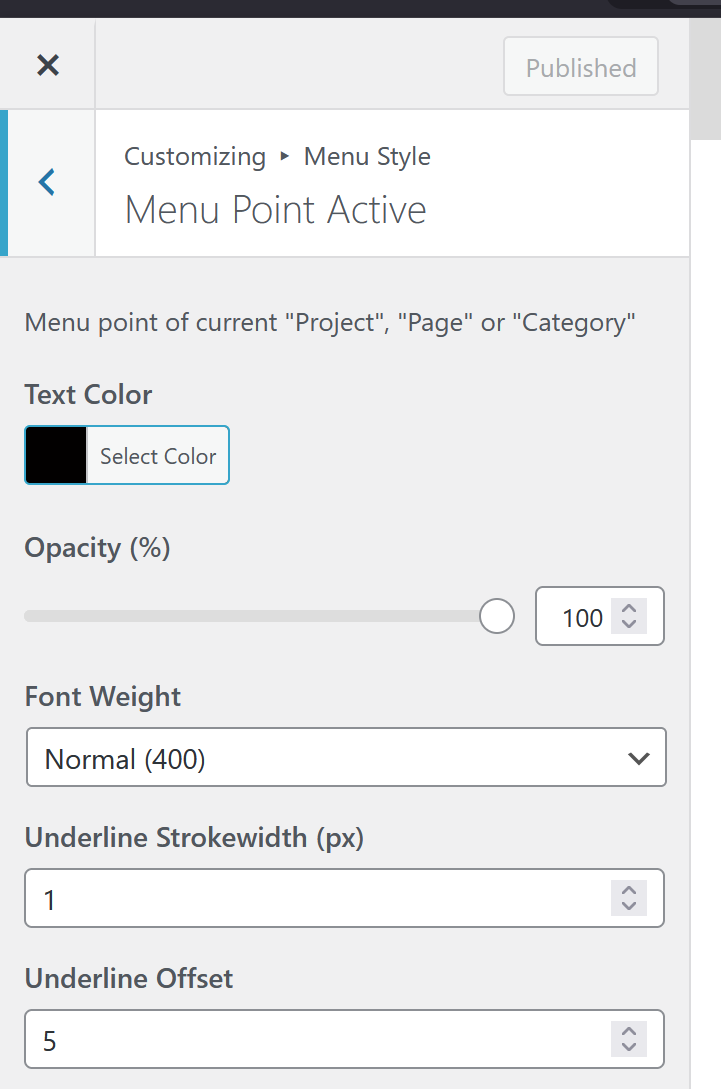
But this doesn't include a custom text format you can set.
But it's a great idea, and I will write it down and work on it one day.
-
Yeah, I think that’s a good idea as well. Would be great to have an easy way to use italic type as a mouseover state.
Also nice would be a few built-in options like a text highlight or a subtle underline animation.
-
ok i wrote down those ideas
-
NICE! I have also decided to go a different route this time. But seeing it on the horizon is cool …

Hello! It looks like you're interested in this conversation, but you don't have an account yet.
Getting fed up of having to scroll through the same posts each visit? When you register for an account, you'll always come back to exactly where you were before, and choose to be notified of new replies (either via email, or push notification). You'll also be able to save bookmarks and upvote posts to show your appreciation to other community members.
With your input, this post could be even better 💗
Register Login