Jump to Anchor issue
-
I'm running into a frustrating issue with anchor links on a one-scroll Lay Theme page. I'm trying to link a button (#walk) to a specific row ID (walk), but it just won't work on the published site.
I set the ID on the destination (walk) and the button on the link (#walk).
In the editor, the link seems saved, but often disappears if I re-open the link modal.
On the live, published page, the button is inactive.
here is a temporary link : https://darkred-hyena-731495.hostingersite.com/
so those 2 buttons walk 1 and walk 2 just dont function as buttons and fail to link (#walk)pls help <3
-
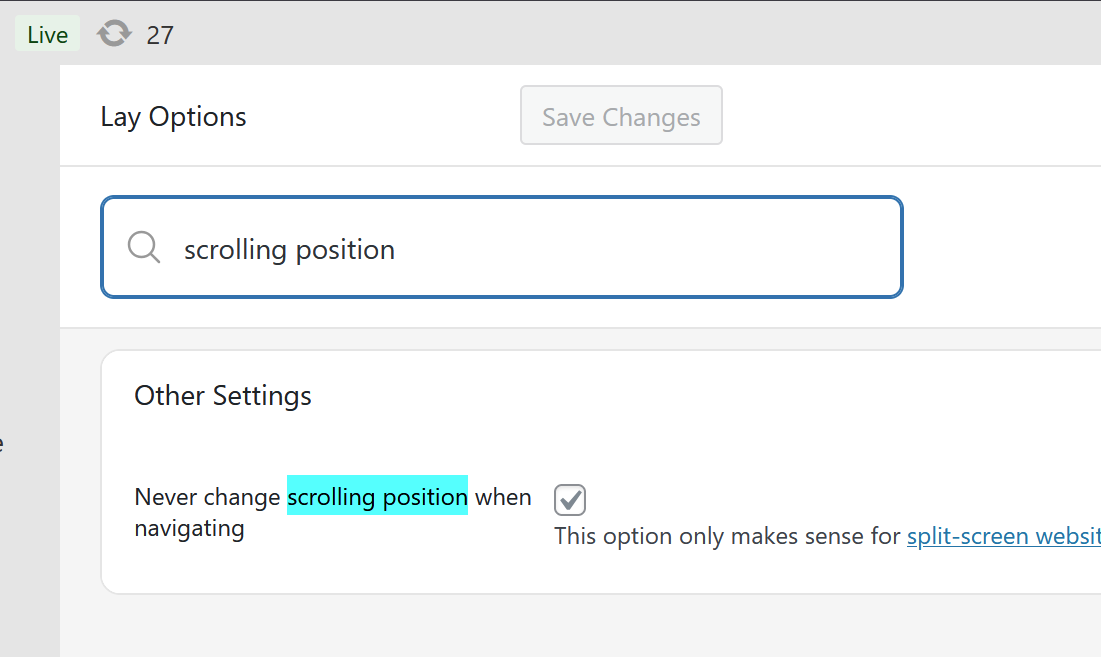
can u enable this setting please?
it tells the website that this is a splitscreen website.
because then, the anchorscroll needs to work differently and then it should work.also please add this css to lay options -> custom css & html -> custom css
#hello{
pointer-events: none!important;
}because that column's image seems to be a place freely image which overlaps the buttons, making them unclickable
-
can u enable this setting please?
it tells the website that this is a splitscreen website.
because then, the anchorscroll needs to work differently and then it should work.also please add this css to lay options -> custom css & html -> custom css
#hello{
pointer-events: none!important;
}because that column's image seems to be a place freely image which overlaps the buttons, making them unclickable
@arminunruh
thank you so much for the reply! yes it worked!

Hello! It looks like you're interested in this conversation, but you don't have an account yet.
Getting fed up of having to scroll through the same posts each visit? When you register for an account, you'll always come back to exactly where you were before, and choose to be notified of new replies (either via email, or push notification). You'll also be able to save bookmarks and upvote posts to show your appreciation to other community members.
With your input, this post could be even better 💗
Register Login