CSS transform on .category-link causes thumbnails to disappear
-
Hi Armin,
Just noticed this strange error—it must have started very recently. Clearing the cache and disabling plugins don't have an impact.
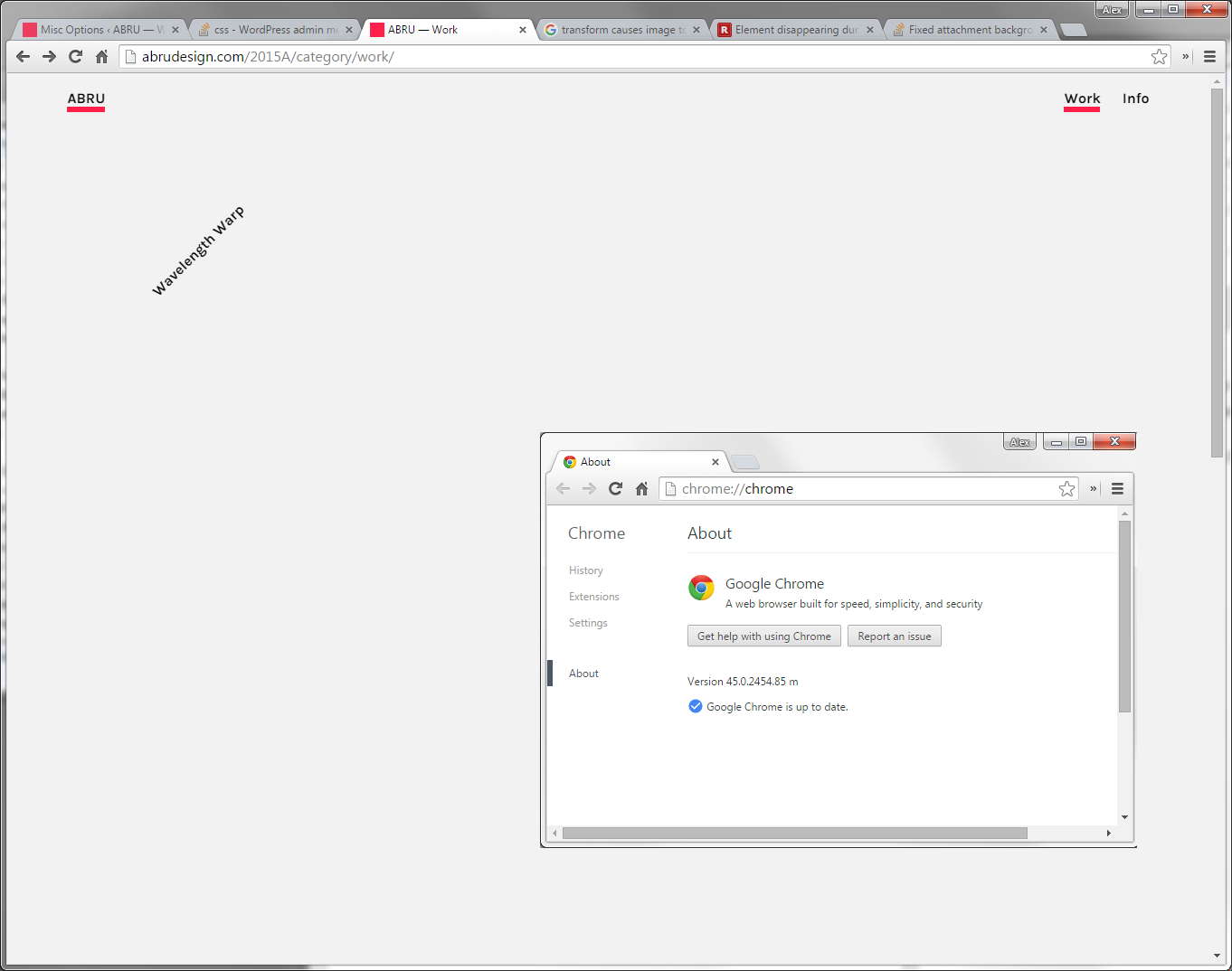
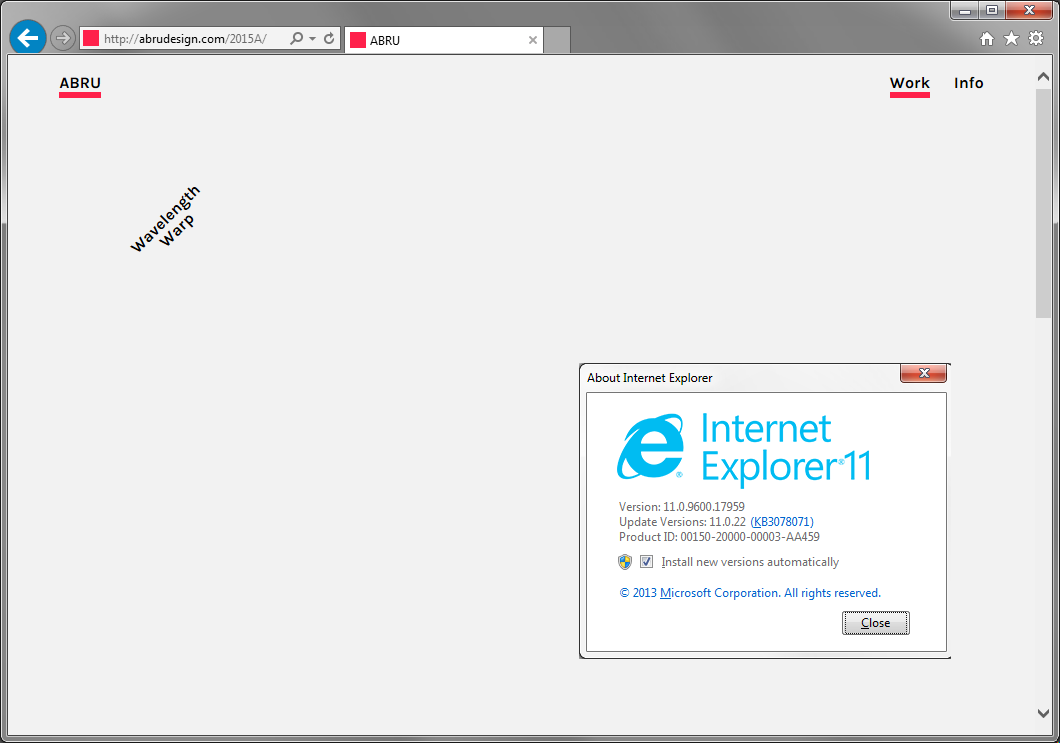
Using a CSS transform on .category-link causes the underlying thumbnail to disappear in Chrome and Internet Explorer.
The following styling was used in "Custom CSS for Desktop Version"
.category-link {
-webkit-transform: rotate(-45deg);
-moz-transform: rotate(-45deg);
-ms-transform: rotate(-45deg);
-o-transform: rotate(-45deg);
transform: rotate(-45deg);
}Chrome Result
Internet Explorer Result
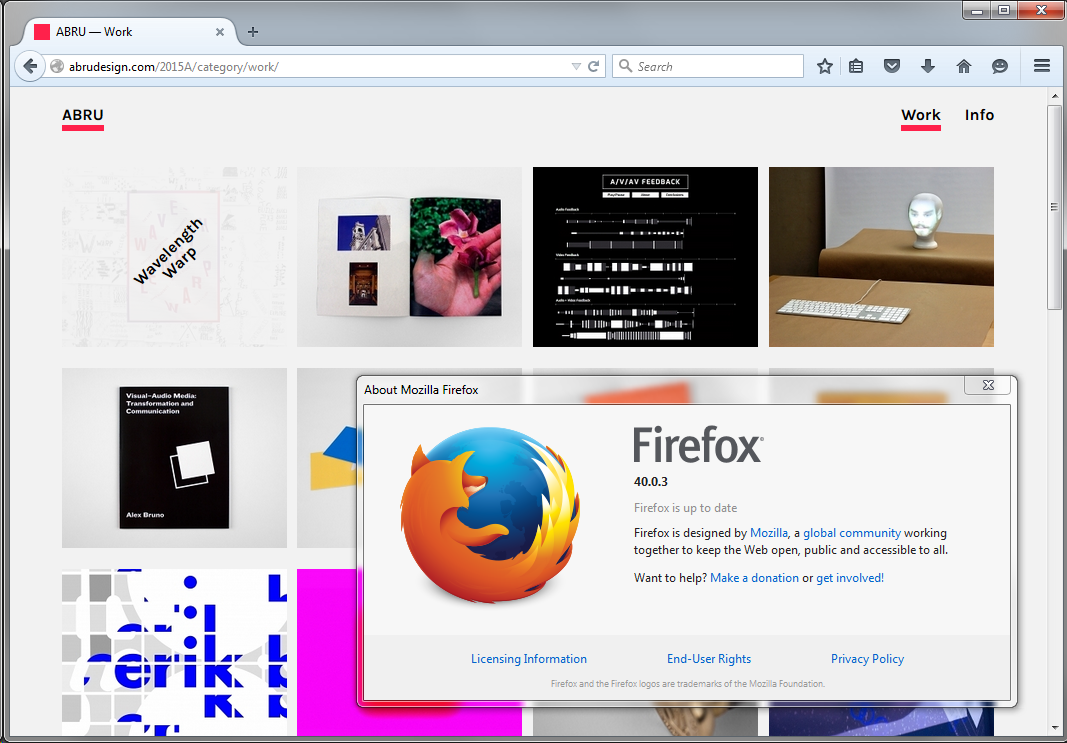
Firefox Result
When I remove -webkit-transform, -ms-transform, and transform, the images reappear, but unfortunately the text is no longer rotated.
This issue seemingly appeared out of nowhere, and of all the browsers to be affected, why IE + Chrome? Firefox and Safari are fine. Weird!
I'll disable rotation for now, but am eagerly looking for a solution. If I can provide any more information to help please let me know.
Also—I realize styling issues/bugs may be out of scope for your help—but I wanted to post just in case you do have any ideas or anyone else does. Thanks!
-
Hey!
Try:.thumb .title{ -webkit-transform: translate(-50%,-50%) rotate(-45deg); -moz-transform: translate(-50%,-50%) rotate(-45deg); -ms-transform: translate(-50%,-50%) rotate(-45deg); -o-transform: translate(-50%,-50%) rotate(-45deg); transform: translate(-50%,-50%) rotate(-45deg); } -
Hey!
Try:.thumb .title{ -webkit-transform: translate(-50%,-50%) rotate(-45deg); -moz-transform: translate(-50%,-50%) rotate(-45deg); -ms-transform: translate(-50%,-50%) rotate(-45deg); -o-transform: translate(-50%,-50%) rotate(-45deg); transform: translate(-50%,-50%) rotate(-45deg); }@arminunruh This worked wonderfully. Thank you!


Hello! It looks like you're interested in this conversation, but you don't have an account yet.
Getting fed up of having to scroll through the same posts each visit? When you register for an account, you'll always come back to exactly where you were before, and choose to be notified of new replies (either via email, or push notification). You'll also be able to save bookmarks and upvote posts to show your appreciation to other community members.
With your input, this post could be even better 💗
Register Login