Project Thumbnails
-
I mean you can go to Customize. Then on the right side you see your website. There you can go inside a project and then voila, on the left side, the "project arrow" control should appear. Let me know if that works for you.
-
Just tried and not showing up for me, sorry.
-
Ok, I don#t know why it doesn't work. Maybe you can send me your login over chat so I can take a look?
-
Ok, I don#t know why it doesn't work. Maybe you can send me your login over chat so I can take a look?
I'm not sure why is that. I made a simple workaround with Project links on a bottom: http://ondrejricica.com/liam-hodges/ and I'm kinda happy with that.
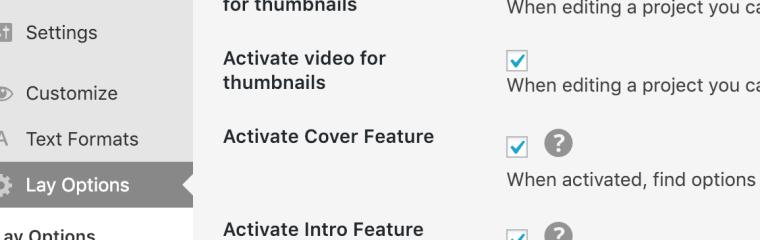
Is there any chance to use HTML5 Video as a Project thumbnail?
-
No theres no way to use a html5 video as a project thumbnail, but thats a feature I want to code one day.
Also it seems you are looking for the project arrows within the project thumbnails panel in customizer. But project arrows has its own panel.
I think it would help a lot if I could go in your backend and then I could maybe see why it doesnt show up :D -
No theres no way to use a html5 video as a project thumbnail, but thats a feature I want to code one day.
Also it seems you are looking for the project arrows within the project thumbnails panel in customizer. But project arrows has its own panel.
I think it would help a lot if I could go in your backend and then I could maybe see why it doesnt show up :DGreat, it's working now. I clicked inside a Project and it showed up. Fireworks!
But real pitty about HTML5 Video thumbnail. I used gif once as a test but looked very pixelated.
-
-
-
@mariusjopen Thanks a lot!
-
No problem! :-)



Hello! It looks like you're interested in this conversation, but you don't have an account yet.
Getting fed up of having to scroll through the same posts each visit? When you register for an account, you'll always come back to exactly where you were before, and choose to be notified of new replies (either via email, or push notification). You'll also be able to save bookmarks and upvote posts to show your appreciation to other community members.
With your input, this post could be even better 💗
Register Login