White Area below Footer in Firefox, Edge
-
Hi there,
I'm working on a website locally using Lay Theme 2.5.6 and running into a weird problem:
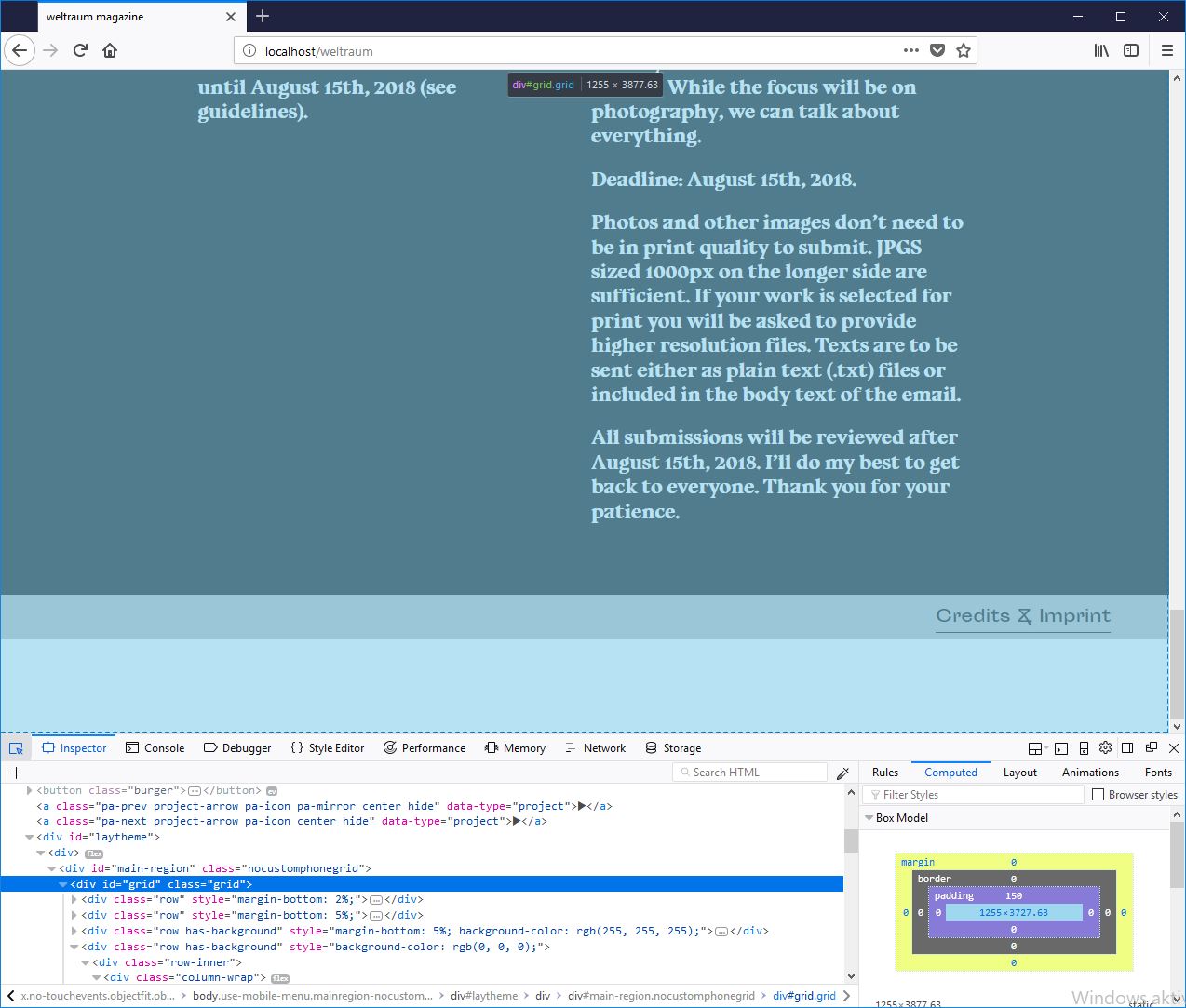
In Firefox and Edge there's a white area below my footer (not in Chrome and Opera).
The footer is set up as a sticky footer, the footer page has 0% bottom frame.From what I've seen in the inspector it seems that the "div#grid.grid" is higher than the content within (see screenshot attached). I also found that this extra area only appears after I put content (text in this case) on the footer page. When I leave the footer page empty, the additional space dissapears.
Any idea how I could get rid of that additional space?
Thanks in advance for your help and kind regards,
Vincent
-
Dear @vincent
we really need to see the website running.Not really possible to inspect that properly.
Best!
Marius

Hello! It looks like you're interested in this conversation, but you don't have an account yet.
Getting fed up of having to scroll through the same posts each visit? When you register for an account, you'll always come back to exactly where you were before, and choose to be notified of new replies (either via email, or push notification). You'll also be able to save bookmarks and upvote posts to show your appreciation to other community members.
With your input, this post could be even better 💗
Register Login