Text in front of Carousel
-
nice!
yea i should probably add a feature to the carousel where you can have text on top of slides for each slide individually
-
Q quirin referenced this topic on
-
-
hey there;
is it possible to to have the text on top without
use browser height for row height ?
I tried, then the text is behind the image.
thanks!
D@danny Try to right click on the Text in Gridder -> Bring to Front
-
thanks @PatFontebasso - only I can't see the option -> Bring to Front
-
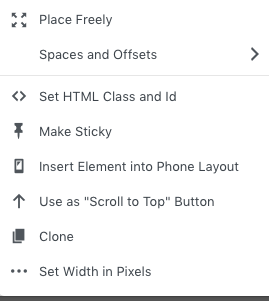
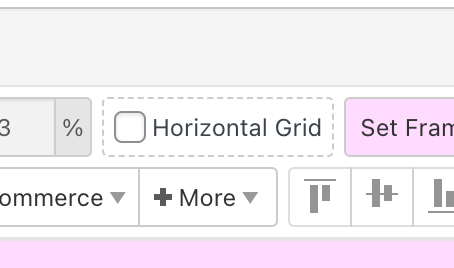
that setting only shows up if you either activate horizontal grid in the gridder
or choose "place freely" in the contextmenu:O
-
but i think texts should overlap images by default :|
Enter the custom css in "lay options" -> "custom css & html":
.col.type-text{
z-index: 90;
}does that work?
-
-
-
yea thats correct theres no text on carousel images for example
-
This post is deleted!

Hello! It looks like you're interested in this conversation, but you don't have an account yet.
Getting fed up of having to scroll through the same posts each visit? When you register for an account, you'll always come back to exactly where you were before, and choose to be notified of new replies (either via email, or push notification). You'll also be able to save bookmarks and upvote posts to show your appreciation to other community members.
With your input, this post could be even better 💗
Register Login