Skip to content
  • Recent
  • Tags
  • Popular
  • Users
  • Search
Skins
  • Light
  • Brite
  • Cerulean
  • Cosmo
  • Flatly
  • Journal
  • Litera
  • Lumen
  • Lux
  • Materia
  • Minty
  • Morph
  • Pulse
  • Sandstone
  • Simplex
  • Sketchy
  • Spacelab
  • United
  • Yeti
  • Zephyr
  • Dark
  • Cyborg
  • Darkly
  • Quartz
  • Slate
  • Solar
  • Superhero
  • Vapor

  • Default (No Skin)
  • No Skin
Collapse

Lay Theme Forum

  1. Home
  2. Bug Reports
  3. Mobile version changes the color of the inactive page titles in the menu - except when mouseover
Mobile version changes the color of the inactive page titles in the menu - except when mouseover

Scheduled Pinned Locked Moved Bug Reports
6 Posts 2 Posters 600 Views
  • Oldest to Newest
  • Newest to Oldest
  • Most Votes
Reply
  • Reply as topic
Log in to reply
This topic has been deleted. Only users with topic management privileges can see it.
  • C
    C
    contour_jules
    wrote on last edited by
    #1

    Hey,
    I have an issue with the mobile version of this lay-theme website: http://contour-studio.fr/ on every browser I tried (chrome, safari, firefox).

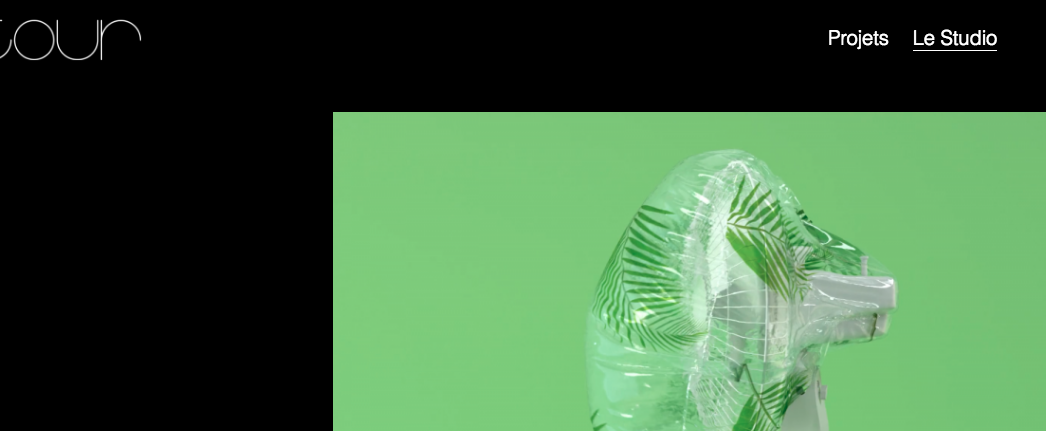
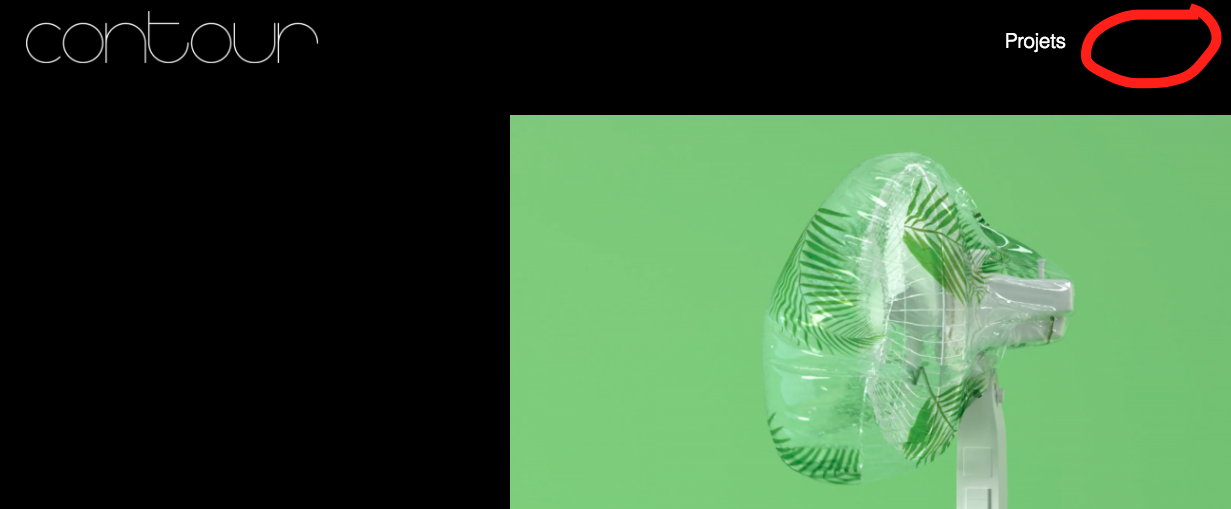
    On mobile, in the menu, the inactive page title "Le studio" is written in black.. on a black background ! It only appears white again when the mouse goes over it on laptop or when you tap and click on it on a mobile.

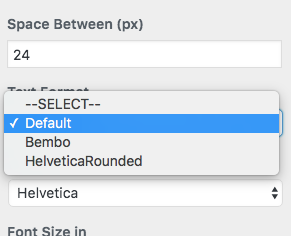
    I was trying to figure out what was going on and I discovered that this problem appeared also in the desktop version when I selected the "Default" option in [Primary Menu -> Text Format]. Instead, selecting just the above option "--SELECT--" as the text format solved the issue (for the desktop version).

    By the way , thanks for this great theme and for the support !
    Jules
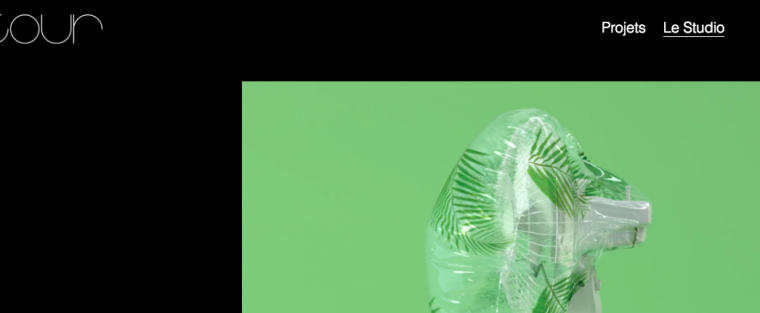
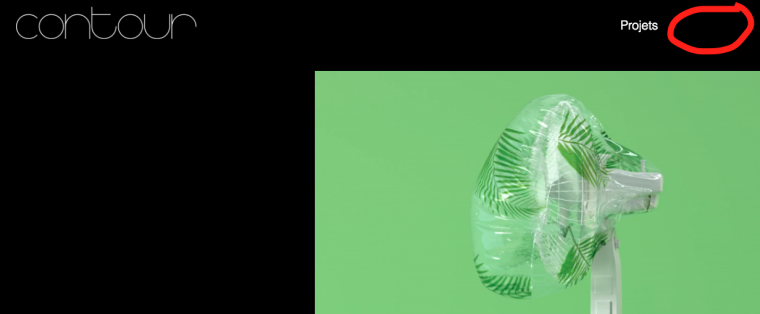
    1_1538998508255_Capture d’écran 2018-10-02 à 10.50.31.png 0_1538998508254_Capture d’écran 2018-10-02 à 10.49.52.png 0_1538998529817_Capture d’écran 2018-10-02 à 10.49.43.png

    1 Reply Last reply
    0
    • mariusjopenM
      mariusjopenM
      mariusjopen
      Global Moderator
      wrote on last edited by
      #2

      Dear @contour_jules

      so you played around with all the settings which you have available in the CUSTOMIZER?
      What do you want to happen when you hover?

      Best!

      Marius

      www.mariusjopen.world

      1 Reply Last reply
      0
      • C
        C
        contour_jules
        wrote on last edited by contour_jules
        #3

        Hey Marius,
        Thanks for your answer.
        Yes I think tried all the configurations in the customizer and none makes the mobile version menu like I want it.
        I wanted all the page titles in the menu to be written in white (which is not happening in the mobile version), and underlined when hovered (which is happening and working fine in every version).

        Best,
        Jules

        1 Reply Last reply
        0
        • mariusjopenM
          mariusjopenM
          mariusjopen
          Global Moderator
          wrote on last edited by
          #4

          Dear @contour_jules

          try to add this to your CUSTOM CSS code:

          .mobile-nav .menu-item span {
              color: white !important;
          }
          

          Let me know if it worked.

          Best!

          Marius

          www.mariusjopen.world

          1 Reply Last reply
          0
          • C
            C
            contour_jules
            wrote on last edited by
            #5

            Thanks Marius that worked perfectly !

            1 Reply Last reply
            0
            • mariusjopenM
              mariusjopenM
              mariusjopen
              Global Moderator
              wrote on last edited by
              #6

              Great! Happy to hear!

              www.mariusjopen.world

              1 Reply Last reply
              0

              Hello! It looks like you're interested in this conversation, but you don't have an account yet.

              Getting fed up of having to scroll through the same posts each visit? When you register for an account, you'll always come back to exactly where you were before, and choose to be notified of new replies (either via email, or push notification). You'll also be able to save bookmarks and upvote posts to show your appreciation to other community members.

              With your input, this post could be even better 💗

              Register Login
              Reply
              • Reply as topic
              Log in to reply
              • Oldest to Newest
              • Newest to Oldest
              • Most Votes


              Online Users
              L
              lstark
              Forgot your key, lost your files, need a previous Lay Theme or Addon version? Go to www.laykeymanager.com
              laytheme.com
              • Login

              • Don't have an account? Register

              • Login or register to search.
              • First post
                Last post
              0
              • Recent
              • Tags
              • Popular
              • Users
              • Search