Fullscreen slider for videos and between projects
-
Hi!
First, thank you for the theme, it´s really confortable to work with it ;)I try to make a video fullscreen slide website so i bought the fullscreen slider addon.
I understand that i could use the addon full screen slider as a slide that i want to put to switch between the projects, (So each project´s cover is a video that i want fullscreen.
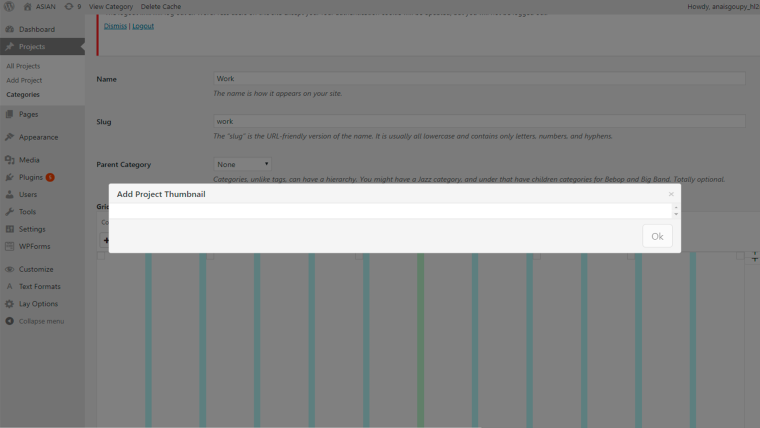
My problem is that i can´t manage to make the video thumbail work, so i cant get a video as a cover of my project.,So i choose for the moment the fixed arrows in the "customize" area to switch beetween the projects, and get the videos cover as fullscreen.
here how it looks like:
http://www.anaisgoupy.com/hologirl/
So it´s basically wht i want but i don´t have the fullscreen slide effects between the projects, which was why i choose this addon.
Do you have maybe a solution to solve my problem?
Thanks a lot.
Anais
-
I'm a wee bit unsure what you are trying to achive… but you can activate Video Thumbnails in Lay Options:
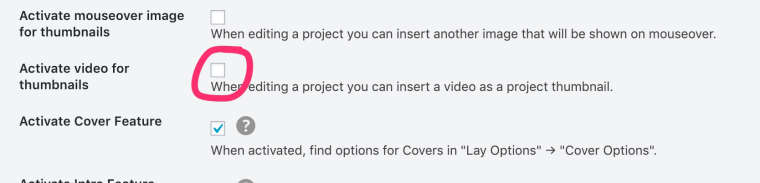
Then you can add each project to a row in the Gridder. Set it to Use Browser Height for Row Height and you should be good to go with a video instead of a picture for each project.
Make sure you activated the Fullscreen Slider plugin and activated it for the pages you want it to work its magic (Review Settings in Lay Options / Fullscreen Slider Addon):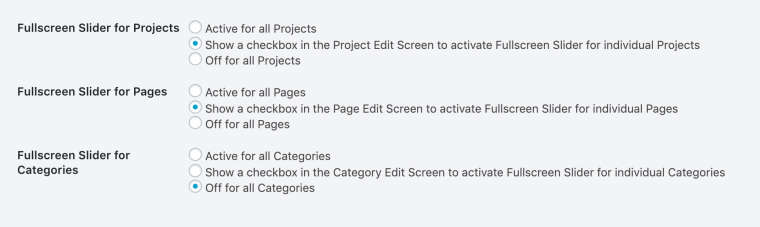
If that doesn’t seem to work you might need to activate the autoplay for videos in
Customizer / Project Thumbnails / Project Thumbnail Mouseover: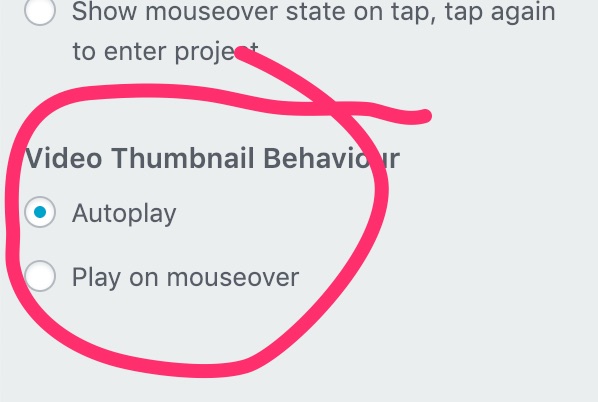
Does this help?
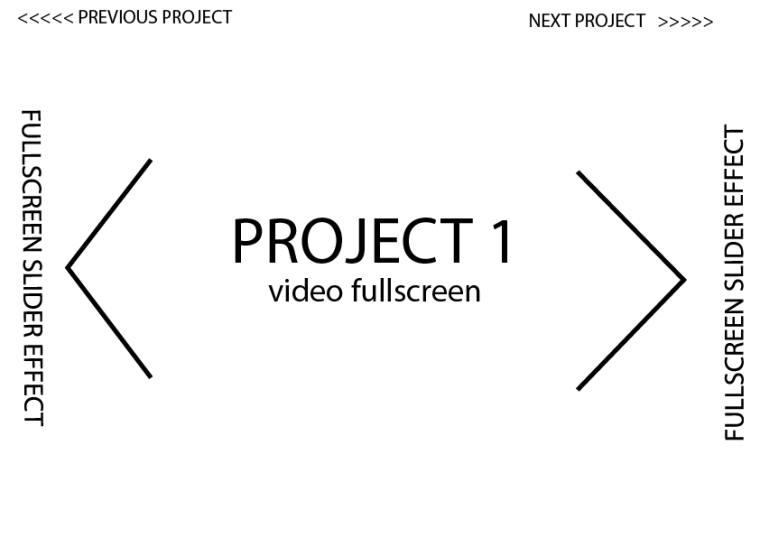
If «No!» could you make a quick sketch / visualize what you are trying to achive? -
Hello!
Thank you for your answer.
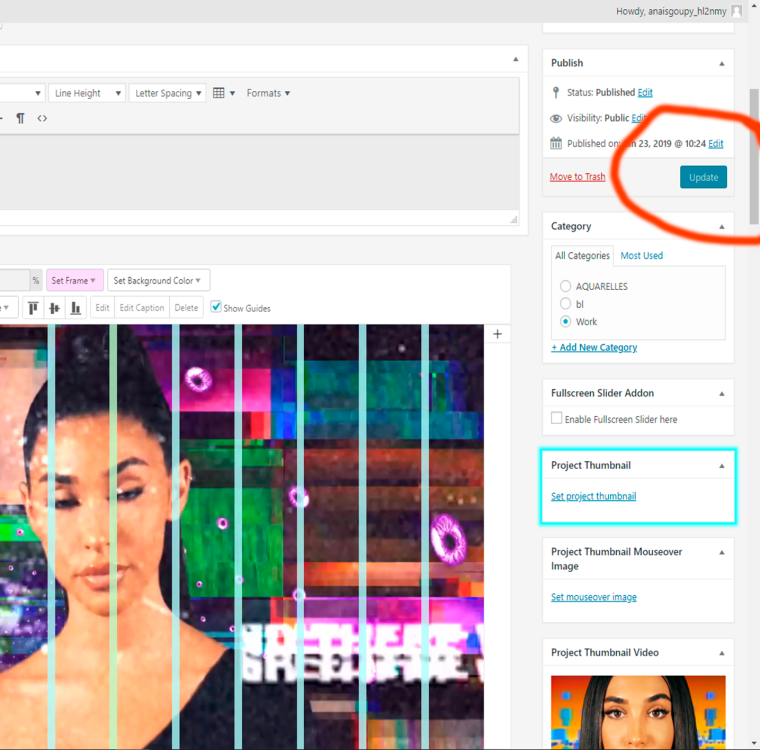
I´ve checked all the checkboxes already you told me but my problem is that, when i put a video as a thumbnail project. The checkbox "update" is not accessible, it means i cant click on it. so i am not able to put a video as a project thumbnail.
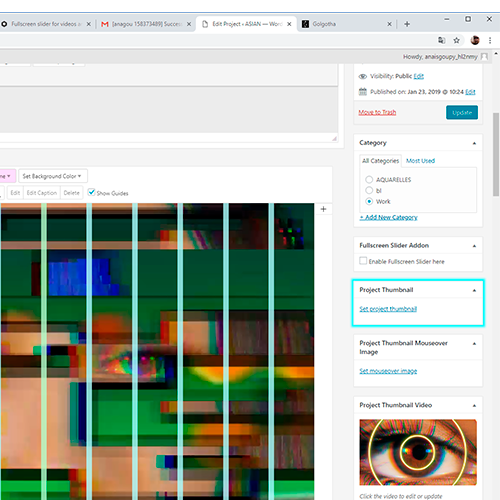 link url))
What i am trying to do is almost this kind of website but i´d like the scroll and slide effect between the project to be horizontally.
Can you see almost what i am trying to achieve?
Thanks a lot for your help!
Anais
-
-
-
Dear @anais
I think you need the Carousel plugin to have this effect.
You need to place each thumbnail in one slide.You can get a refund for the fullscreen slider if you want.
Best!
Marius
-
Hi Marius,
Thank you for your answer.
Ok so i´ll write to laytheme to get a refund if you think Carroussel is the right plugin i need to get what i want.
But my last question is, as i wrote upon, i couldn´t get a video thumbnail a project thumbnail, is it normal or is it a bug?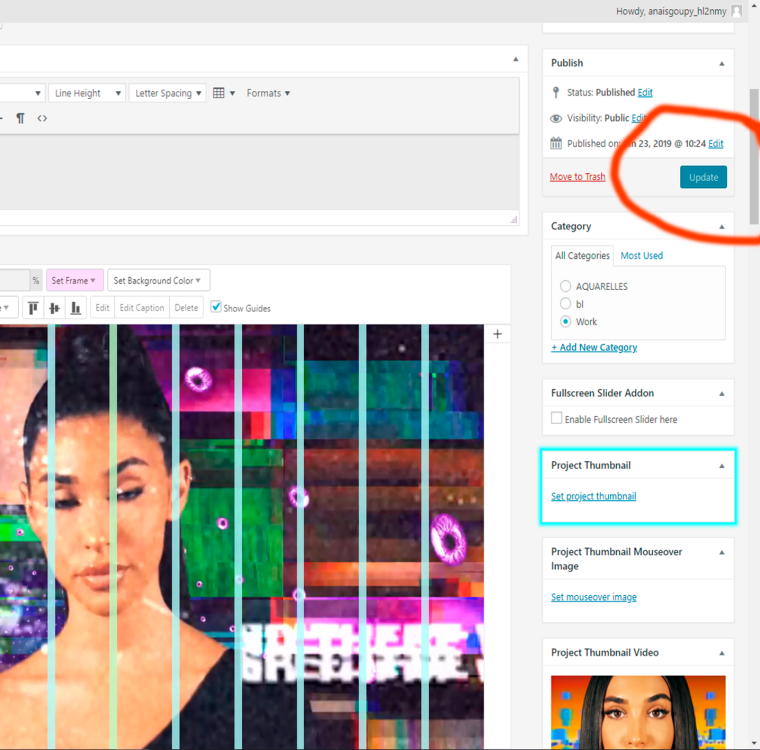
Best!
Anais
-
Dear @anais
you need to always set a project thumbnail. Even if you set a video thumbnail.Best!
:-)
Marius
-
Ok Marius, i´ll check out. thank you for your help.
Is info@laytheme.com the right mail to ask for the refund ?
Cause i have still didn´t get any answer, Maybe i ll wait a bit more. :) -
Dear @anais
yes. It is the right address. Armin is very busy right now. But I will let him know.Best!
Marius
-
-
hey i'm not sure if i got your email! did i answer you?
-
-
-
Dear @anais
I am sure Armin will reply soon.Which extra plugins or CUSTOM CODE do you use?
Are you running the latest Wordpress and LayTheme version?Best!
Marius
-
Dear Marius,
Ok.
I have just updated the latest version of Wordpress and Laytheme.
But no change, the window to add the project thumbnail is still empty...
I didn´t installed other plugin as the Fullscreen Slider.But I don´t see wat is the Custom code ?
Thank you,
Best,
Anais
-
Dear @anais
Best is if you write me a PM and include your username, password and a link to this conversation.
Marius -
-
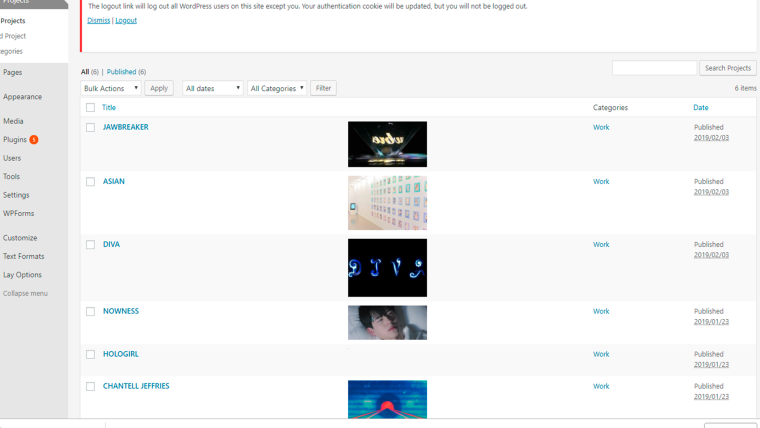
Hey so your one project had a gif as a thumbnail picture and it wasn't loaded correctly, not sure why. I just set a jpg as the thumbnail pic and now it works.
Might be a bug -



Hello! It looks like you're interested in this conversation, but you don't have an account yet.
Getting fed up of having to scroll through the same posts each visit? When you register for an account, you'll always come back to exactly where you were before, and choose to be notified of new replies (either via email, or push notification). You'll also be able to save bookmarks and upvote posts to show your appreciation to other community members.
With your input, this post could be even better 💗
Register Login