Inconsistent dimensions with add ons
-
Hi -
I have all three add-ons uploaded to my website and am now noticing the consistent inconsistencies within them.
-
My carousel feature is set to have a caption appear 10px below it. When i add a caption to Lightbox feature, I have to set it to 6px to appear close to what the carousel caption is at. Am I doing something wrong?
-
I want my carousel & lightbox images to both be centered on the pages, with the same amount of padding around them, however I can't seem to make it work. Any advice?
-
-
Dear @jfrederick
-
Thank you for letting us know. We will look into this.
-
Can you show a rough sketch do illustrate what you have in mind?
Best!
Marius
-
-
Dear @jfrederick
-
Thank you for letting us know. We will look into this.
-
Can you show a rough sketch do illustrate what you have in mind?
Best!
Marius
@mariusjopen Thank you, as always Marius!
- I have included screen grabs of the issue.
The Carousel page is designed like so.
FRONT END
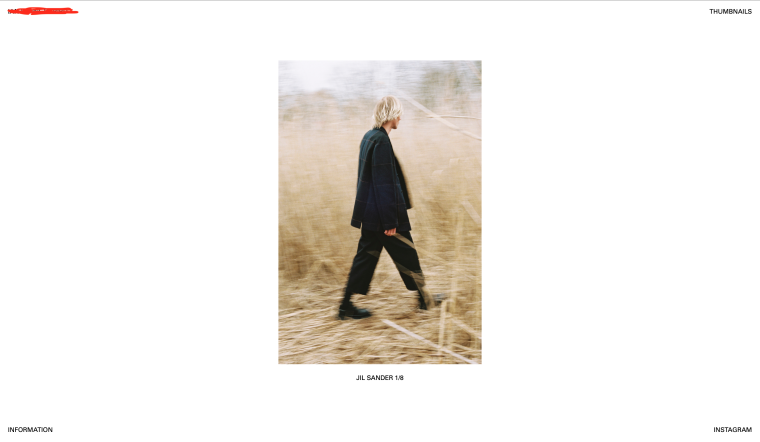
BACK END
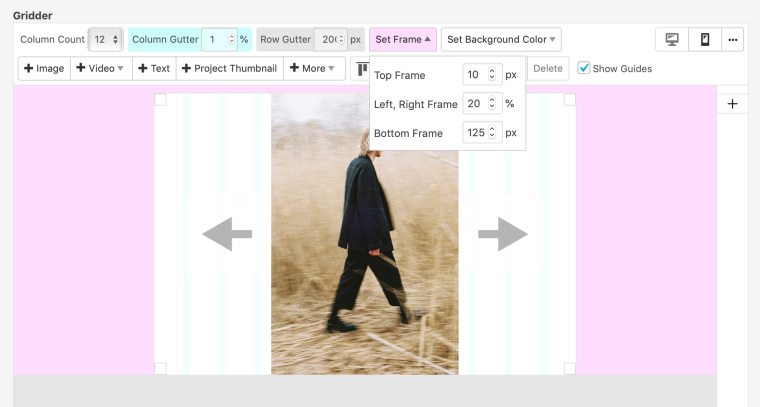
Thumbnail PAge ft. LIGHTBOX
FRONT END
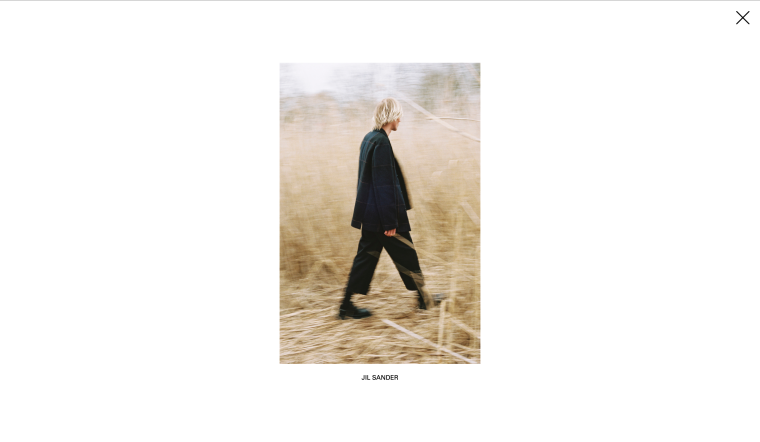
BACK END
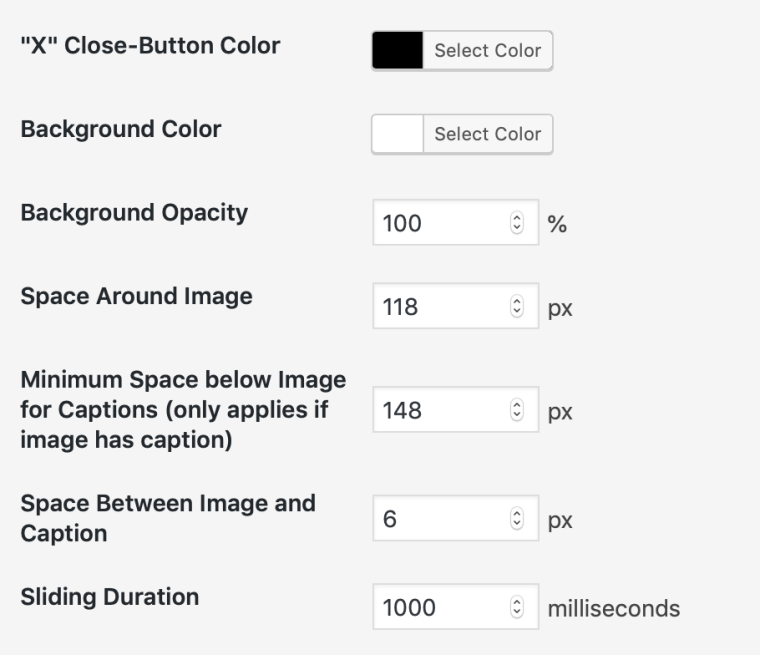
Any help on how I can get these images perfectly centered to be the exact same with padding the same, would be greatly appreciated!
-
-

Hello! It looks like you're interested in this conversation, but you don't have an account yet.
Getting fed up of having to scroll through the same posts each visit? When you register for an account, you'll always come back to exactly where you were before, and choose to be notified of new replies (either via email, or push notification). You'll also be able to save bookmarks and upvote posts to show your appreciation to other community members.
With your input, this post could be even better 💗
Register Login