Hide tagline only when scrolling down (and keep site title)
-
Hi Armin & Marius,
I think this question was already asked back in 2016, wondering whether there was anything new on the topic.
Re: Hide when scrolling down in all menu positionsIs there a way to only hide the site tagline when scrolling down, and to keep the site title image where it is? Custom CSS?
Thanks in advance,
Marc -
Dear @tortue771
you could use CUSTOM HTML for the site title.
So it will be unaffected with the scroll effect.
Best
Marius -
Dear @mariusjopen , thanks for the tip!
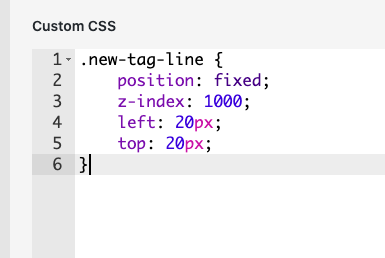
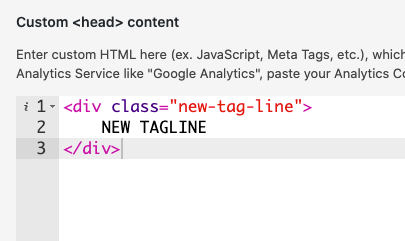
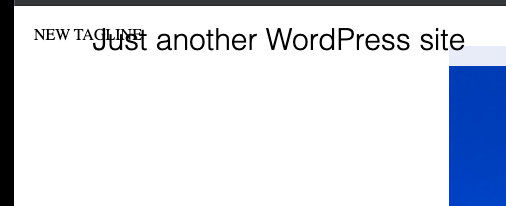
I tried it out, but didn't manage placing the site title in front of the menu bar.I entered 'custom html at top' in the Custom CSS & HTML section.
<p><span style="font-size: 18px;" class=tagline2; >SITE TITLE</span></p>With my class being
.tagline2 {
    position: absolute;
    z-index: 1000;
    left: 80px;
    top: 23px;
}
Any idea? Thanks for your help :)
-
-
-


Hello! It looks like you're interested in this conversation, but you don't have an account yet.
Getting fed up of having to scroll through the same posts each visit? When you register for an account, you'll always come back to exactly where you were before, and choose to be notified of new replies (either via email, or push notification). You'll also be able to save bookmarks and upvote posts to show your appreciation to other community members.
With your input, this post could be even better 💗
Register Login