Second Drop-down menu wanted
-
Hello @Armin-Unruh and @mariusjopen
I would like to create a second drop-down menu. I inserted your CSS and it works perfectly for my "primary menu" (left side "photographer") but it does not work for my "Second Menu" (right side "Photo Editor"). Could you help me with that? Hope it is as easy as creating the first drop down menu.
You can find my website here: www.chantalseitz.de
Thanks for everything.
Best,
Chantal -
Dear @funkyou
I can see your problem :)
I hope you are using the CSS I think you are,
Maybe you could reply/post the specific CSS just to be sure :)The CSS normally given for a sub-menu targets:
nav.primaryWhich is your Top-left corner menu ( the primary one )
However your Top-right corner menu is targeted/called with:
nav.second_menu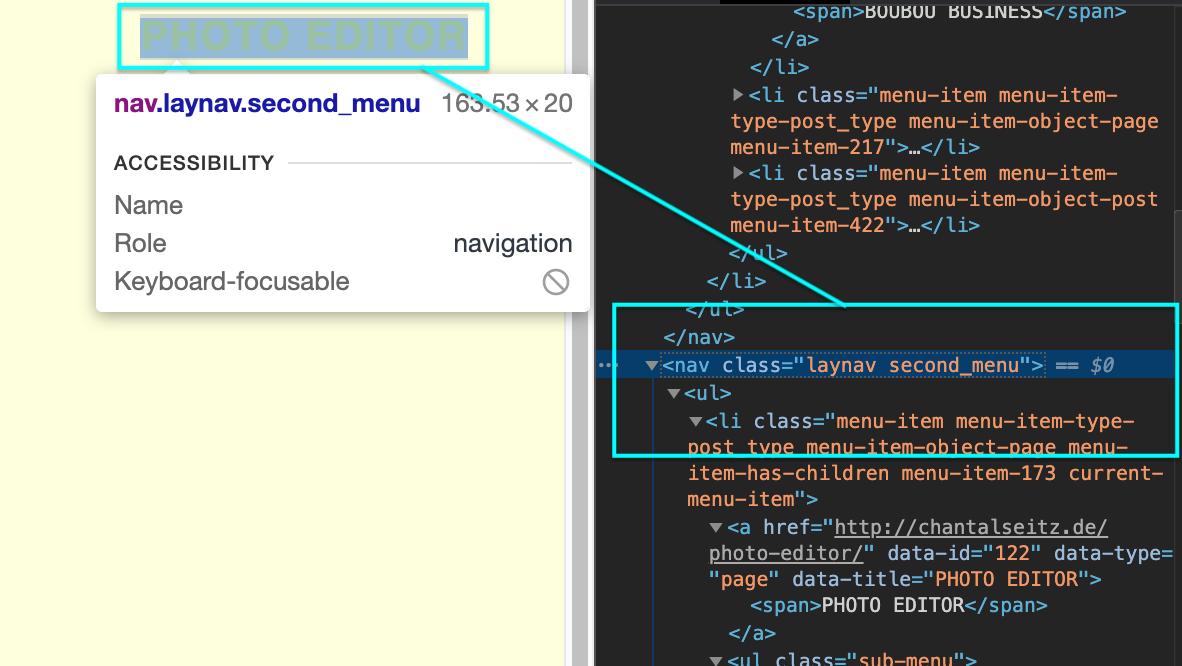
If you are able, try to use the same CSS for the secondary menu but change the targeted "Primary" to the second menu?
Does this make sense :)
Let me know i hope it provides you with the solution you are looking for!As always thank you for Using Lay Theme
Best wishes
Richard

Hello! It looks like you're interested in this conversation, but you don't have an account yet.
Getting fed up of having to scroll through the same posts each visit? When you register for an account, you'll always come back to exactly where you were before, and choose to be notified of new replies (either via email, or push notification). You'll also be able to save bookmarks and upvote posts to show your appreciation to other community members.
With your input, this post could be even better 💗
Register Login