How to make a project with a carousel as in the example?
-
hey it seems that this website is not a lay theme website:
https://naranjoetxeberria.com/loewe-x-ibiza/this page uses fullscreen slider, not carousel:
http://alfredoardanza.com/test -
Good morning @Richard-Keith and @arminunruh.
Yes, now I have the fullscreen Addon on my website but the link that passes you I do not know why it has been changed to www........../test when it is alfredoardanza.com/prueba. In this link I used the carousel and I placed the photos to test and that it stayed more or less as in the example but I do not get itIf you can look at it and help me, I appreciate it.
http://alfredoardanza.com/pruebaThanks :)
-
Good morning @Richard-Keith and @arminunruh.
Yes, now I have the fullscreen Addon on my website but the link that passes you I do not know why it has been changed to www........../test when it is alfredoardanza.com/prueba. In this link I used the carousel and I placed the photos to test and that it stayed more or less as in the example but I do not get itIf you can look at it and help me, I appreciate it.
http://alfredoardanza.com/pruebaThanks :)
-
-
Dear @fredyatb
Just to let you know that i'm looking into it and will get back to you tomorrow :)
Thank you for using Lay Theme.
Best wishes
Richard -
Dear @fredyatb
I had replied (tomorrow) but obviously a mistake on my part with the message getting through!!!!
Using Custom CSS in "Lay Options"

I have changed the carousel to "80vh" and given it a "margin-top" of 10vh.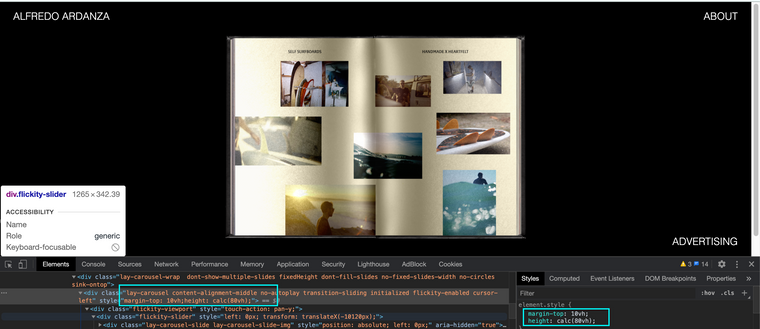
We could create the necessary space above the carousel with the "top frame" option in the gridder:

secondly we could apply a top frame to all pages if this works for you in 'Gridder Defaults' :

Thirdly we could add a custom class to your carousel and target it with Custom CSS:
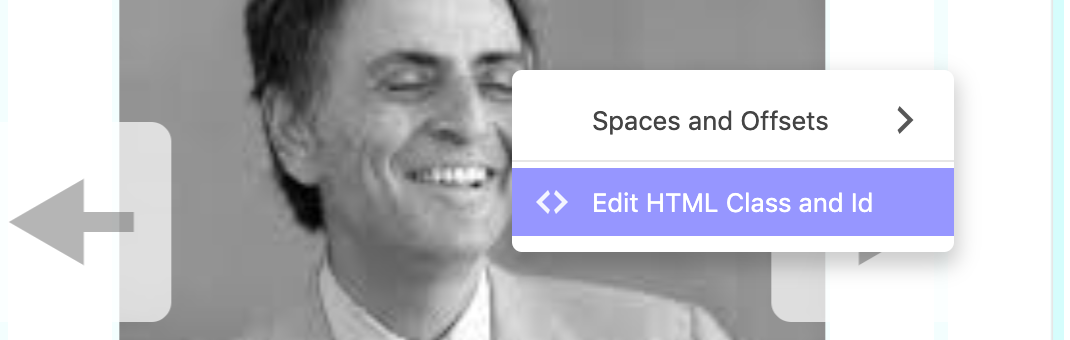
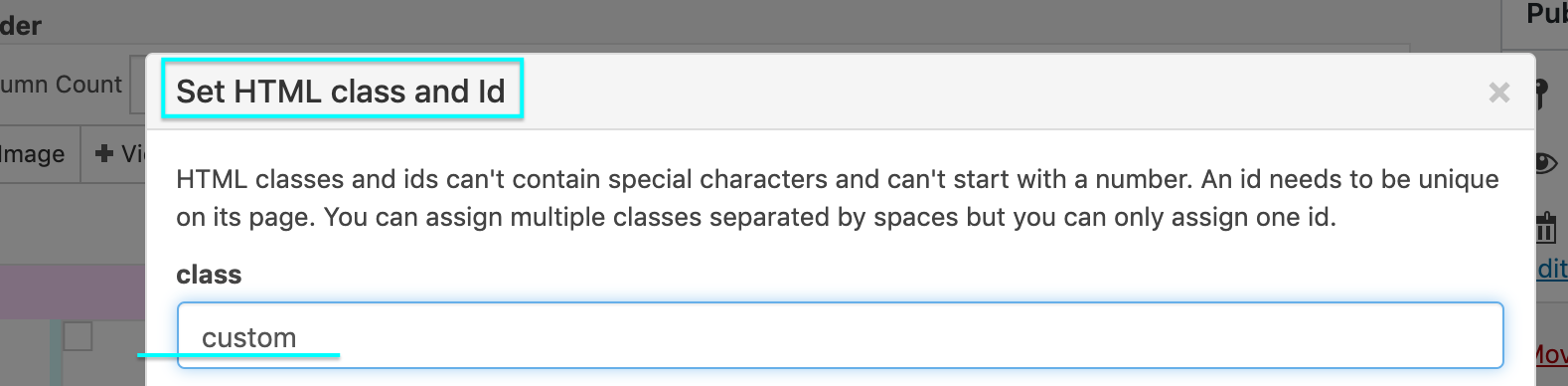
As well as making our carousel "80vh"

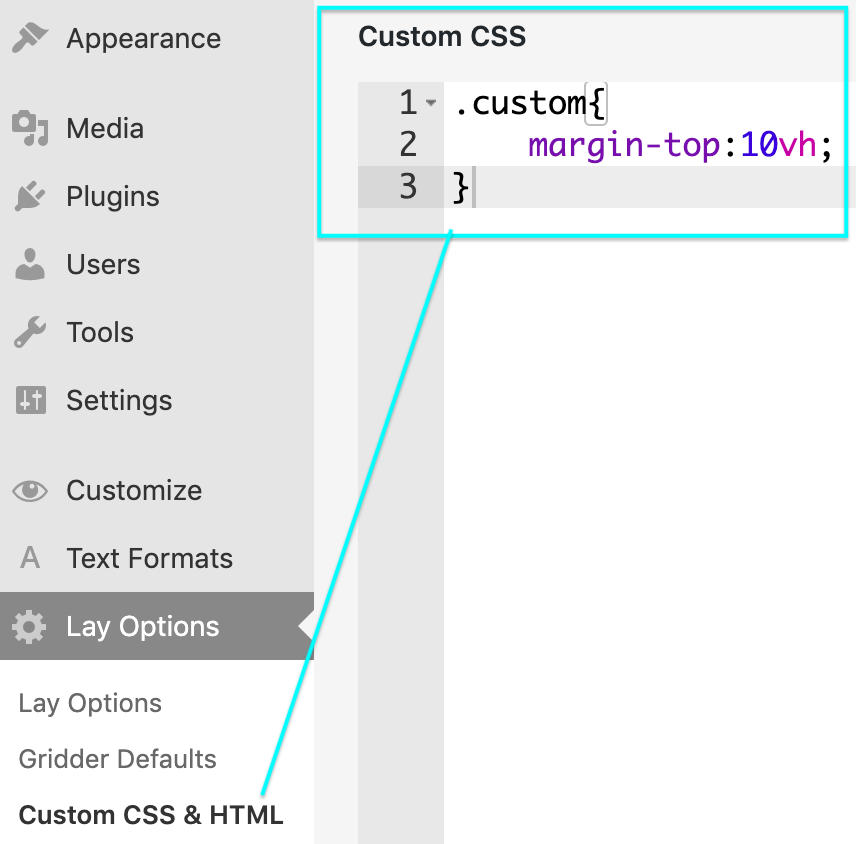
Adding the Margin top in CUSTOM CSS:
Hope this Helps!!
Best Wishes
Richard -
Dear @fredyatb
I had replied (tomorrow) but obviously a mistake on my part with the message getting through!!!!
Using Custom CSS in "Lay Options"
I have changed the carousel to "80vh" and given it a "margin-top" of 10vh.We could create the necessary space above the carousel with the "top frame" option in the gridder:
secondly we could apply a top frame to all pages if this works for you in 'Gridder Defaults' :
Thirdly we could add a custom class to your carousel and target it with Custom CSS:
As well as making our carousel "80vh"
Adding the Margin top in CUSTOM CSS:
Hope this Helps!!
Best Wishes
Richard@Richard-Keith said in How to make a project with a carousel as in the example?:
Dear @fredyatb
I had replied (tomorrow) but obviously a mistake on my part with the message getting through!!!!
Using Custom CSS in "Lay Options"Dont worry, I understand that you have to attend to many things and with your answer I am grateful.
I try it now :) -
HI again.
-I have applied the changes but it leaves me a lot of space at the top, it is not completely centered.
-Background photos should be full size and not the same size as the pages of the book.
-The text is very extended from margin to margin, how could I make it stay centered and in block. -
-
Dear @fredyatb
Three Questions - Three answers
1 - Change the "Margin-top" from 10vh to 3.5vh or 4 vh depending on what you prefer, play around and set the webpage how you like it.
2 - The Background photo's should be full size of the Carousel? or full size of the webpage? the Carousel has a wide viewport on it filling up the space and enlarging the images would either crop areas away or stretch quite badly your image. Am i correct in what you are after maybe?
3 - As for the text - add this code and play with the percentages equally ( should equal each other ) to create the distance you desire from the sides of the browser.
p._ABOUT {
    padding-left:25%;
    padding-right:25%;
}
Hope this Helps :)
Best Wishes
Richard


Hello! It looks like you're interested in this conversation, but you don't have an account yet.
Getting fed up of having to scroll through the same posts each visit? When you register for an account, you'll always come back to exactly where you were before, and choose to be notified of new replies (either via email, or push notification). You'll also be able to save bookmarks and upvote posts to show your appreciation to other community members.
With your input, this post could be even better 💗
Register Login