Carousel plugin: links + previous/next buttons
-
Dear Laytheme forum,
My question is the following, tl;dr: How can I make a carousel that uses both links and previous/next buttons?
I am working on my portfolio site and have an "simple" issue with the Carousel plugin.
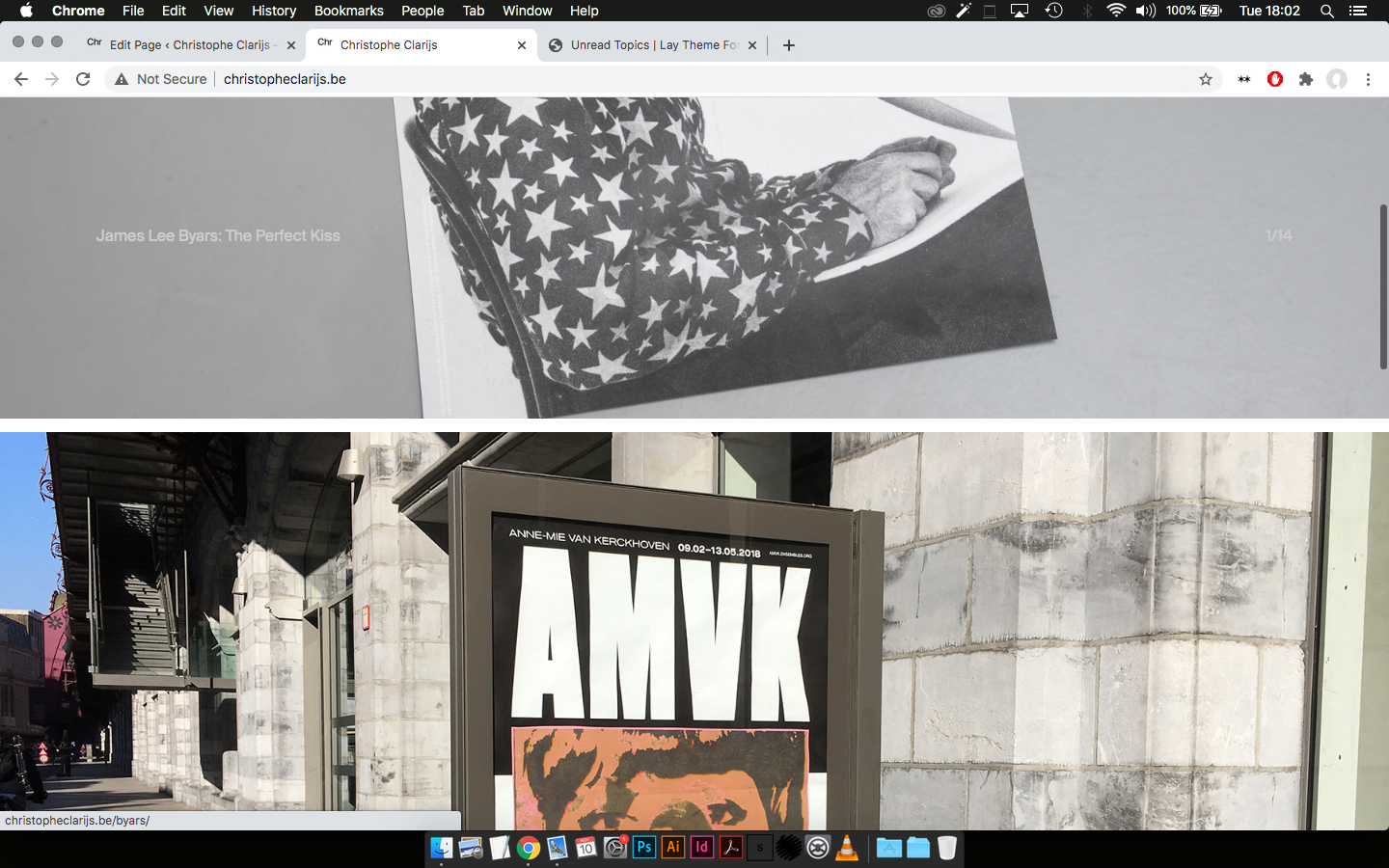
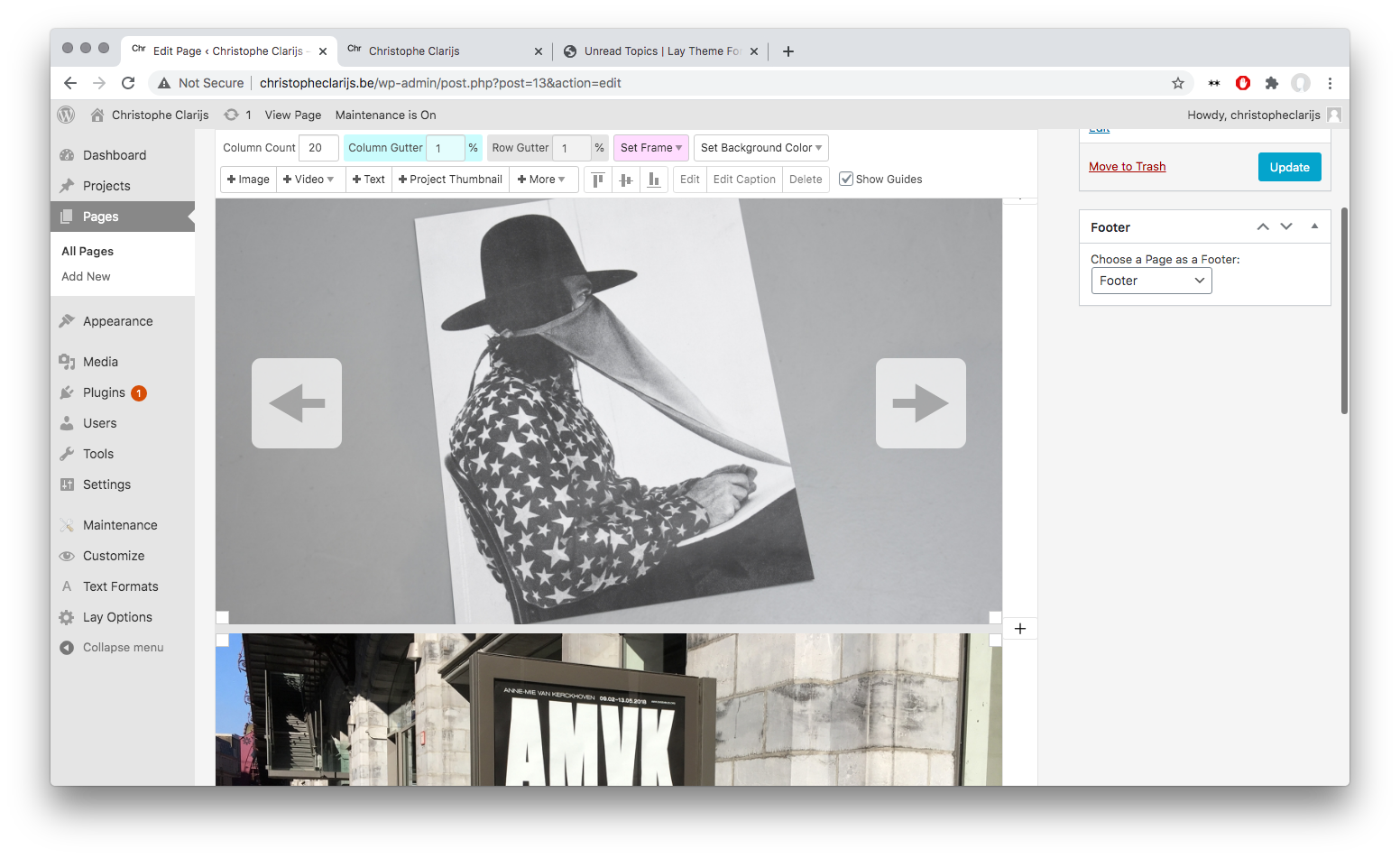
At the top of my homepage I have a carousel with the project thumbnail image of each project. It works and links to the projects, but I cannot use the previous/next buttons. (I assume they are overwritten by the link pointer cursor)
As a test I made a carousel with images that don't have links and then the previous/next buttons works just fine.
On my previous website (without LayTheme) I had a carousel that worked with a central button for the link (50% width) and two previous/next buttons on the left/right (25% width each). I want to make something similar. Do I need to use custom css to achieve it?
A screenshot of my website can be found below. The url is: www.christopheclarijs.be, I can deactivate the 'under construction' page if necessary.!
-
Dear @cclarijs
When re-creating your problem - Carousel with Project Thumbnails and Prev/Next links I am able to have both:
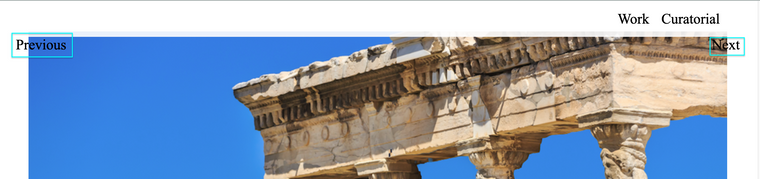
Are all the necessary settings checked in 'Lay Options' and 'Carousel Addon' Options such as show prev/next buttons? :

If for some reason not (which is strange..) we can luckily force the Next and Prev buttons by adding some code to your Gridder - " +More - HTML "
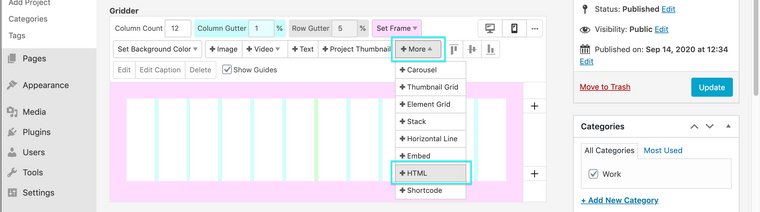
<a class="layprevproject" href="">prev</a><a class="laynextproject" href="">next</a>When we add a link with the class "layprevproject" or "laynextproject" the link automatically receives the needed info to get you the next or prev project! :)
So we can add those to the left and right of the gridder where you wish and then we can style them with CSS within "Lay Options - Custom CSS & HTML"

Adding some code similar to this, font size changes and pushing it off the browser edge a little bit, but you can add as you wish to suit your needs:
a.layprevproject {
    font-size:1.5em;
    padding-left:30px;
}
Also check out this documentation on the Lay Theme site:
https://laytheme.com/documentation.html#custom-css-stylingI hope this helps, best of luck and have a wonderful day
Richard
-
Dear Keith,
Thank you for the quick and detailed reply. I think I formulated my question the wrong way, because I mean to add previous/next function as cursors.
The following option on the Carousel addon:
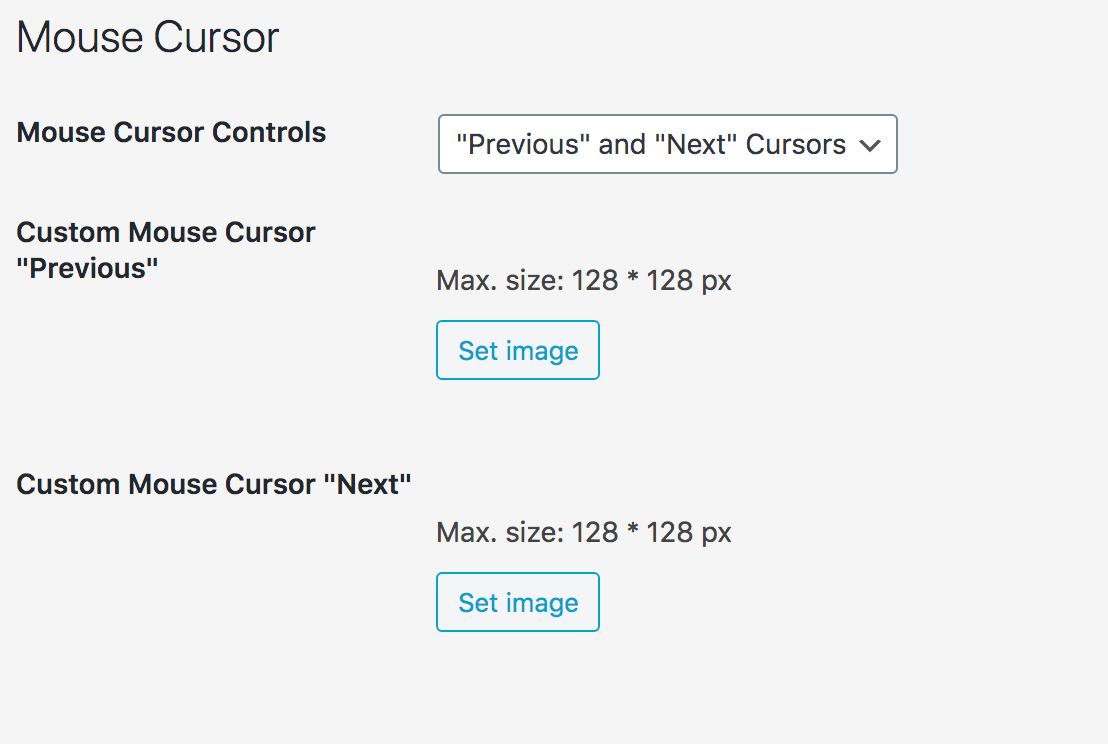
Is it possible to have both a link to the project connected to the image and have prev/next cursors to navigate the carousel?
But I think I can style the Next / Prev buttons in css as you suggested to do something similar.
Best,
Christophe -
-
-
Thank you @Richard-Keith, one additional question:
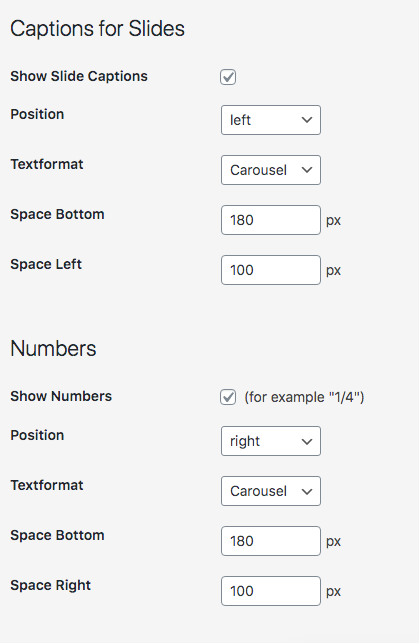
Is it possible to position the 'captions for slides' and 'numbers' on a % value instead of a pixel value?
In the Carousel add on option there is only a field for pixels, but I'd like to use percentage to match my Gridder columns.
-
Dear Christophe @cclarijs
From the options provided, no i believe but you could force it with some Custom CSS:
For the captions - 'space bottom' change the px to % e.g 90%
.lay-carousel-sink-parent .captions-wrap {
    margin-top: 180px !important;
}
Then for the captions 'space-left' same changes needed:
.single-caption {
    padding-left: 180px !important;
}
NOTE: that this will apply to all carousels and captions across your website, you may wish to specify each carousel individually to be safe!
Best wishes and have a wonderful day Christophe :)
Richard -
Dear cclarijs and Richard,
i am working on a similar problem. I just made a carousel with some images (100vh) and now I actually want to link the last image of the carousel with another page. But when I link the image in the carouseleditor, the back- and next-arrow-cursers disappear on this image. Instead there is just the handpointer(handcurser), which leads me to the linked page.
Did you find a solution to manage the use of both (a link to the page connected to the image and have prev/next cursors to navigate the carousel).
It would be great, if you could tell me how you managed this!!
A lot of success with your projects and all the best,
Hannah -
Dear @HW
I am able to have both, here are my Carousel settings the image at the end is a linked image:
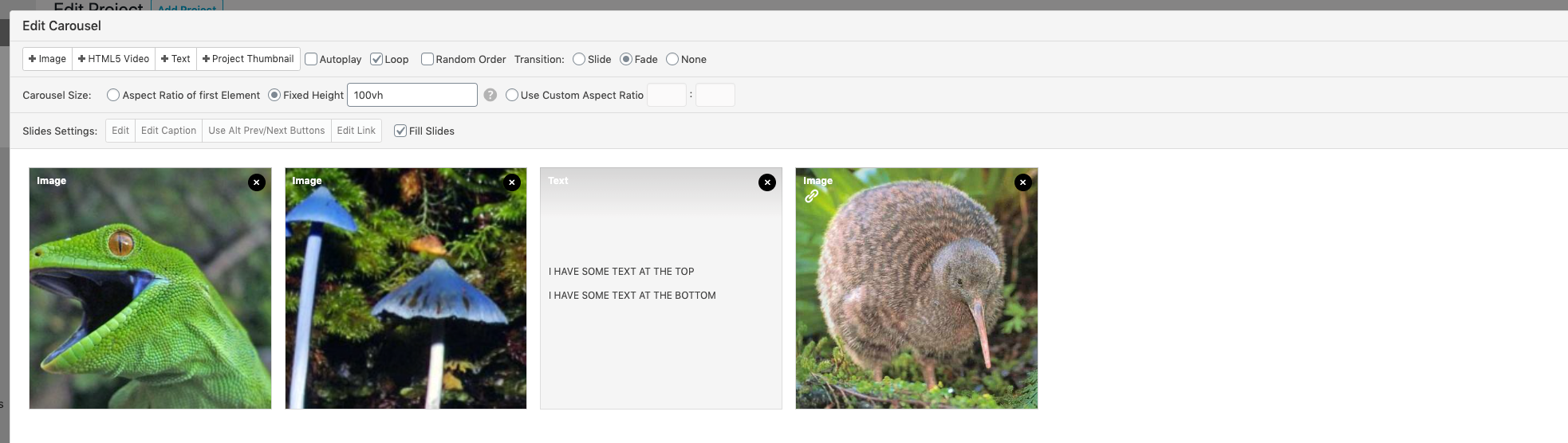
Just to be sure:
-
Wordpress, Lay Theme & Laytheme's Addons are all up to date?
-
Any Custom CSS or JS that may interfere is temporarily removed.
-
And third-party plugins de-activated to see if this resolves the issue.
Also link to your website if that helps ,
Best wishes, good luck and best success with your projects too! :)Richard
-

Hello! It looks like you're interested in this conversation, but you don't have an account yet.
Getting fed up of having to scroll through the same posts each visit? When you register for an account, you'll always come back to exactly where you were before, and choose to be notified of new replies (either via email, or push notification). You'll also be able to save bookmarks and upvote posts to show your appreciation to other community members.
With your input, this post could be even better 💗
Register Login