Background only on row-inner
-
Hi,
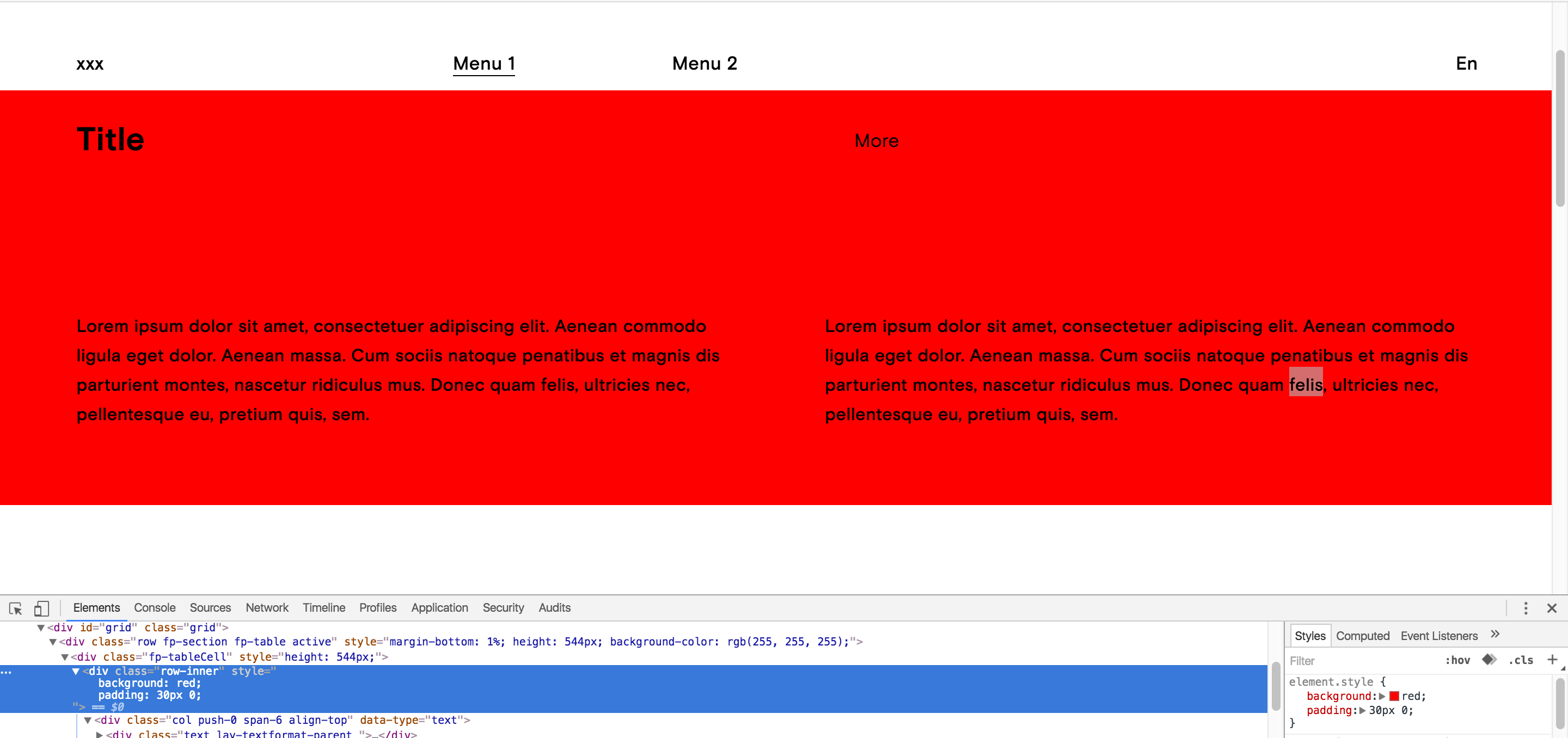
I am using Fullscreen slider vertical and i would like to apply the background only of "row-inner" of my first slide. Right now i am able to add background only of each of my slide, but i don't want the background on my nav menu, just on my slide. Please check the image to have more details.
I tried to add background on row-inner but it show background on each slide…
-
I am not sure what you mean. Can you explain this in a different way?
On your screenshot I see that your menu at the top has a white background.
-
Hello armin, what you see is exactly what i want.
The first slide is text and i want a background as you see in the screenshot that i made with row-inner.
The problem is that if i set a background to row-inner, the background will appear on following slide which i don't want. Also i want to be able to set different color depending of my project. Do you think it's possible ?Ps : I can't use your tool when your right click and "set the background" because the background appear all over the slide ( background cover also the menu ).
-
Hey!
I think here it would be good to use the menu bar to have a white bar underneath your menu.
Please go to "Customize" -> "Menu Style" -> "Menu Bar"
Uncheck "hide" and configure your menu bar as you like.Then, instead of setting .row-inner to a color with your own css, please use the "set background" feature by right clicking on a row.
Does that solve the problem? I hope I understood the problem in the right way :)
If you don't want to do it this way, please use css in a different way:
.row:nth-child(0) .row-inner{
background-color: red;
}
Now instead of 0 you can put a different number into :nth-child(0) which selects a different row. If you combine this with the page selectors you can target certain pages. For example
body[data-type="project"][data-id="10"] .row:nth-child(0) .row-inner{
	color: red;
}
actually with a new version of lay theme you can write:
body.type-project.id-10 .row:nth-child(0) .row-inner{
	color: red;
}
which is a bit shorter

Hello! It looks like you're interested in this conversation, but you don't have an account yet.
Getting fed up of having to scroll through the same posts each visit? When you register for an account, you'll always come back to exactly where you were before, and choose to be notified of new replies (either via email, or push notification). You'll also be able to save bookmarks and upvote posts to show your appreciation to other community members.
With your input, this post could be even better 💗
Register Login