Problem updating changes made on the homepage
-
Hello,
I'm having some difficulties with the creation of my website, here is the temporary link: https://donagillon.ovh/
(I am currently using Chrome as my browser).(1) The changes I make on the home page are not recognized. Although I have updated this page in the menu. Moreover, the version of the homepage that is currently visible corresponds to a previous version that I have now deleted on my WordPress module. Of course, I have purged the WP cache, the host and the browsers. I have also done the updates. Finally, I have already tried to deactivate the plug-ins but nothing changes on the homepage. What can I do about this?
(2) For the font of my menu, I want a justified and strongly spaced layout. Is there a font plug-in that allows this? Or do I have to use the CSS of the WP if I really want this result?
Thank you in advance for your answers!
-
Dear @Ailuj
Best wishes :)
Q1. I am also using Chrome also. Is this the new Layout that you want recognised or the old one?
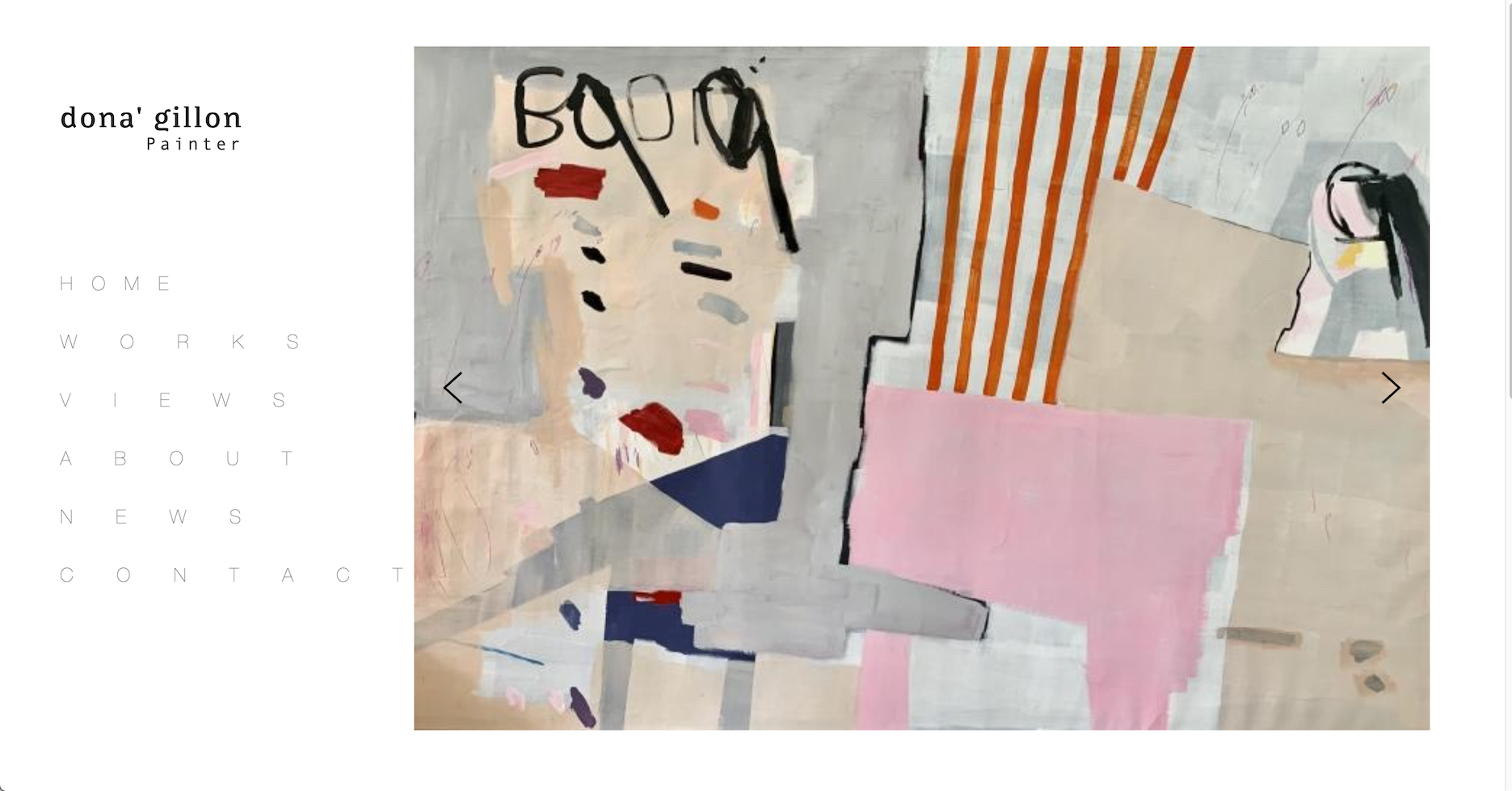
Q2. I would suggest adding some CSS instead of installing a whole plugin if you wish?
You can target the menu items and then add some CSS to them. CSS can be added to your website through:
Lay Options > Custom CSS & HTML >
Or
Customize > CSS >
It would look something like this:
.menu-item { letter-spacing: 3px; text-align: justify; }Hope this helps @Ailuj & have a wonderful day! :)
Sincerely
Richard -
Dear @Ailuj
Best wishes :)
Q1. I am also using Chrome also. Is this the new Layout that you want recognised or the old one?
Q2. I would suggest adding some CSS instead of installing a whole plugin if you wish?
You can target the menu items and then add some CSS to them. CSS can be added to your website through:
Lay Options > Custom CSS & HTML >
Or
Customize > CSS >
It would look something like this:
.menu-item { letter-spacing: 3px; text-align: justify; }Hope this helps @Ailuj & have a wonderful day! :)
Sincerely
RichardHi @Richard, thank you for your response :)
I'll try my best with the CSS code and your advices.Concerning the Q1, the screenshot above is of an old menu that I have already deleted, but which is still visible on the published version of the site. It is impossible for me to delete it. How can I proceed?
Thank you in advance for your help.
-
Dear @Ailuj
To be sure:
Wordpress, Lay Theme & Laytheme's Addons are all up to date ?
Any custom CSS or JS that may interfere is temporarily removed.
Any third-party plugins are de-activated to see if this resolves the issue.
If using a WordPress Cache plugin, disable it or clear your cache. ( I know you have cleared this.. )
Best
Richard

Hello! It looks like you're interested in this conversation, but you don't have an account yet.
Getting fed up of having to scroll through the same posts each visit? When you register for an account, you'll always come back to exactly where you were before, and choose to be notified of new replies (either via email, or push notification). You'll also be able to save bookmarks and upvote posts to show your appreciation to other community members.
With your input, this post could be even better 💗
Register Login