footer problems on mobile main page

-
Hi there,
I put a background picture at the landing page. There is also a background picture for the rest of the page in "customize".
The problem is, that by scrolling down the landing page the background picture of the rest of the pages shows up at the bottom of the page where the footer is.This is the page:
https://schreinerwehr.de/categoryI don't know how to fix this. Any ideas?
IMG_2413.jpg
Bildschirmfoto 2021-07-29 um 18.09.38.pngkind regards and thanks in advance,
Sunnyi ! -
-
@Richard it appears when the mobile browser minimizes its interface on scrolling down. The Height of the image stays the same and is too short...
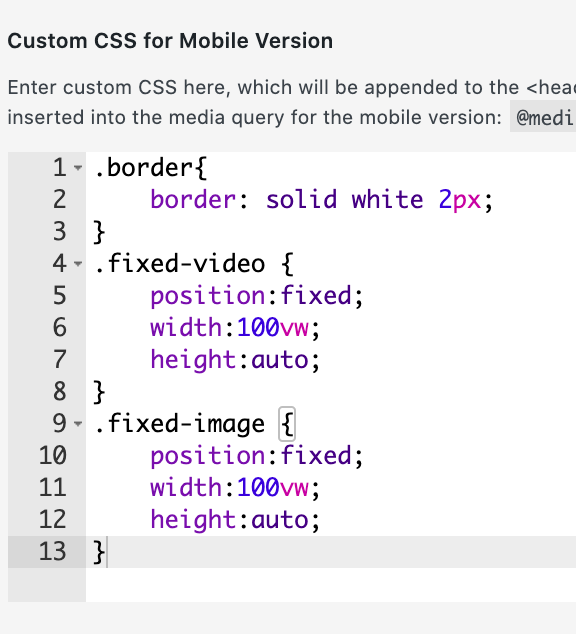
@Sunnyi maybe a quick fix:
 .fixed-image {
 position: fixed;
 width: 100vw;
 height: 120vh;
 }
further reading:
https://stackoverflow.com/questions/37112218/css3-100vh-not-constant-in-mobile-browser -
Hello and a big thanks in the beginning,
@Richard No, unfortunately I didn't really solve this, yet. You have to check it on mobile phone (not desktop). The browser blocks the video on mobile and the picture is shown. With the bug in the footer area. Can you see it on mobile? It appears now for a short amount of time by scrolling down.
Thank you very much @felix_rabe, it's better now but still the wrong picture / error blinks up for a short amount of time when scrolling down.
Any ideas how to fix this perfectly? :)
Thank you in advance,
Sunnyi



Hello! It looks like you're interested in this conversation, but you don't have an account yet.
Getting fed up of having to scroll through the same posts each visit? When you register for an account, you'll always come back to exactly where you were before, and choose to be notified of new replies (either via email, or push notification). You'll also be able to save bookmarks and upvote posts to show your appreciation to other community members.
With your input, this post could be even better 💗
Register Login