Some images w/ y-offset have a strange overlap/cutoff
-
Hi there @richard & @arminunruh,
I somehow ran into a weird problem which must have been caused by an update. I updated this site to 4.1.5 a few minutes ago. It seems that images with a negative y-offset that push into the previous row get overlapped by the background for some reason.
It looks alright in the gridder:
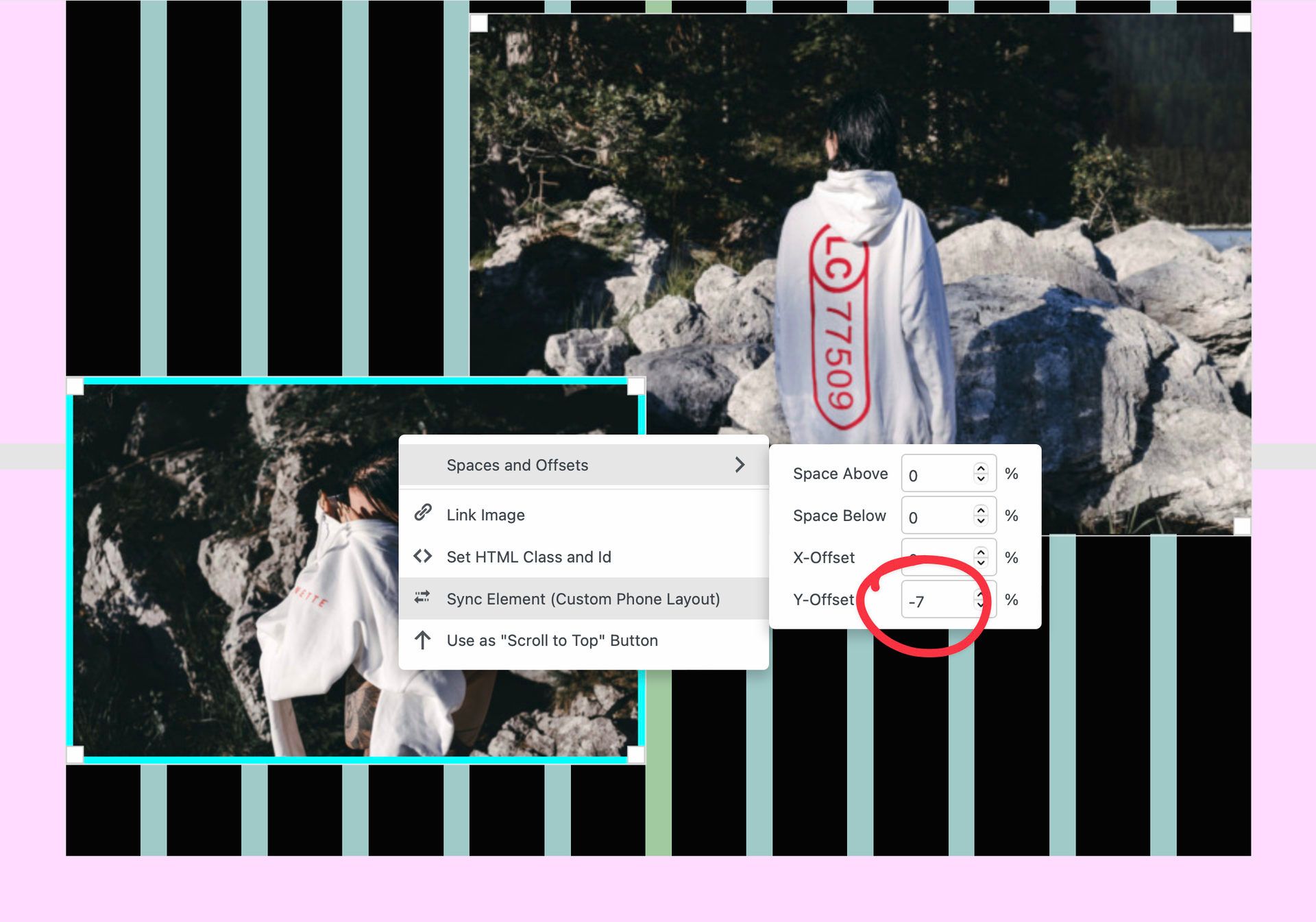
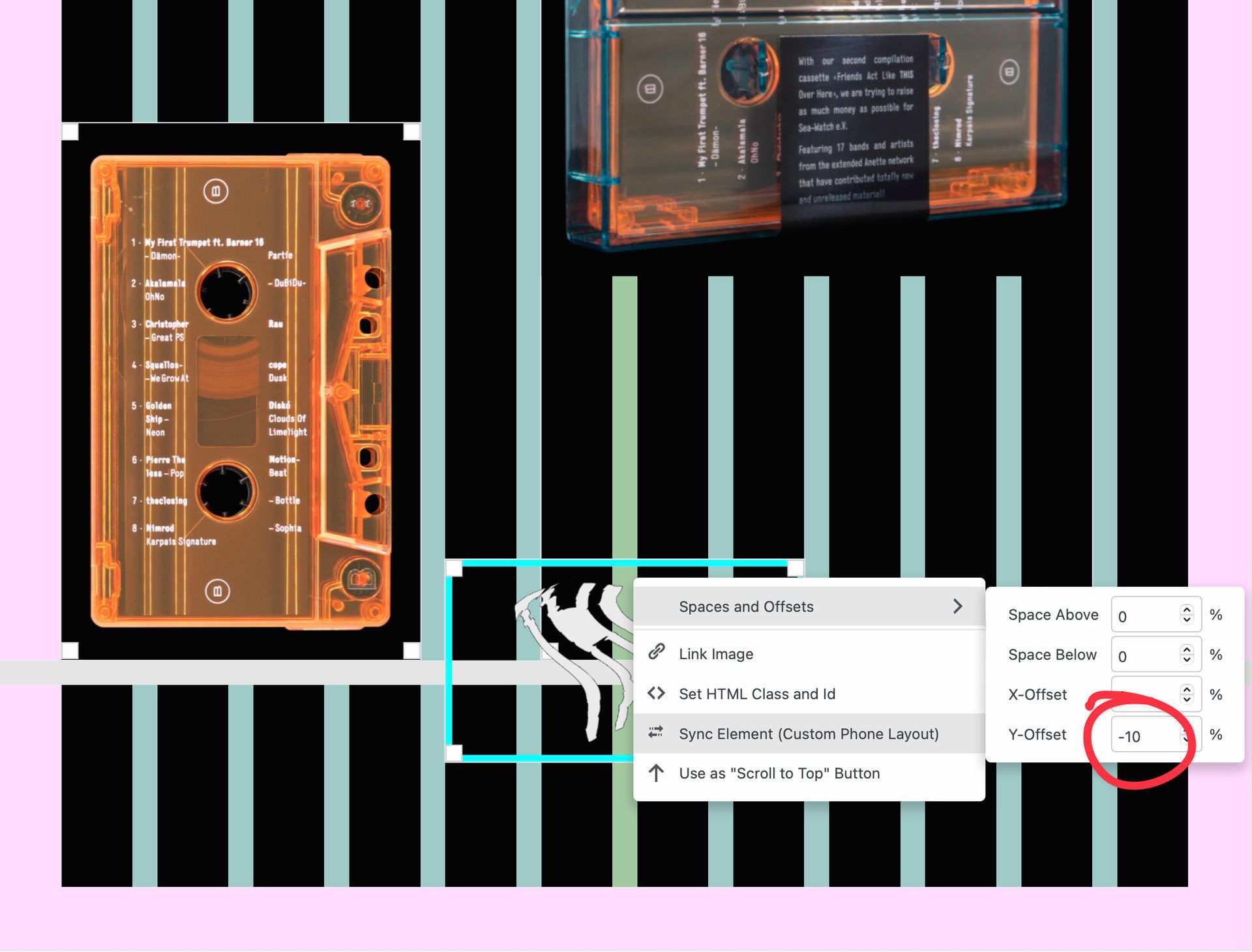
…but has a strange / wrong / cut off appearance in the actual front end:

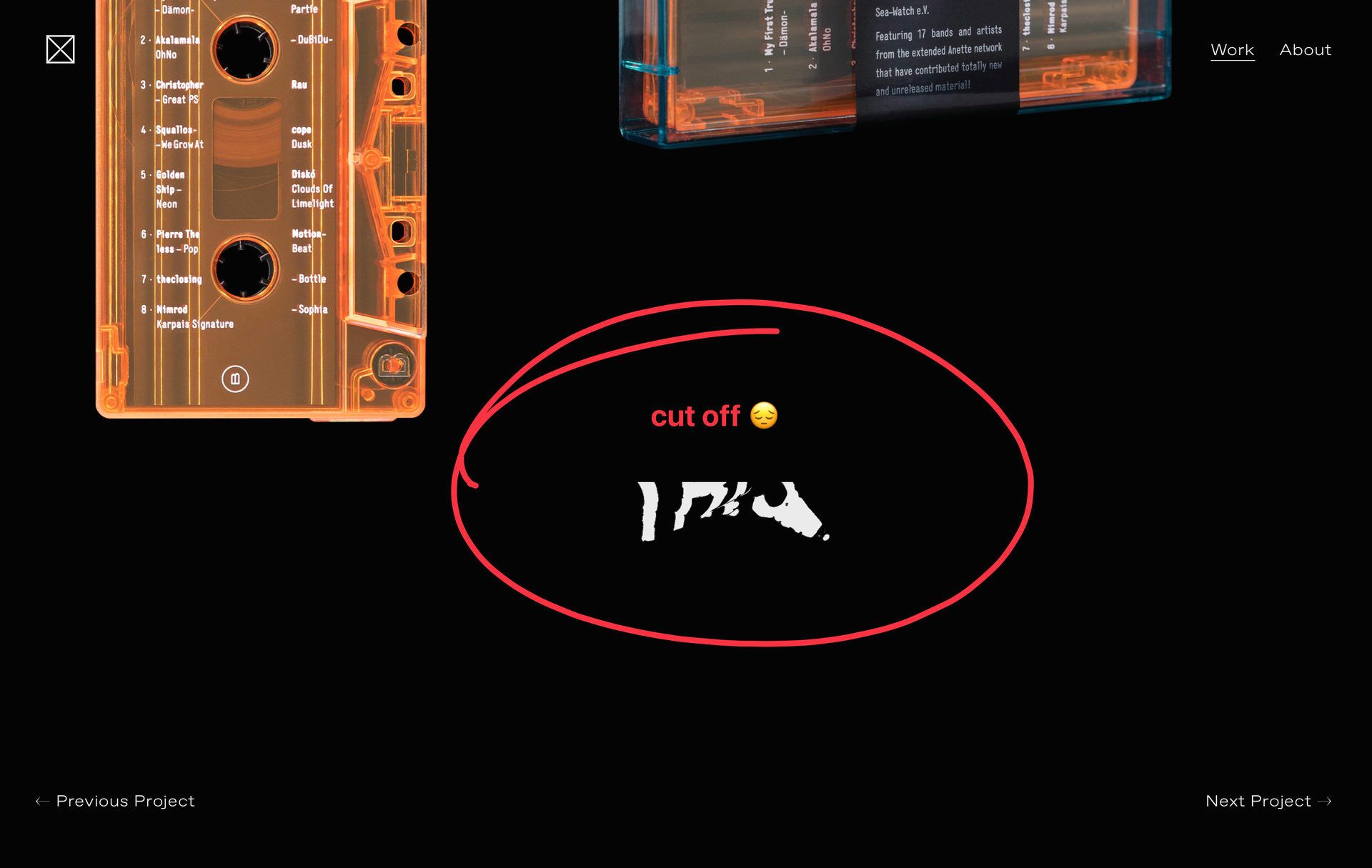
I was able to reproduce/see the issue in safari as well as chrome. It seems to only be happening to the last image in a project. And only if that image has a negative y-offset applied.
Any help would be very much appreciated!
-
-
Dear @edgrbnz
Thank you so much for such a good Bug Report! 🐛
- Bug Present in Chrome & Safari (Lay Theme version 4.1.5, 4.1.6)
- Last element with negative Y-Offset applied
- Element is cut off (confirmed when removing Offset):
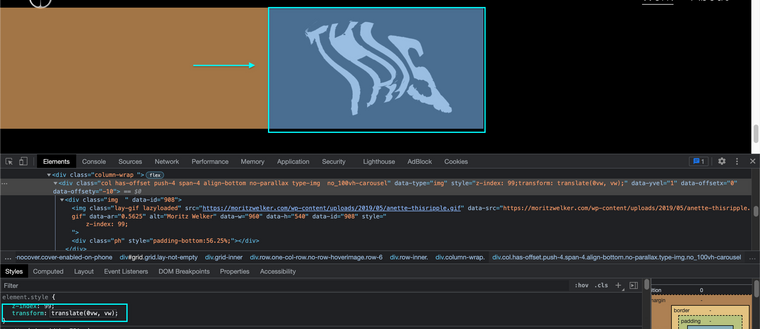
Relates to Code:
body.lay-transition-elements-on-scroll .row:last-child {
    overflow: hidden;
}
Have forwarded to Armin ✅
Thanks @edgrbnz & have a wonderful day 🏖
Richard
-
-
-
-
-
Dear @edgrbnz
Still no news sorry, lets come to a solution in the meantime then 👍
This is affecting the last child in the Gridder. This custom CSS with change the overflow:hidden. I have added
translateYto move it down a bit if needed for your design.Here on the "friends-act-like-this-over-here" work page:
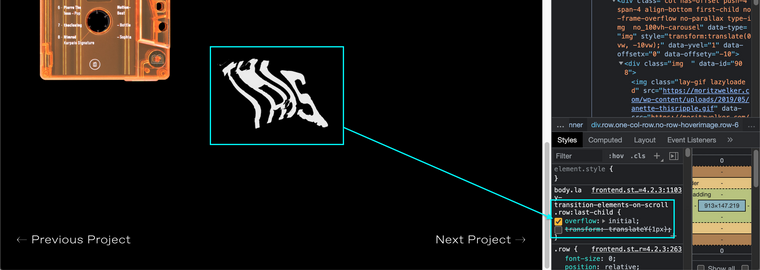
I didnt need to move the element down because you had room above within the design:
body.lay-transition-elements-on-scroll .row:last-child {
    overflow: initial !important;
}
If you do need to push an element you can use the code below to push it down (for example 70px):
body.lay-transition-elements-on-scroll .row:last-child {
    overflow: initial !important;
    transform: translateY(70px);
}
Im sure there are different setups for different pages so let me know how i can help if you find the above code not working as per design. Once again sorry for no reply, i will re-forward. ✅
Talk soon & let me know if i can help further 🌝
Sincerely
Richard -
-
-
Hi @richard & @arminunruh,
just discovered that the two last images in one project were cut off at the top as well. The strange thing is that this only happened in one project.
body.lay-transition-elements-on-scroll .row:last-child {
overflow: initial !important;}did the trick for me, too.
Once there is a fix for this: do I then have to remove that custom CSS?
Thanks!
-
-
hey!
i had to do overflow hidden on the last row because otherwise this bug happened:
http://laythemeforum.com/topic/6980/full-screen-row-getting-smaller-on-scrollthe overflow is only hidden when you use "animate elements on scroll" and you use a y-offset in the last row.
since this is kind of a rare case and im not sure how else to fix the bug that i mentioned in the first sentence, i will leave it as it is.
-
Alright thanks @arminunruh I had this issue on another site I’m currently working on. Will there be a fix somewhen in the forseeable future?
-
hey man,
im gonna code the fix now :O
will be included with the next update -
should be fixed if you update now
-
Thank you @arminunruh 🙏



Hello! It looks like you're interested in this conversation, but you don't have an account yet.
Getting fed up of having to scroll through the same posts each visit? When you register for an account, you'll always come back to exactly where you were before, and choose to be notified of new replies (either via email, or push notification). You'll also be able to save bookmarks and upvote posts to show your appreciation to other community members.
With your input, this post could be even better 💗
Register Login