Bug in Element Grid—affecting multiple websites
-
Hi!
First of all, thanks so much for putting in so much effort and upkeep for Lay theme.
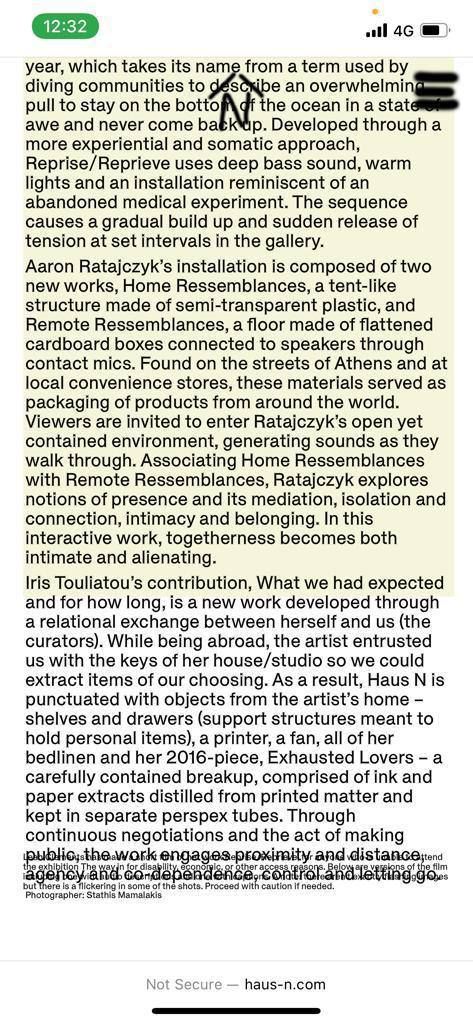
I have an issue with the Element grid, where elements are showing up with a random overlap, and/or elements being cut off at the bottom—only on mobile. Once refreshing the page, the bug is gone. As this bug is affecting a number of our clients websites suddenly, I would really appreciate if you could have a look at this.
Website examples where the bug appears:
A: [https://haus-n.com/jupiter-in-pisces]
B: [https://www.palliativeturn.org/category/contact/]
(As its quite random/unpredicatable where the bug appears, I attached some images what happens as well)
A:
B: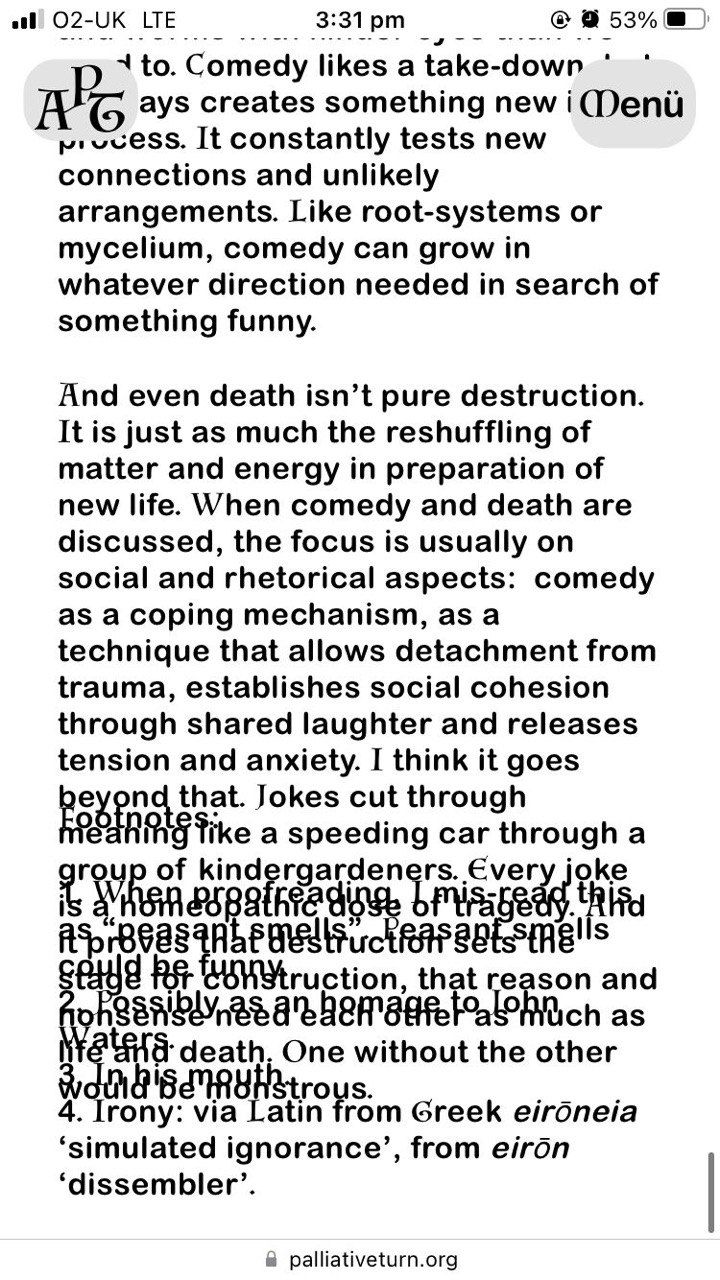
Thanks a lot for taking a look at this!
-
oh nice websites!
so the text is an elementgrid.
can u just use the layout "top aligned" instead of masonry for the text elementgrid?
instead of masonry :Ou can also just update lay theme tomorrow and see if it works then
-

Hello! It looks like you're interested in this conversation, but you don't have an account yet.
Getting fed up of having to scroll through the same posts each visit? When you register for an account, you'll always come back to exactly where you were before, and choose to be notified of new replies (either via email, or push notification). You'll also be able to save bookmarks and upvote posts to show your appreciation to other community members.
With your input, this post could be even better 💗
Register Login