Row image background in lighbox
-
-
hello!
no, row background images are not part of the lightbox.
I think there is no way to do that.Instead of using a row background image, you could insert the image normally using the +Image button. Then it would be part of the lightbox.
-
hello!
no, row background images are not part of the lightbox.
I think there is no way to do that.Instead of using a row background image, you could insert the image normally using the +Image button. Then it would be part of the lightbox.
@arminunruh Hey Armin, thank you for your response.
Please could you see the below page (p: test1):
https://mantaspeteraitis.com/currentsI'd love for the image at the top to be full-screen and setting it as row image background was the only way I could figure out how to achieve this result for both desktop and mobile (although on mobile and certain browser sizes I can see some unwanted padding at the top).
Do you have any tips how to achieve this otherwise (also without padding at the top on certain sizes) so that it could be part of the lightbox?
-
sure
in gridder:
remove the row background imageinsert the image using +image
resize the image to the very left border and right border in the gridder:
https://laytheme.com/documentation/gridder-elements.html#full-width-elementthen right click the image, click "set html class and id"
as class enter: fullscreenin lay options → custom css & html, in custom css enter:
.fullscreen .ph{ padding-bottom: none; height: 100vh; height: 100svh; } .fullscreen img{ object-fit: cover; height: 100vh; height: 100svh; } -
sure
in gridder:
remove the row background imageinsert the image using +image
resize the image to the very left border and right border in the gridder:
https://laytheme.com/documentation/gridder-elements.html#full-width-elementthen right click the image, click "set html class and id"
as class enter: fullscreenin lay options → custom css & html, in custom css enter:
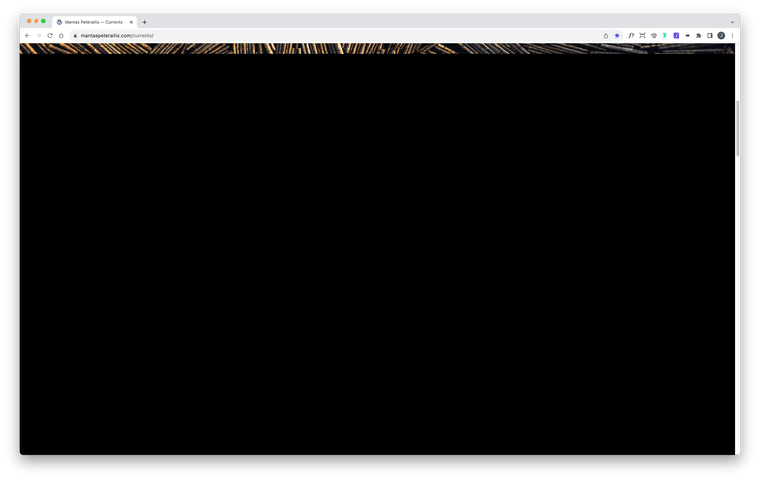
.fullscreen .ph{ padding-bottom: none; height: 100vh; height: 100svh; } .fullscreen img{ object-fit: cover; height: 100vh; height: 100svh; }@arminunruh Thank you Armin, this now works in terms of image being fullscreen and it's included in the lightbox. However, once the page is scrolled, there is a browser-height worth of blank space (see screenshot attached). I tried it on a couple of pages and the result is the same – any idea why this is happening? Thanks again!
-
@arminunruh said in Row image background in lighbox:
fullscreen
use this css instead:
.fullscreen .ph{ padding-bottom: 0!important; height: 100vh; height: 100svh; } .fullscreen img{ object-fit: cover; height: 100vh; height: 100svh; } -
@arminunruh said in Row image background in lighbox:
fullscreen
use this css instead:
.fullscreen .ph{ padding-bottom: 0!important; height: 100vh; height: 100svh; } .fullscreen img{ object-fit: cover; height: 100vh; height: 100svh; }@arminunruh Thank you Armin!

Hello! It looks like you're interested in this conversation, but you don't have an account yet.
Getting fed up of having to scroll through the same posts each visit? When you register for an account, you'll always come back to exactly where you were before, and choose to be notified of new replies (either via email, or push notification). You'll also be able to save bookmarks and upvote posts to show your appreciation to other community members.
With your input, this post could be even better 💗
Register Login